CONTENTS
| Índice |
|---|
| exclude | CONTENTS|IMPORTANT! |
|---|
|
01. OVERVIEW
This document aims to clarify the operation of entity triggers (FN9 - Transfer heading) in the Transfer (ATFA060) routine.
...
| Card documentos |
|---|
| Informacao | The trigger updates all items, whether selected onscreen or not, as the items not selected at the moment of saving are not changed when activating the transfer. The trigger only works as a typing facilitator. After using the trigger, the user can still edit entities of specific items that did not use the entity entered in the trigger. |
|---|
| Titulo | IMPORTANT! |
|---|
|
02. EXAMPLE
See below some examples of use:
| Informações |
|---|
| title | Contextualização | Contextualization |
|---|
|
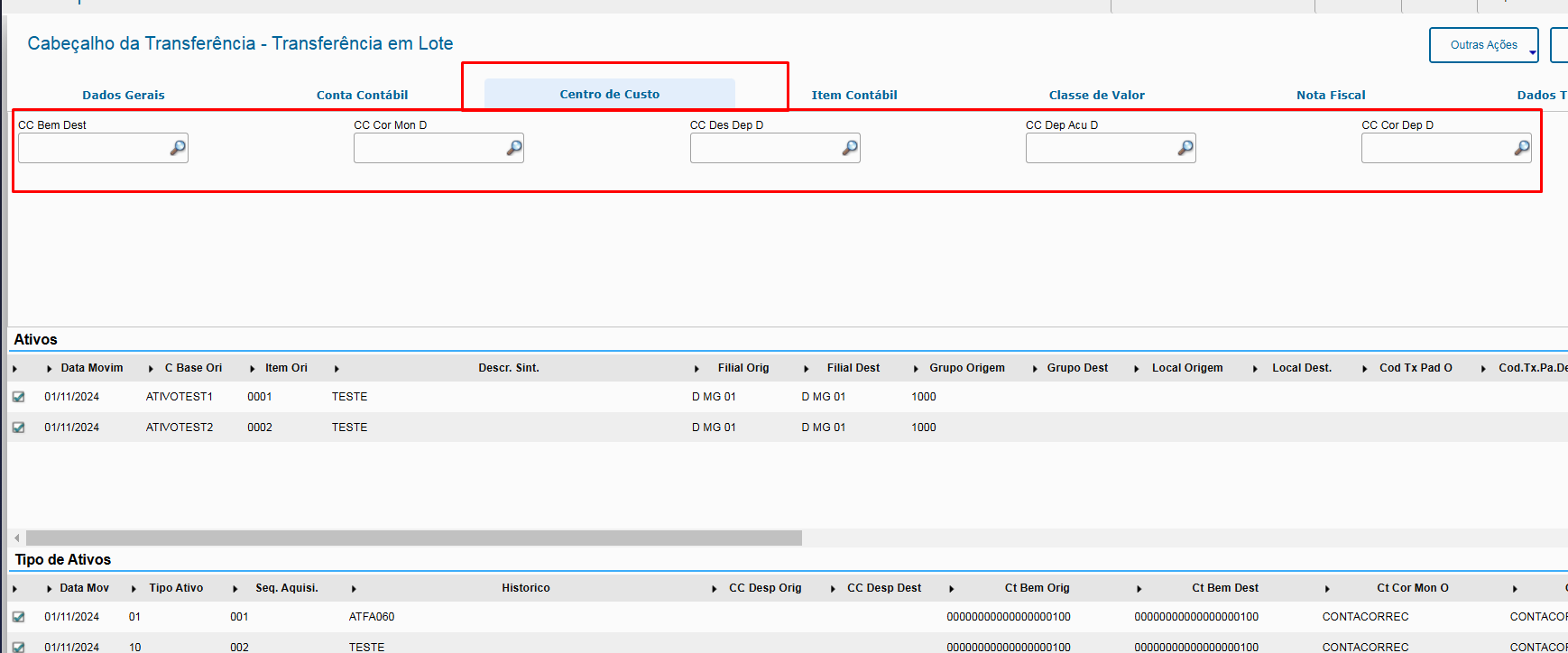
See below the identification of entity triggers (facilitators) found in the transfer Abaixo identificação de gatilhos de entidades (facilitadores) presentes na rotina transferência (ATFA060) routine: Conta ContábilLedger Account: 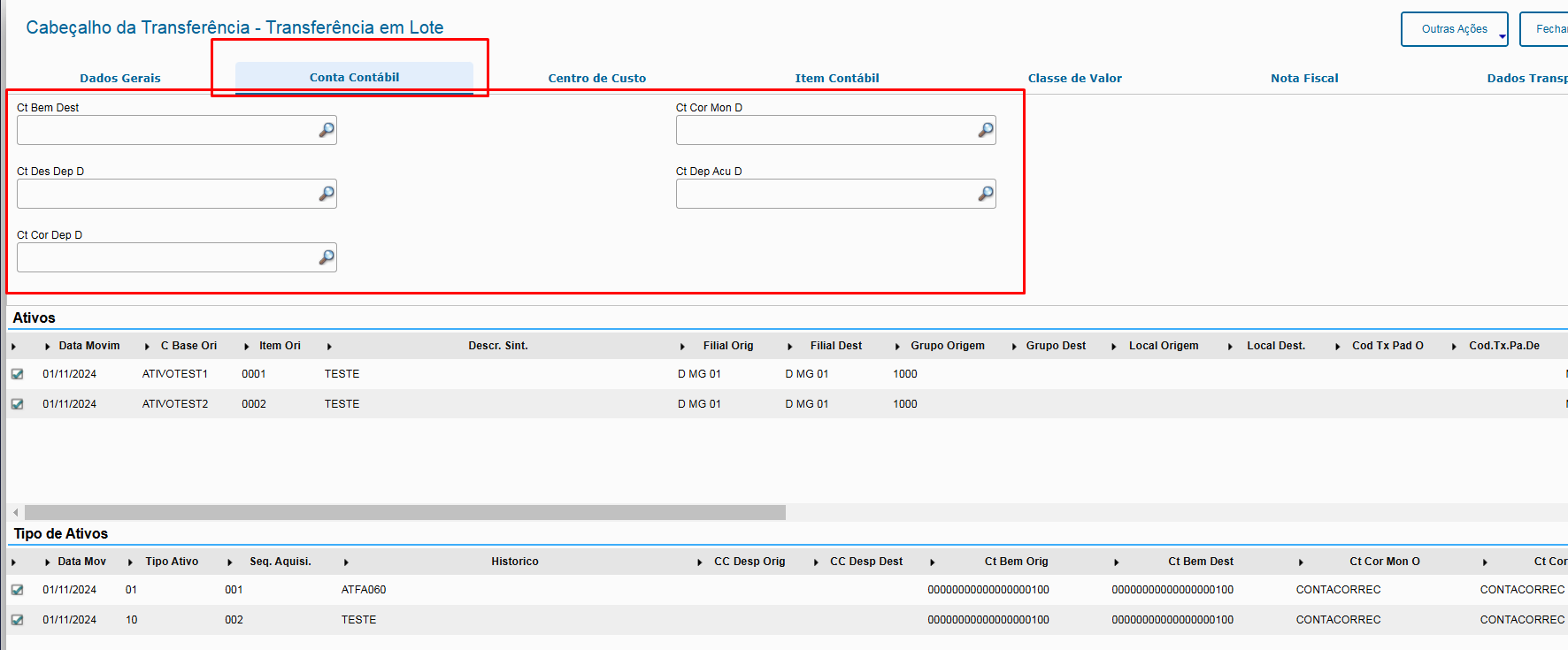
Centro de CustoCost Center:
 Accounting Item Contábil: 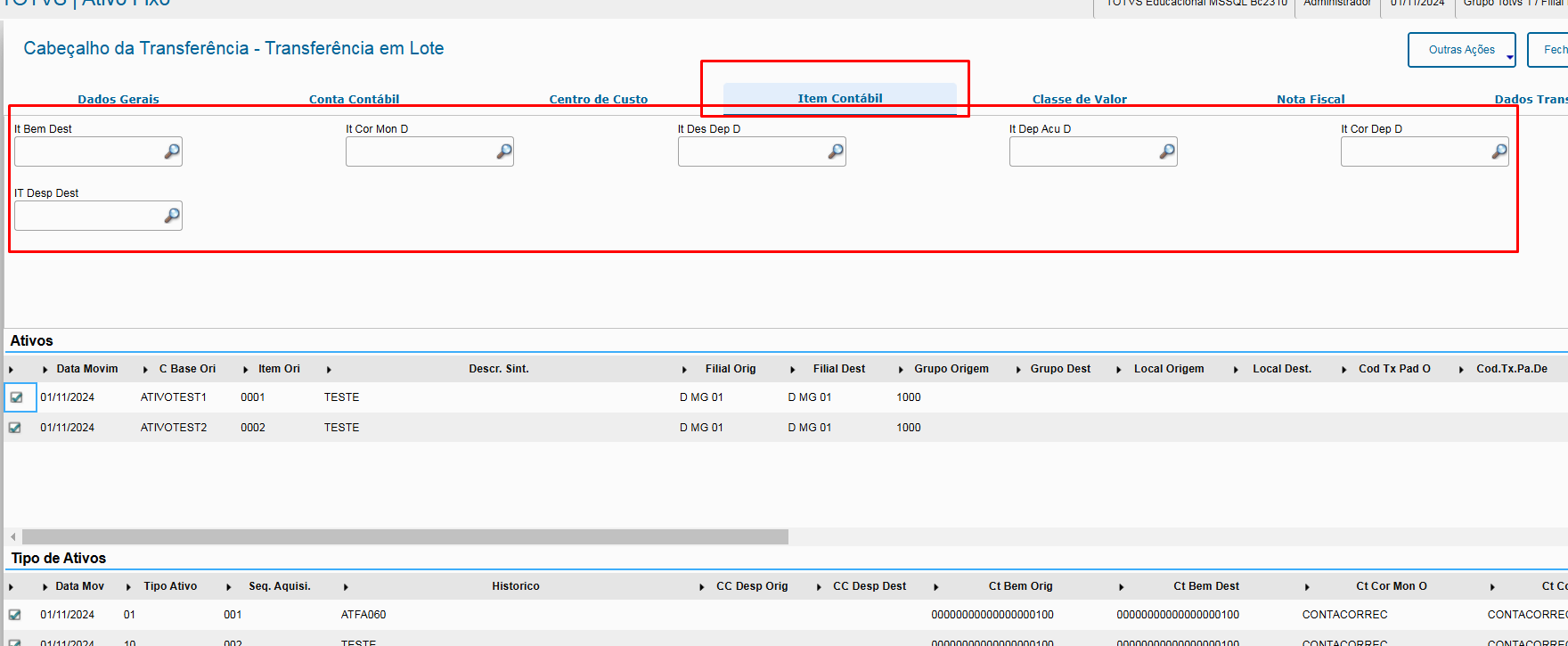
Classe de ValorValue Class: 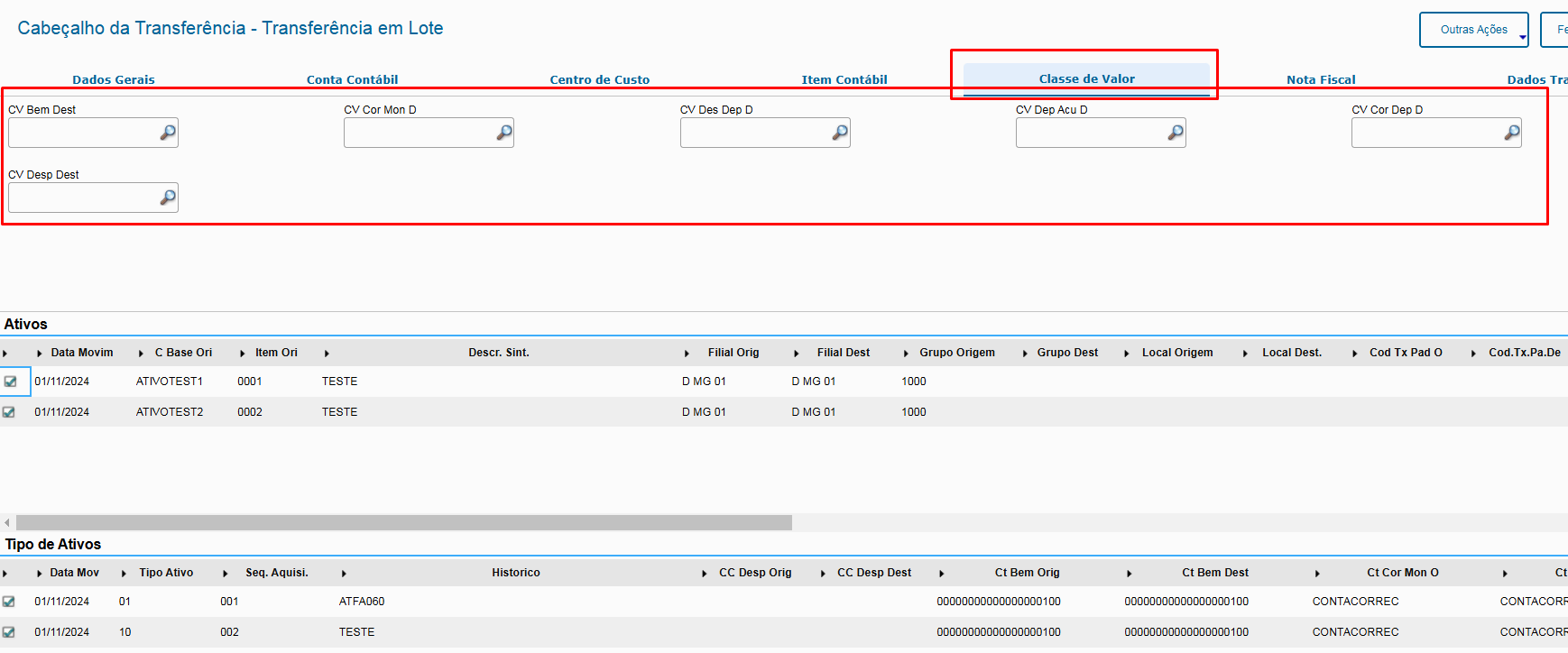
Exemplo de uso: Abaixo exemplo de utilização do gatilho de Conta Contábil do bem (Antes e Depois):
Example: See below an example of how to use the asset's Ledger Account trigger (Before and After): BeforeAntes: 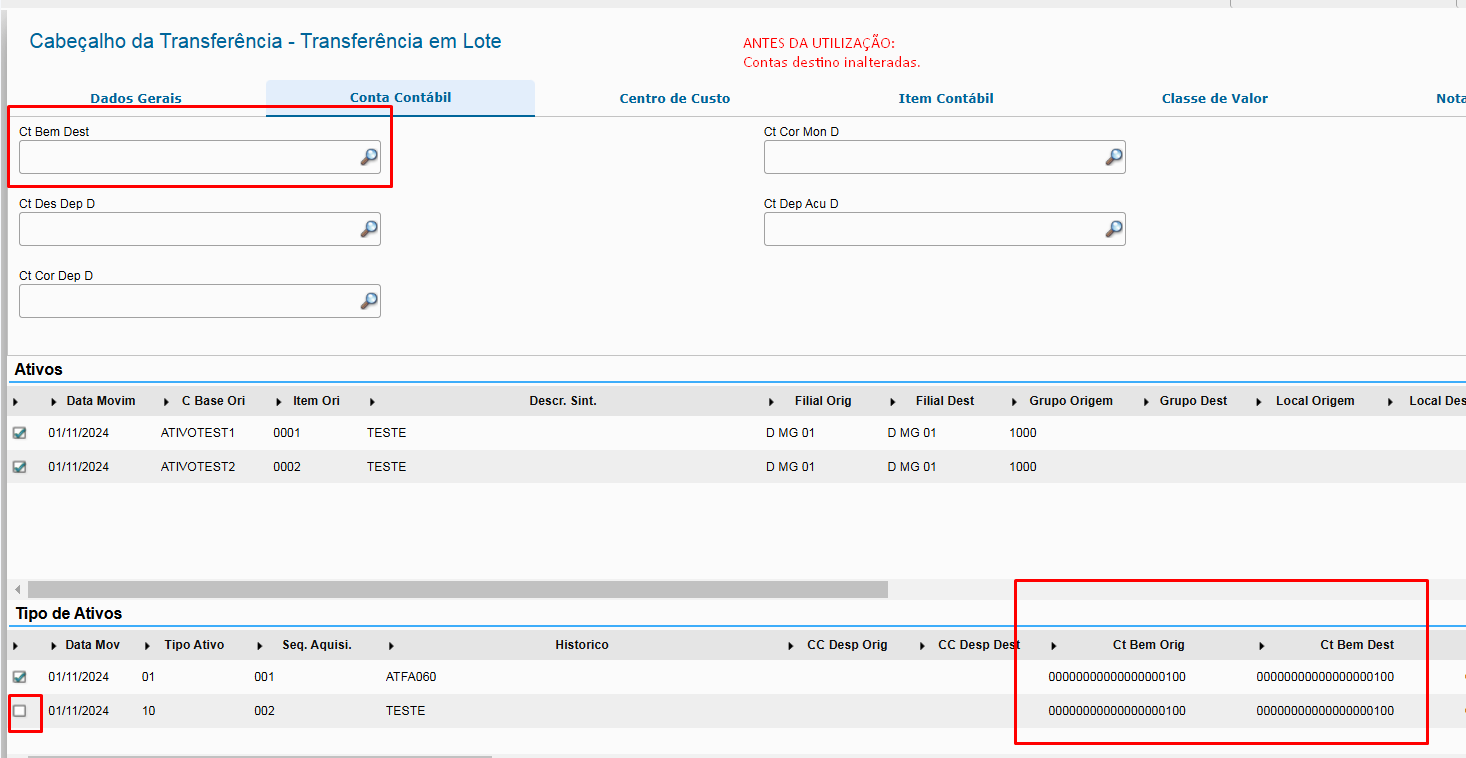
DepoisAfter: 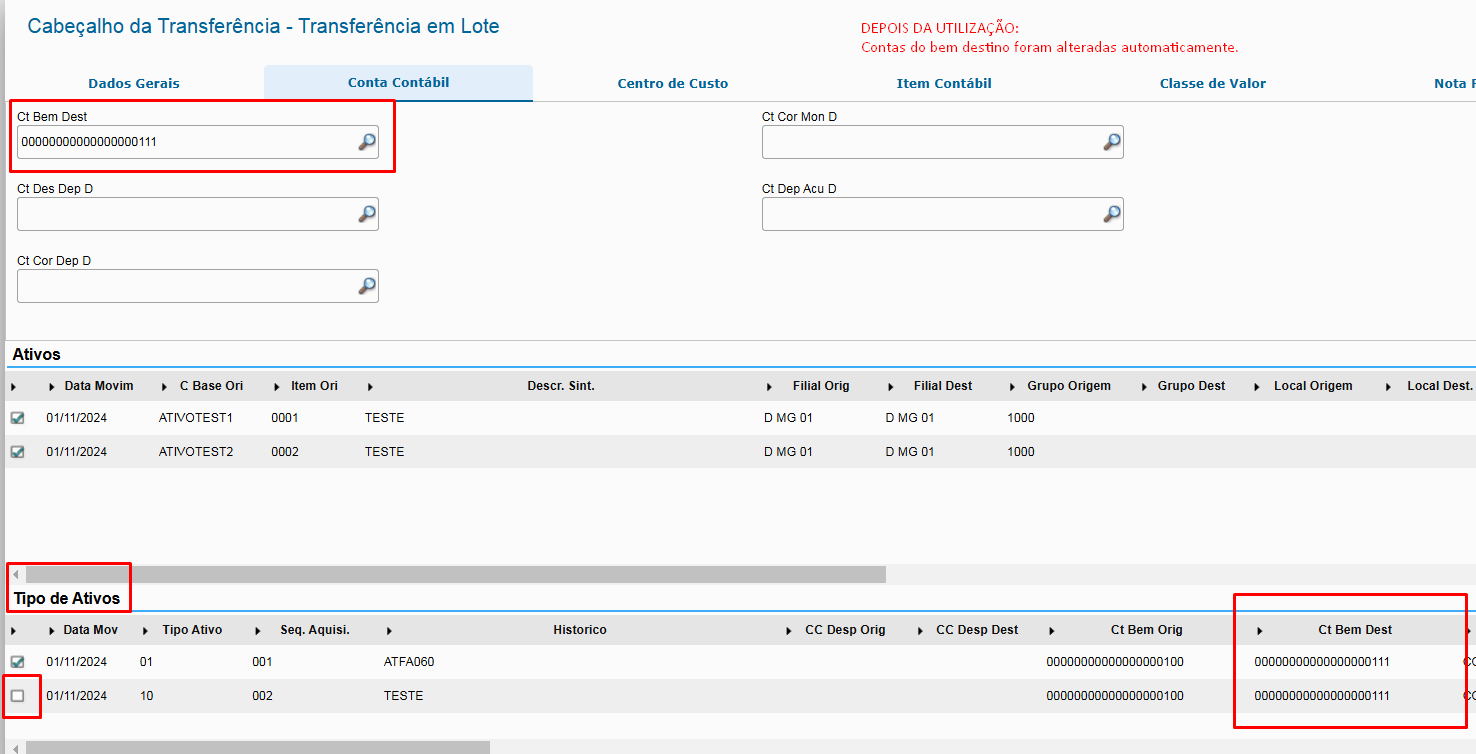
ObservaçõesNotes: - Note que mesmo o ativo não estando marcado o sistema atualiza o seu valor, tal comportamento ocorre pois caso a remoção da marcação tenha sido ocasionada de forma errada ao remarcar o ativo os dados já estarão atualizados com a informação da entidade informada no gatilho e caso de fato a remoção da marcação esteja correta ao efetivar a transferência qualquer informação que tenha sido alterada será desprezada pois o sistema só leva em consideração para gravação linhas que estejam marcadas.
- O sistema irá atualizar todos os campos referentes à entidade na grid "Tipo de ativos" independente do ativo posicionado na grid "Ativos".
- that, even if the asset is not selected, the system updates its value. This behavior occurs because, if the selection was incorrectly made when reselecting the asset, the data are already updated with the entity information entered in the trigger, and if the removal of the selection is in fact correct when activating the transfer, any edited information is ignored, because the system only considers selected lines when saving.
- The system updates all fields related to the entity on the "Asset Type" grid, regardless of the asset selected on the "Assets" grid.
- After using the trigger, the fields of the "Asset Type" grid remain available for use, and their value does not have to be equal to the one entered in the trigger. This makes things easier on scenarios in which most assets use a single entity and only a few items use specific entitiesOs campos da grid "Tipo de ativos" após o uso do gatilho permanecerão disponíveis para atualização, não sendo obrigatório que seu valor seja igual ao informado no gatilho, dessa forma facilita em cenário onde a maioria dos ativos irão utilizar uma mesma entidade e apenas alguns itens utilizarão entidades específicas.
|
03. RELATED LINKS
...
