
Histórico da Página
CONTENTS
- Overview
- Example of useUse
- Tables
01. OVERVIEW
The purpose of this facilitator is to enable a simplified maintenance of the registration data of certain tables, following criteria set when running the routine wizard.
02. EXAMPLE OF USE
This routine has 5 steps:
- Fields to be edited:
1/5 - In this step we must select the fields that will be edited in their respective register.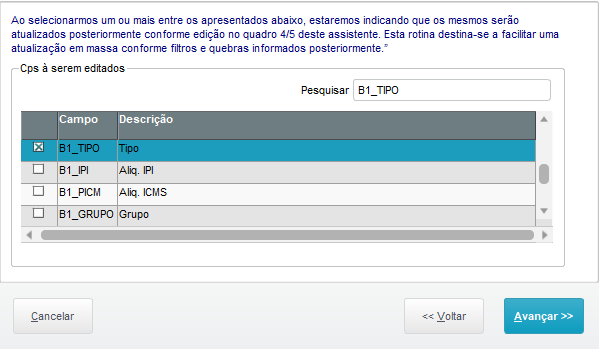
- FiltroFilter:
2/5 - Neste passo é possível informar um filtro para restringir as alterações no respectivo cadastro.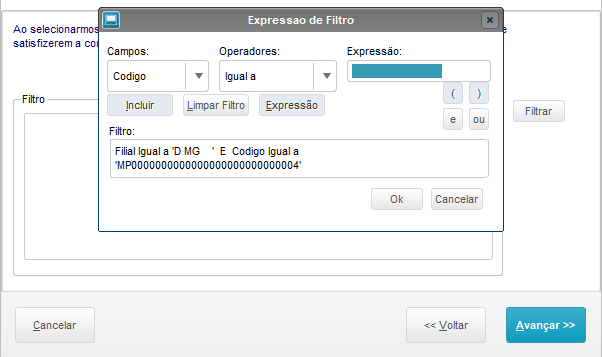
A Filial é campo obrigatório para a correta pesquisa do Filtro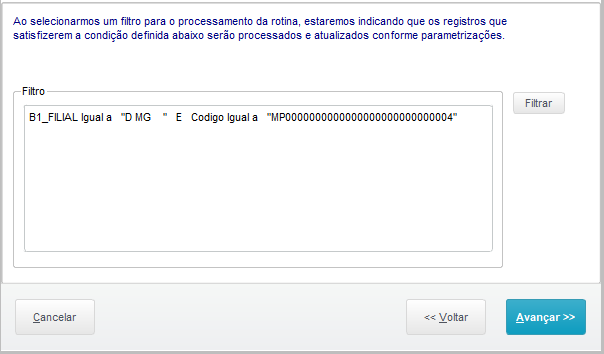 In this step we can enter a filter to restrict editing in the respective register.
The Branch field is required to conduct proper Filter searches. - GroupGrupo:
3/5 - Neste passo criamos um agrupamento para edição da informação selecionadaIn this step we have created a grouping to edit the information selected.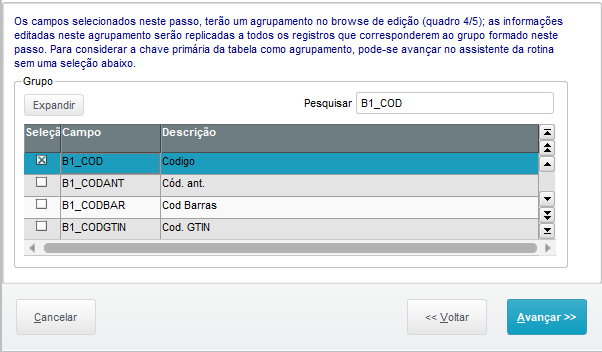
- EdiçãoEditing:
4/5 - Neste passo podemos efetuar as atualizações das informações pré-configuradas anteriormenteIn this step we can update previously configured data.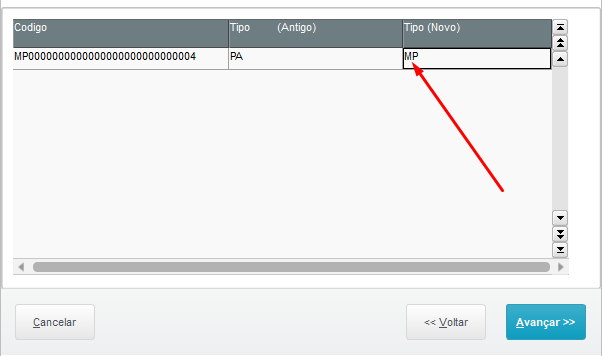
Obs.: Clique no Tipo(Novo) e coloque o conteúdo,
Note: Click the Type (New) and enter the content, - SummaryResumo:
5/5 - Neste passo podemos ou não confirmar as alterações conforme resumo apresentado antes de sua execuçãoIn this step we may or may not confirm the changes in accordance with the summary presented before their execution.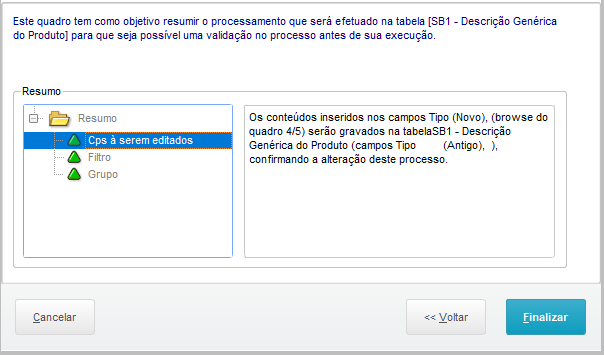 Obs.: Clique nos três triângulos verdes para verificar se está correto a alteração
Note: Click the three green triangles to check whether the edit is correct.
| Card documentos | ||||
|---|---|---|---|---|
|
03.
...
TABLES
Tables | SA1 – | Cadastro de ClientesCustomers Register SA2 – | Cadastro de FornecedoresSuppliers Register SB1 – | Cadastro dos ProdutosProducts Register SF4 – Inflow and Outflow Types Register SFM - Intelligent TIO Register SE1 - Accounts Receivable SE2 - Accounts Payable |
Operating Systems | Sistemas OperacionaisWindows®/Linux® |
Visão Geral
Import HTML Content
Conteúdo das Ferramentas
Tarefas