Páginas filhas
  • Smart View - Depreciation Simulation

Versões comparadas

Chave

  • Esta linha foi adicionada.
  • Esta linha foi removida.
  • A formatação mudou.

...

Informações
titleImportant

For this report to work, follow the documentation below to configure Smart View in your environment: Smart View - Configuration of the Protheus product integrated with Smart View.


Aviso
titleTesting Phase

This feature is on a test phase with pilot customers, being officially introduced in Release 12.1.2310.

This page and the feature may undergo changes until the date of feature release.

...

Informações
titleContextualization

Report:

Aviso
titleImportant
This report does not yet rely on a default design for its business object.


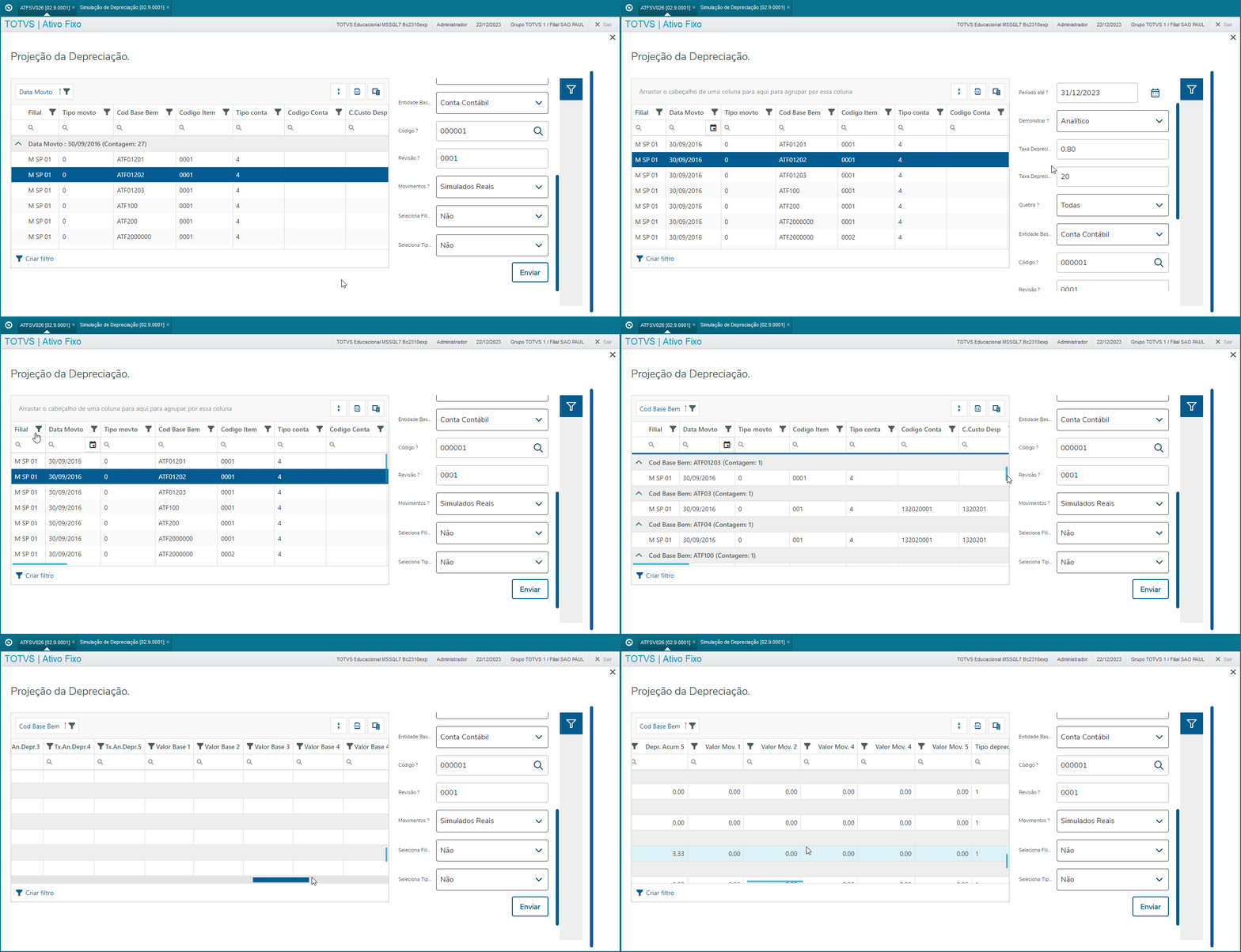
Data View:

smartclient_1RzhJ4URKq.gif


Dynamic Table

smartclient_wNCmgDvwCm.gif


Aviso
titleImportant

We must emphasize that it is up to the customer to optimally organize the dynamic table as needed and following the rule desired, in accordance with fields provided in the schema and parameter settings.


Parameters:

Question

Description

Active in Business Object

MV_PAR01

From Period?                  

Yes

MV_PAR02

To Period?                 

Yes

MV_PAR03

Demonstrate?                  

Yes

MV_PAR04

Depreciation Rate From?         

Yes

MV_PAR05

Depreciation Rate To?        

Yes

MV_PAR06

Break?                      

Yes

MV_PAR07

Base Entity?               

Yes

MV_PAR08

Code?                      

Yes

MV_PAR09

Revision?                     

Yes

MV_PAR10

Transactions?                  

Yes

MV_PAR11

Select Branch?            

No

MV_PAR12

Depreciation Type?

No

Aviso
titleImportant
Fields with the non-effective status in the business object are prevented from being displayed in the Smart View report/design has no influence on the report and its objects (Data View, Design, PivotTable). This when inherited from an existing SX1.

...