CONTENTS
| Índice |
|---|
| exclude | CONTENTS|IMPORTANT! |
|---|
|
01. OVERVIEW
This document aims to clarify the operation of entity triggers (FN9 - Transfer heading) in the Transfer (ATFA060) routine.
...
| Card documentos |
|---|
| Informacao | The trigger updates all items, whether selected onscreen or not, as the items not selected at the moment of saving are not changed when activating the transfer. The trigger only works as a typing facilitator. After using the trigger, the user can still edit entities of specific items that did not use the entity entered in the trigger. |
|---|
| Titulo | IMPORTANT! |
|---|
|
02. EXAMPLE
See below some examples of use:
| Informações |
|---|
|
See below the identification of entity triggers (facilitators) found in the transfer (ATFA060) routine: Ledger Account: 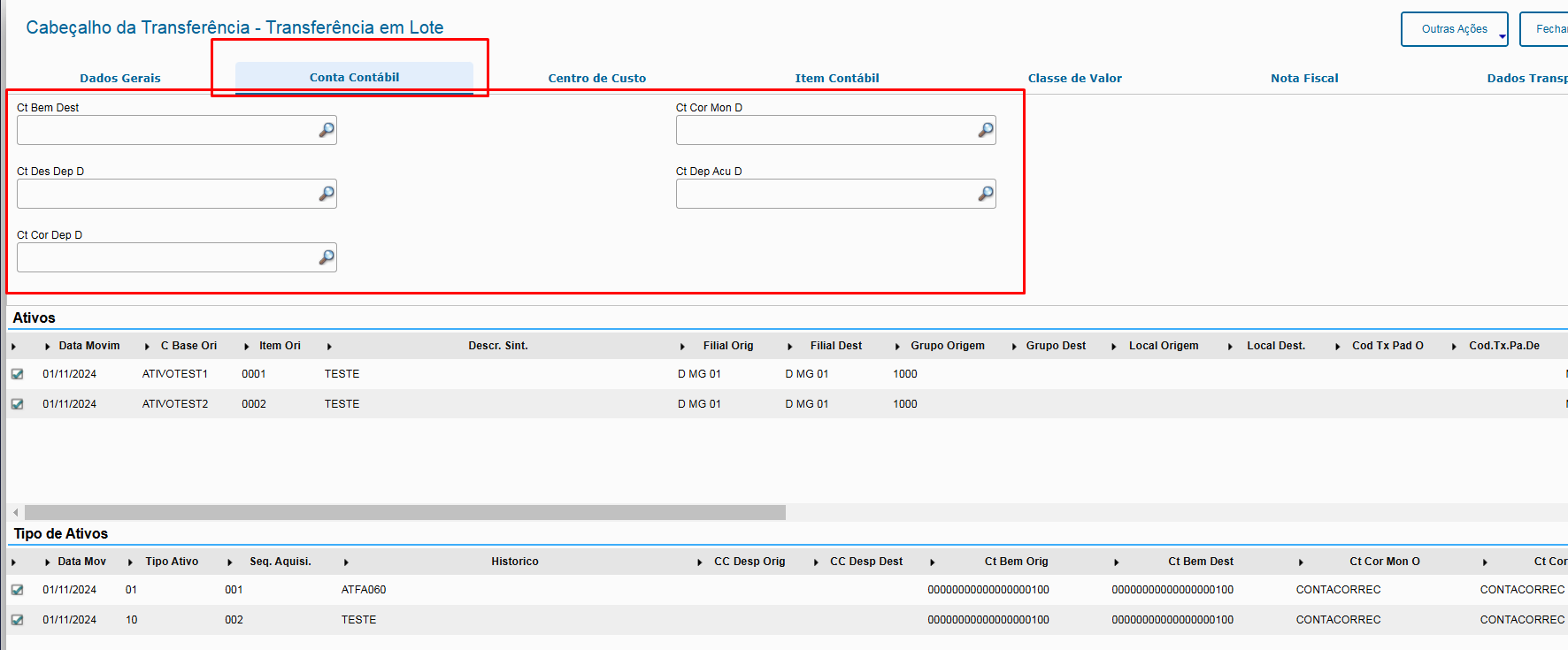 Image Added Image Added
Cost Center:
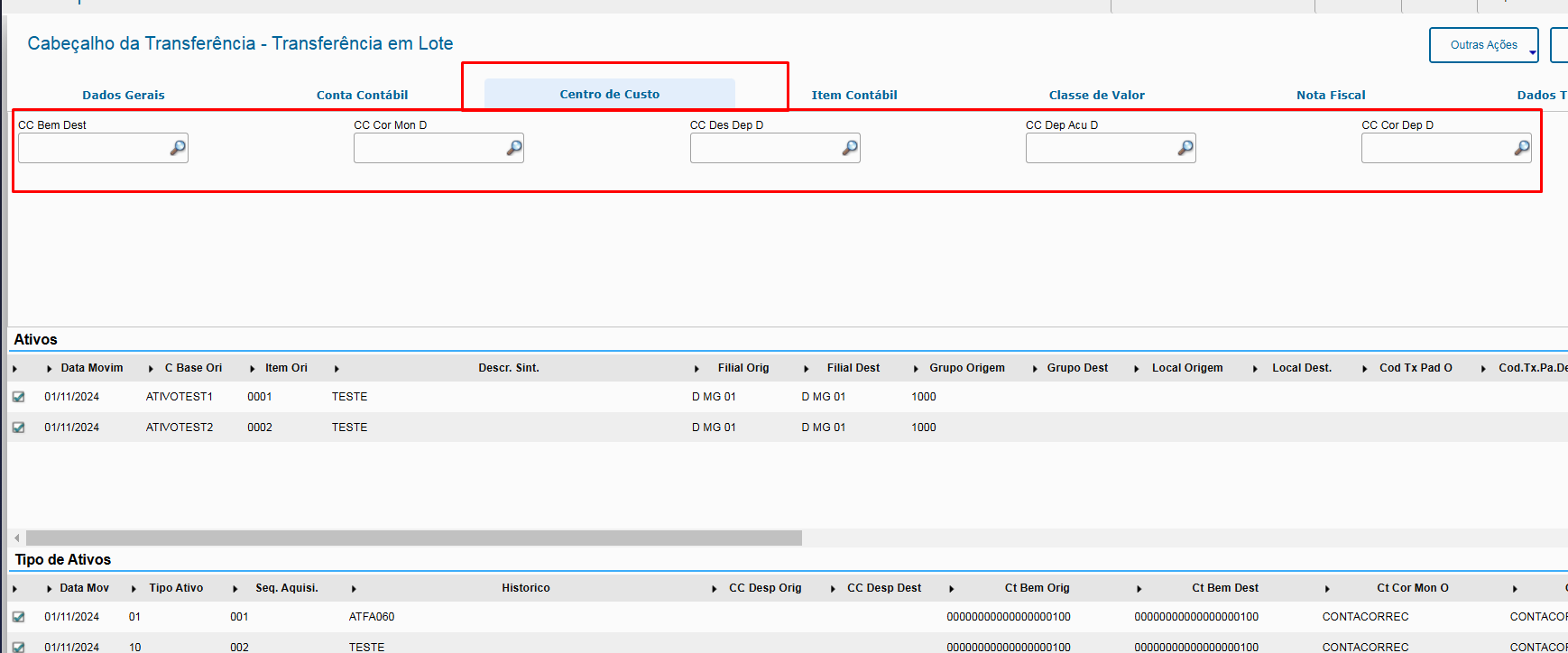 Image Added Image Added Accounting Item: 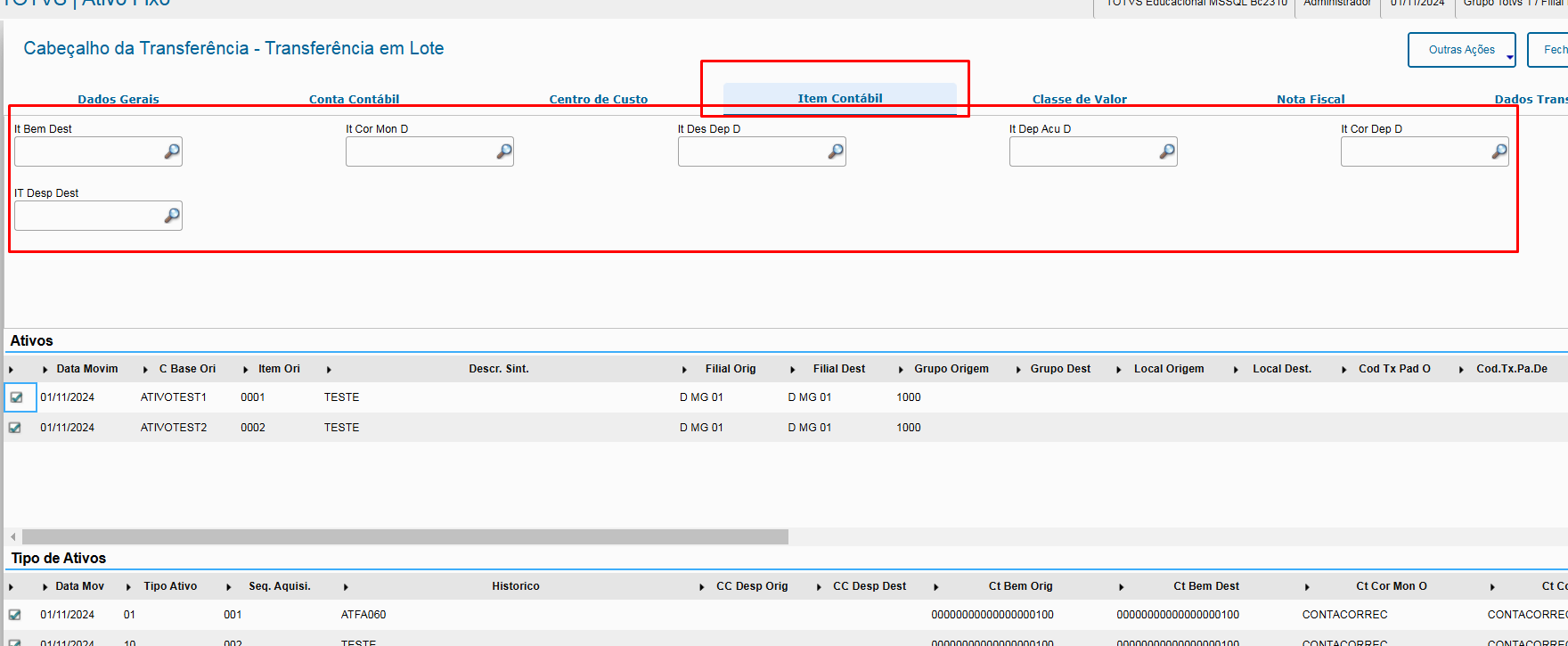 Image Added Image Added
Value Class: 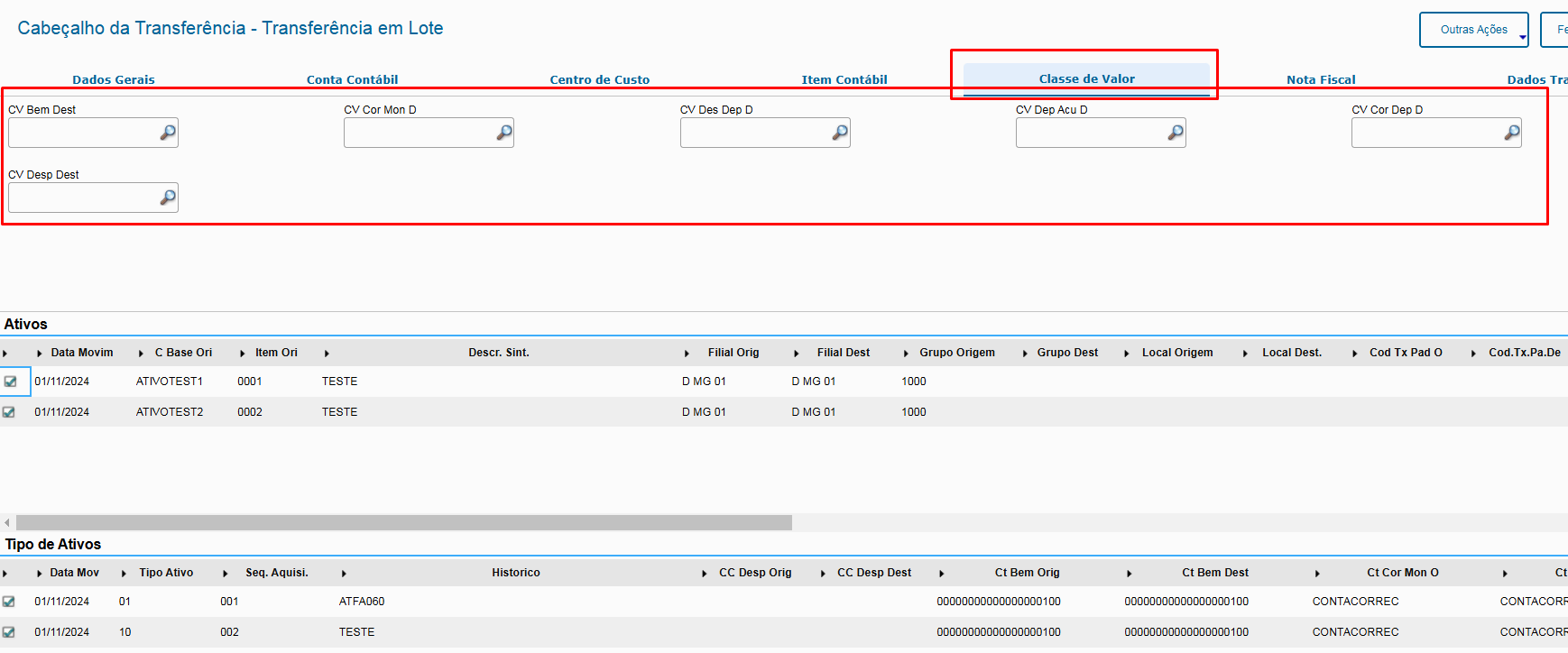 Image Added Image Added
Example: See below an example of how to use the asset's Ledger Account trigger (Before and After): Before: 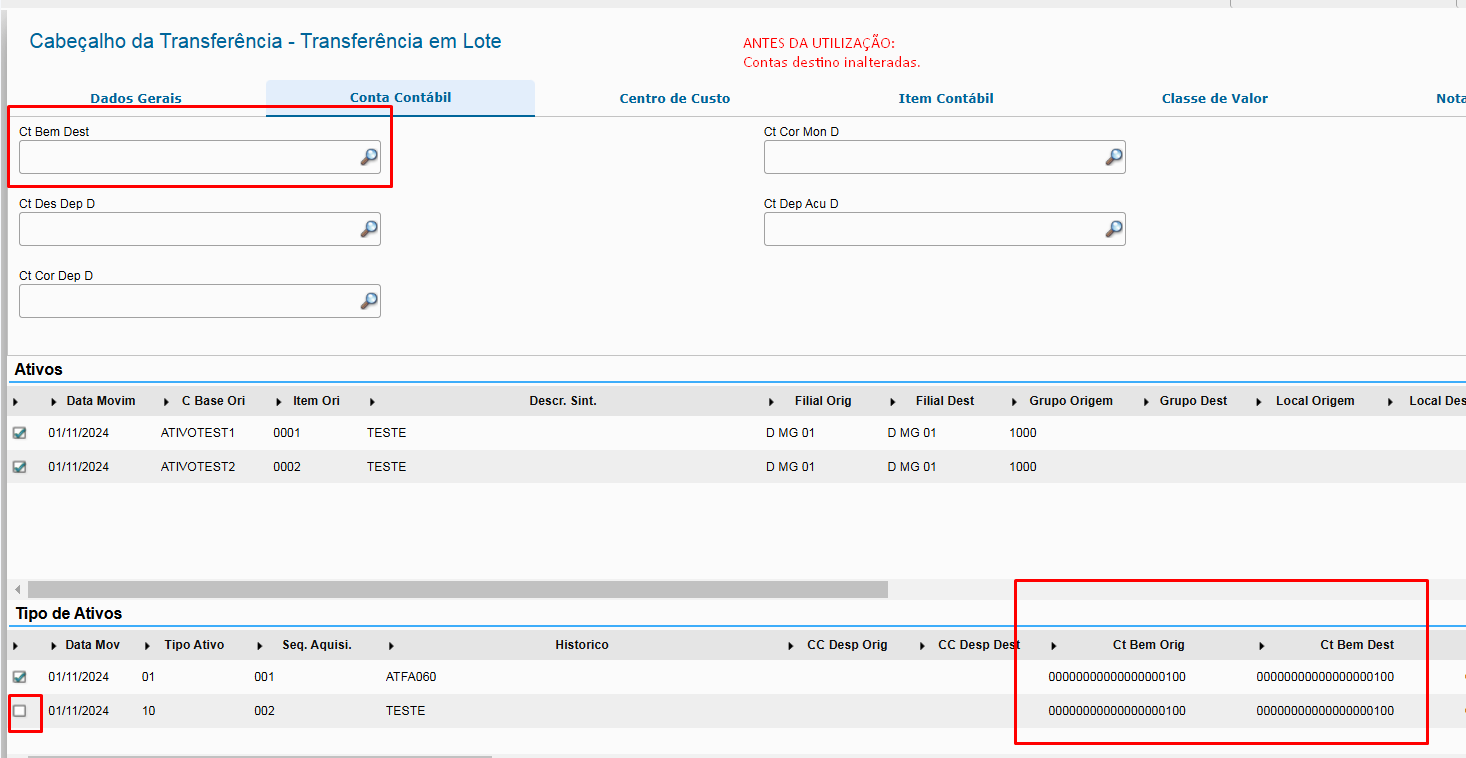 Image Added Image Added
After: 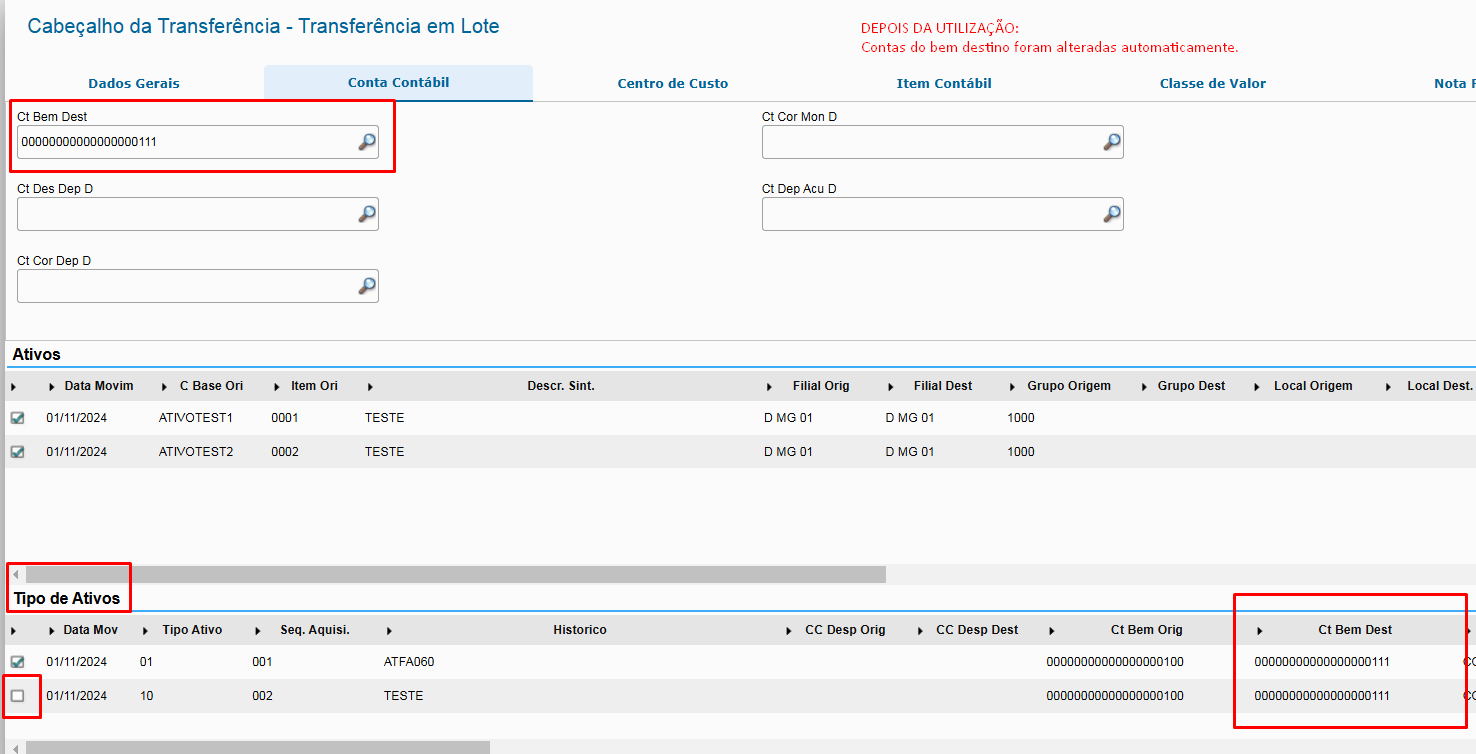 Image Added Image Added
Notes: - Note that, even if the asset is not selected, the system updates its value. This behavior occurs because, if the selection was incorrectly made when reselecting the asset, the data are already updated with the entity information entered in the trigger, and if the removal of the selection is in fact correct when activating the transfer, any edited information is ignored, because the system only considers selected lines when saving.
- The system updates all fields related to the entity on the "Asset Type" grid, regardless of the asset selected on the "Assets" grid.
- After using the trigger, the fields of the "Asset Type" grid remain available for use, and their value does not have to be equal to the one entered in the trigger. This makes things easier on scenarios in which most assets use a single entity and only a few items use specific entities.
|
03. RELATED LINKS
04. TABLES
- FN9 - Transfer Header
- FNR - Transferred Assets
- FNS - Transferred Balance Types
