CONTENTS
| Índice |
|---|
| exclude | CONTENTS|Activation of Acceleration|End of Acceleration |
|---|
|
01. OVERVIEW
You can use this routine to accelerate depreciation in batches, to automate the addition of type 07 - Acceleration of Depreciation to a set of selected assets.
...
This routine also offers the end of acceleration feature, which posts the items of type 07 from the selected assets, canceling the acceleration of depreciation for the next months.
Requirements
| Informações |
|---|
|
Before performing the acceleration of depreciation: - The assets that will have accelerated depreciation must be of type "01" and have suffered at least one monthly depreciation.
- The acceleration of batch depreciation must take place in the month immediately following the last depreciation calculation.
- Set the Standard Entry 80A to book the activation of batch acceleration of depreciation (addition of asset type '07').
Before ending the acceleration: - The assets that will have batch acceleration of depreciation terminated must be of type "07" and created from the batch acceleration of depreciation.
- Set up Standard Entry 81A to book the end of the batch acceleration of depreciation (posting of asset type '07').
Notes
| Aviso |
|---|
| - We must emphasize that the system checks the field N3_DINDEPR of the assets selected. The routine will process the selection and depreciation only of records the depreciation start date of which "N3_DINDEPR" is greater than or equal to the last date of depreciation +1, that is, from the first day of the month following the last depreciation.
- Be mindful of parameters MV_TIPDEPR and MV_ATFRTBX, to make sure their contents are compatible.
- The Monthly Calculation routine generates types based on type 07 - Accelerated Depreciation, generated in the Asset Form, which are reversed when the Monthly Decalculation is performed, as opposed to the accelerated depreciation performed by the ATFA171 routine, which directly acts upon the type 01, due to the monthly calculation routine (ATFA050) directly performing the depreciation of type 07, not being able to generate duplicates when performing a new calculation.
|
|
...
| Informações |
|---|
|
The Accelerated Depreciation in Batches routine is a Wizard that offers two options, to add and close the asset 07, as the user has configured in their parameter settings. 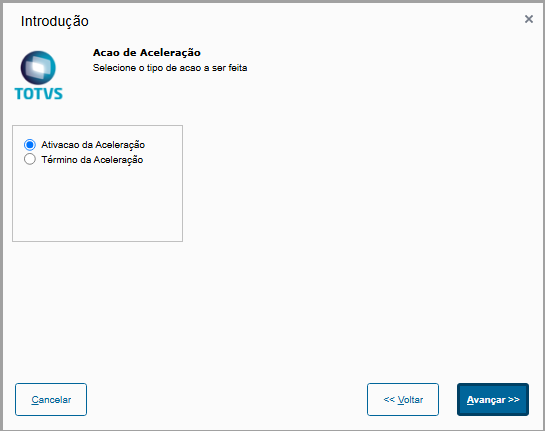
- Activation of Acceleration - Activates the type and adds it to the asset form, to incorporate and use the accelerated depreciation.
- End of Acceleration - Close/Post the use in the asset form of type 07 of accelerated depreciation
Activation of Acceleration
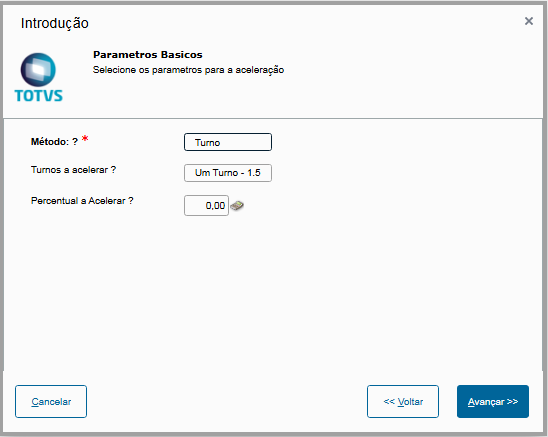
As shown below: - Method: acceleration method. In this option, select whether the acceleration item depreciation rate to be created should be calculated based on the Shift - with options of 50% and 100% (One Shift - 1.5 and Two Shifts 2.0, respectively) - or by a Percentage to be defined by the user.
- Shift to accelerate: If the method is by shift, choose whether the depreciation rate is accelerated by 50% or 100%.
- Percent to Accelerate: if the method is by Percent, enter the acceleration rate
There may be two asset filtering options: - By Range: questions (From/To) for selecting the range of assets to be processed.
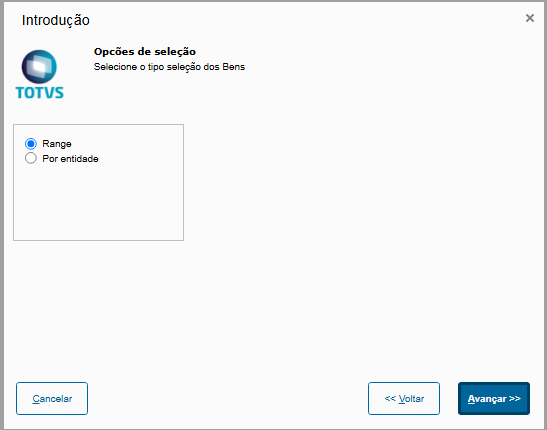
- By Entity: select the entities (Asset Group, Depreciation Account, Cost Center, Accounting Items, Value Class) whose assets will be processed.
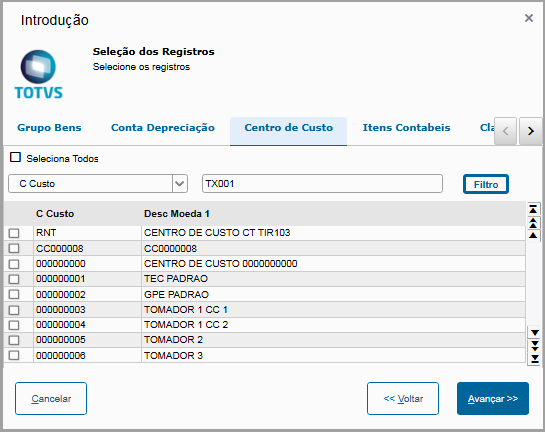
After setting the parameters above, the range filtering is displayed for selecting the assets to have the incorporation of type 07.
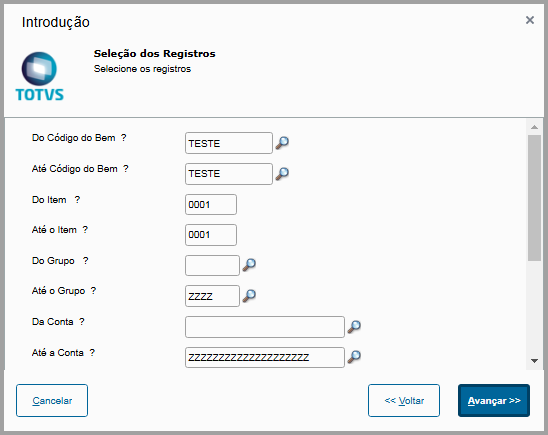
Then the new type is added to the asset form. 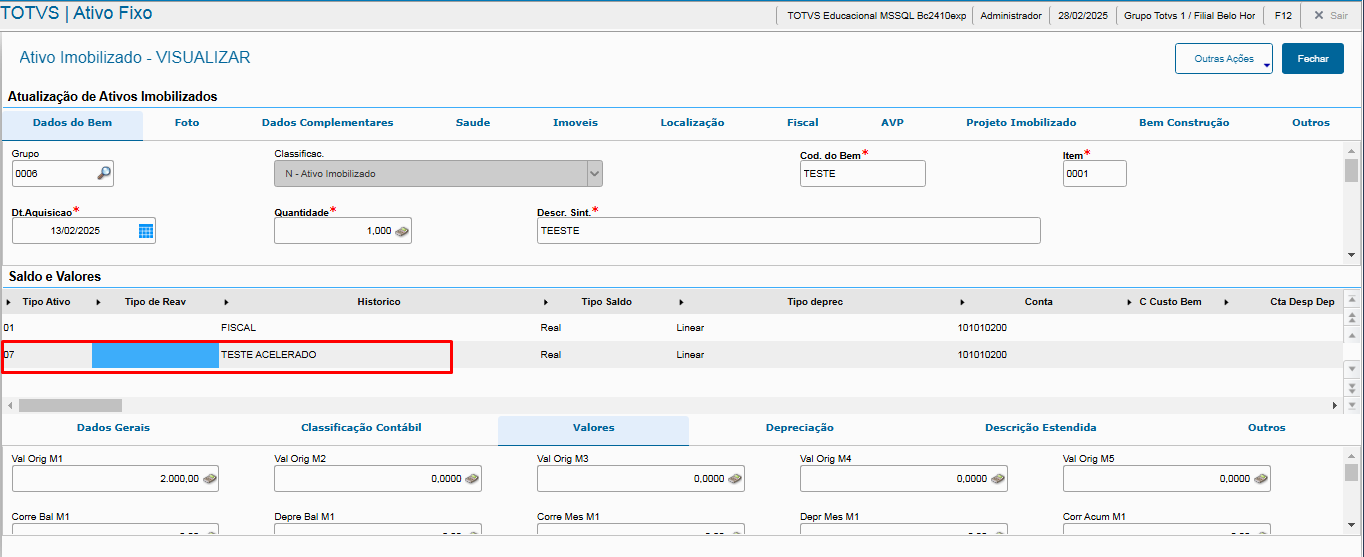
End of Acceleration: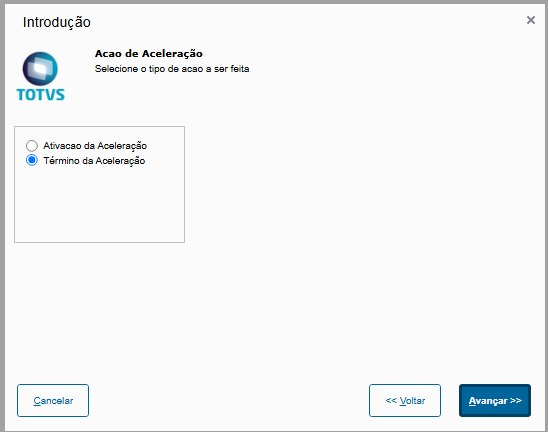
You may also select the option by Range or Entity 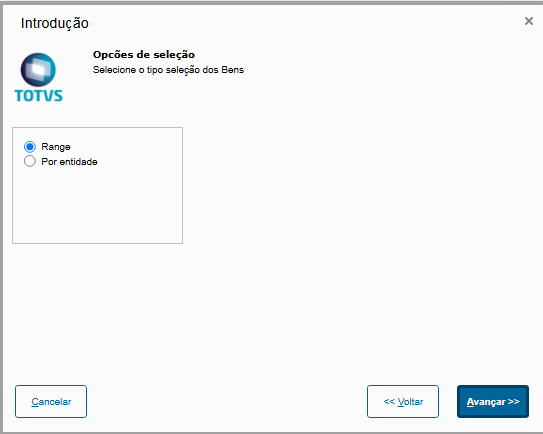
Range Filtering:
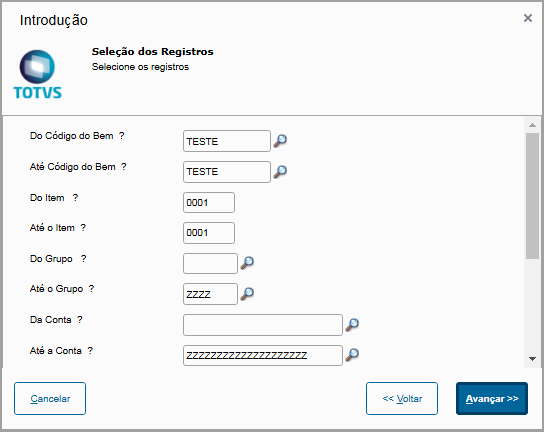
After closing the asset, it is posted in table SN4 with N4_MOTIVO equal to 08 - System Internal Operation.
| Informações |
|---|
| To correctly book it, you can use standard entry 80A to book the activation of batch acceleration of depreciation (addition of asset type '07').
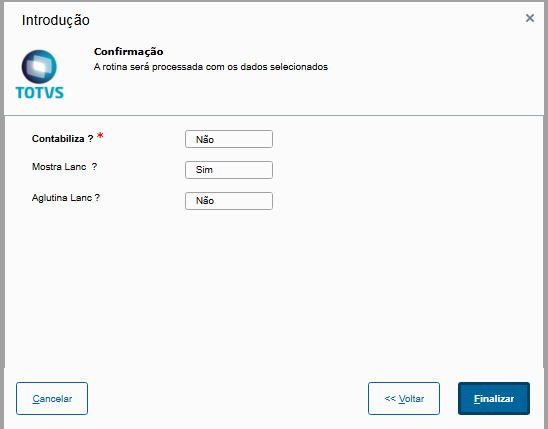
Account with booking parameter settings option: - Book: indicates whether booking is online (Yes) or offline (No).
- Show Entry: If booking is online, it indicates whether the accounting entry will be shown onscreen for confirmation.
- Group Entry: If booking is online, it indicates whether the accounting entry will be grouped.
|
|
03.
...
OTHER INFORMATION
| Aviso |
|---|
|
A specific treatment was implemented in the routine to meet the provisions of LAW No. 14,871 dated May 28, 2024, which establishes the possibility of accelerated depreciation for fixed assets.
Rules of Application:
In accordance with the legislation, you can fiscally depreciate up to 50% of the value of an asset in the year it enters operation and in the following year; thus, only fixed assets that meet the criteria set by the law will be eligible for the application of accelerated depreciation in the specified period.
For further information, refer to the material available on the link:
Actual Profit - Accelerated Depreciation Law No. 14,871/2024 This update aims to ensure the correct application of tax criteria related to accelerated depreciation, offering reliability and compliance with the system's tax calculations. |
...
