
Architectural Change
The Smart X Browser revolutionizes data visualization with a much more friendly and modern interface.
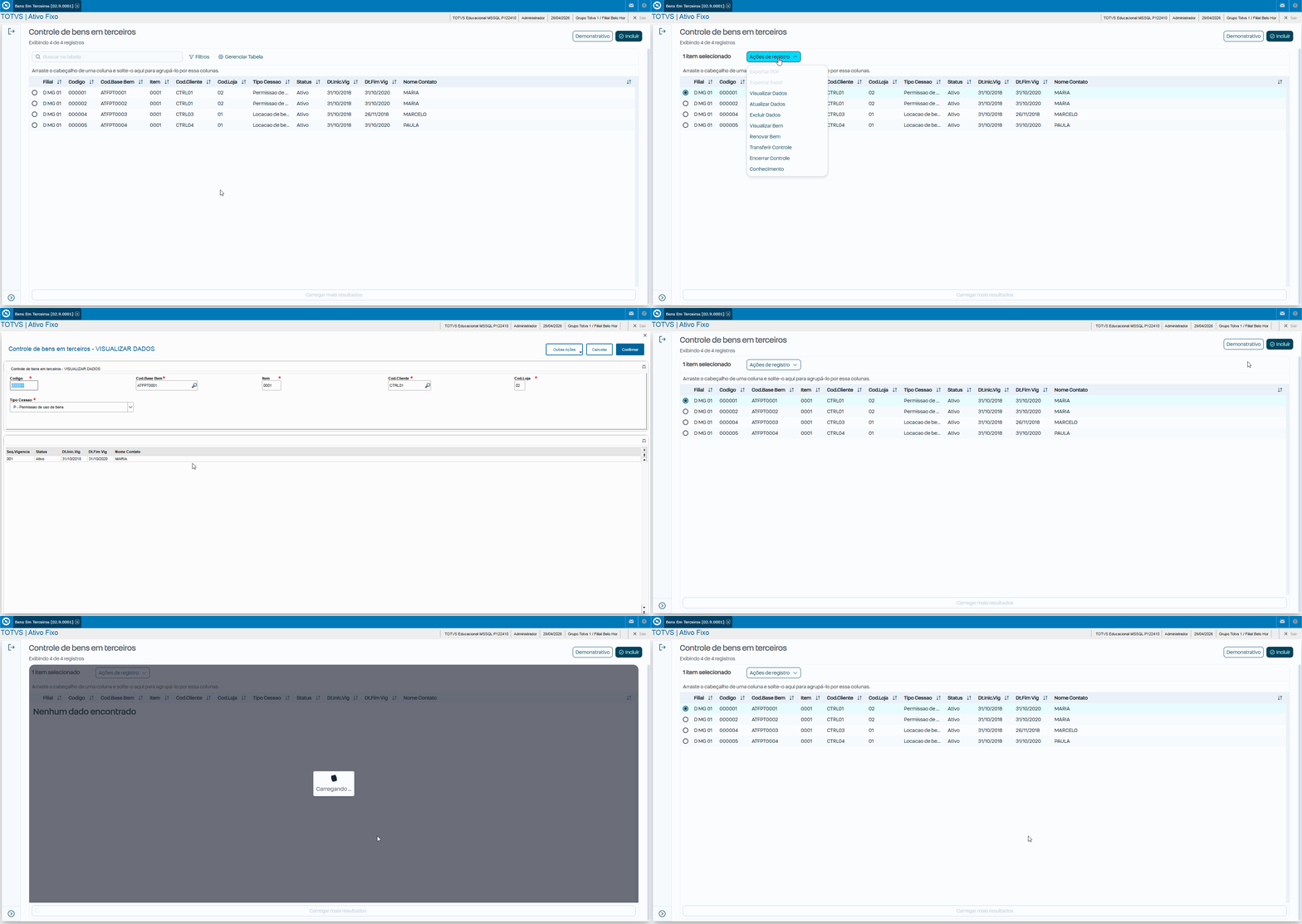
We applied this evolution to the Third-Party Assets Control routine (ATFA321), completely renewing the initial listing screen. The great advantage is that we preserve all the original inclusion, editing, and deletion rules intact. This way, you get a significant visual improvement with minimal impact on your existing customizations.
Below are the main changes::
Browser (Data Listing)
The standard browser lost some manual flexibility in order to gain much more performance and visual standardization.
- Quick Search (Magnifying Glass): It now searches only what is already loaded in memory, that is, the current grid page). To search for something in the database, you must use the Advanced Filter.
- Work Paper (SIGACFG): Maximum attention here! All Work Paper configuration is ignored in Smart X, including forced filters, button restrictions, and forced layout.
📋 What Works and What Does Not
Functionality | Standard Browser(MVC) | Browser Smart X | Migration Status |
Config. Work Paper | ✅ Works (Filters, Layout) | ❌ Does not work | Crítico. Migrar para código ou Dicionário. |
Filter with AdvPL | ✅ Works (Date(), U_Func) | ❌ Does not work | Crítico. Converter para SQL/oData. |
Responsive Interface | ⚠️ Limited (Legacy HTML) | ✅ Works | Nativo (PO UI). |
Captions (.BMP) | ✅ Works (Bitmaps/RGB) | ❌ Does not work | Crítico. Usar Tags/CSS (color-07). |
Master/Detail Panel | ✅ Works (Same screen) | ❌ Does not work | UX muda para Drill-down (Nova tela). |
Index Search | ✅ Works (Magnifier/DbSeek) | ❌ Does not work | Usar Filtro Avançado. Busca rápida é só memória. |
SetFilterDefault | ✅ Works (AdvPL and SQL) | ⚠️ Partial | Requer SQL com prefixo @. |
Smart X Search and Filters
- Browser pagination displays only 100 records, and it is possible to change this to 1000 records.
- In the filter, the query searches all records in the database and returns the filtered record.
Screen converted to Smart X:
Useful Links:
Visão Geral
Import HTML Content
Conteúdo das Ferramentas
Tarefas