
01. Step-by-Step - New Mechanism for Fixed Assets Value
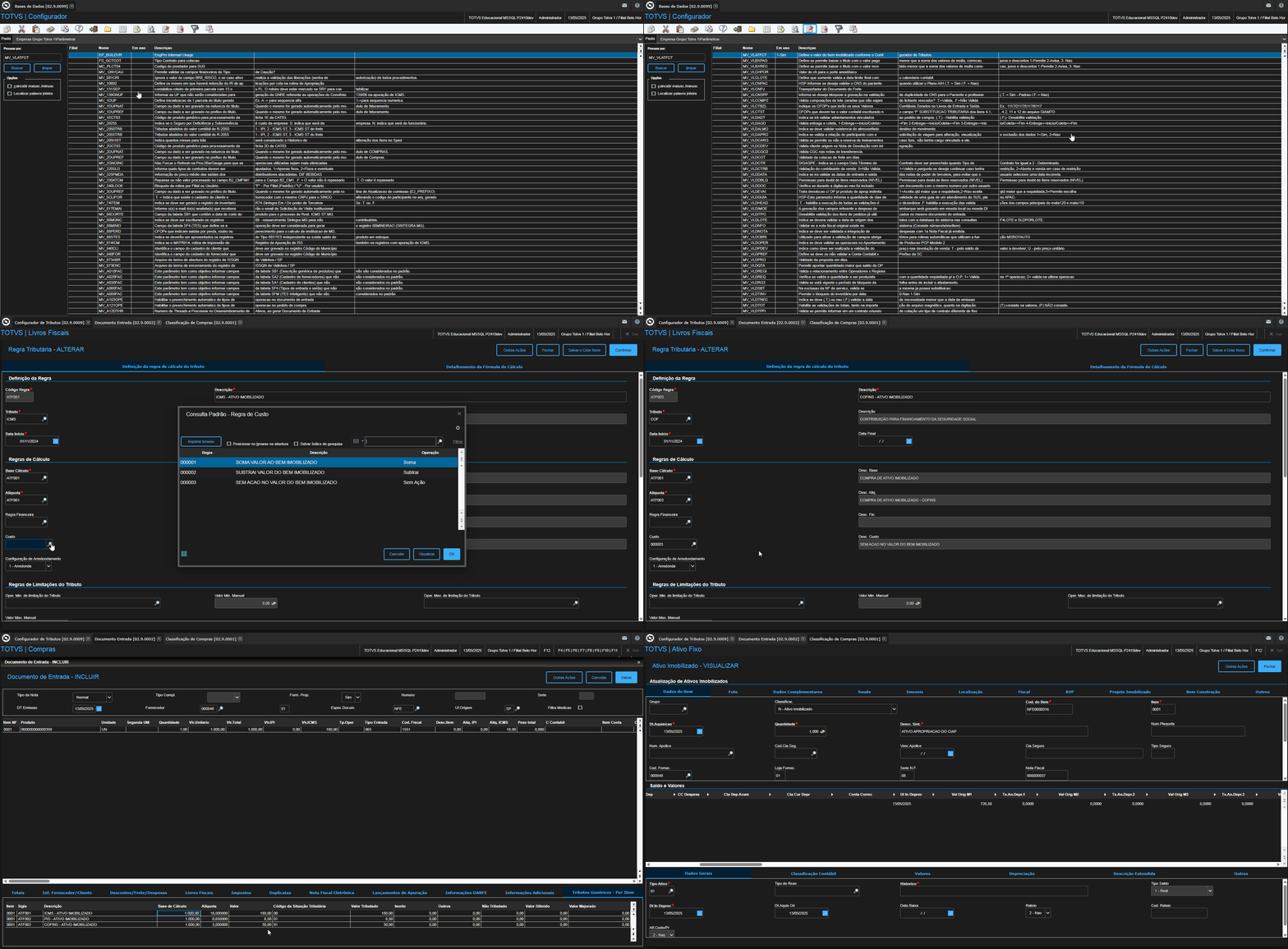
Calculation of the Value of the Fixed Asset
Invoice Total: R$ 1,000.00
Discount: R$ 100.00
ICMS (ATF001 – Subtract): R$ 180.00
IPI (ATF002 – Sum): R$ 6.50
Calculation:
R$ 1,000.00
– R$ 100.00 (Discount)
= R$ 900.00
– R$ 180.00 (ICMS)
= R$ 720.00
+ R$ 6.50 (IPI)
= R$ 726.50
✅ Value of the Fixed Asset: R$ 726.50
02. Information and Notices
✅ The parameter MV_VLATFCT, combined with the Tax Configuration, represents a new mechanism and approach for defining the value of a fixed asset.
⚠️Although the parameter is of the Character type, it's not necessary to use quotation marks to start and end the formula.
🔔 The MV_VLATFCT parameter and the new method for defining the value of the fixed asset will only be activated when:
- The field D1_IDTRIB is created.
- Taxes are being calculated by the Tax Configuration (the inbound document has the D1_IDTRIB field filled in).
- The MV_VLATFCT parameter is configured with a non-empty value.
📝 The MV_VLATFCT parameter, along with the configurations of the Tax Configuration's calculation rule, will define the value of the fixed asset in all asset-related entries, including:
- Entry Invoices of the Normal type
- Supplement
- Extended Warranty
03. New Mechanism for Fixed Assets Value
With the implementation of the Tax Configuration and the discontinuation of fields from the SF4 table, as documented in the CFGTRIB - Fields that Remain in the TES - Microsiga Protheus Line - TDN, it was necessary to develop a new parameter to define the value of the Fixed Asset in the Purchases x Fixed Asset Integration, along with a new concept for this value definition.
Problem
Currently, the default content of the MV_VLRATF parameter is as follows:
(SD1->D1_TOTAL - SD1->D1_VALDESC) + IIf(SF4->F4_CREDIPI == "S", 0, SD1->D1_VALIPI) - IIf(SF4->F4_CREDICM == "S", SD1->D1_VALICM, 0)
However, the use of fields from the SF4 table, such as F4_CREDIPI and F4_CREDICM, will no longer be allowed, as these fields will be discontinued with the implementation of the Tax Configuration.
Solution
Given this, it became necessary to adopt a new concept to define the value of a fixed asset.
New parameter: MV_VLATFCT
Name | MV_VLATFCT |
Description | Defines the value of the fixed asset according to the Tax Configuration. |
Type | Character |
Default | Empty (Blanck) |
This parameter will have a partly similar behavior to the MV_VLRATF parameter, but it will only be functional for fields in the SD1 table.
In other words, the parameter will allow a formula to be used to define the asset's value based exclusively on the fields in the SD1 table.
Example:
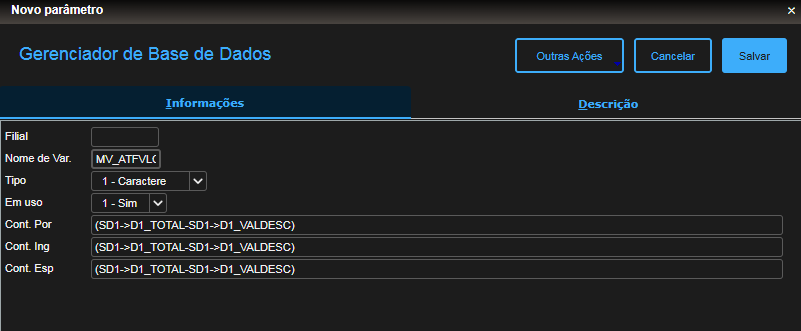
How the New Mechanism Works
With the result of this formula, the asset's value will be updated.
From this updated value, the system will internally verify whether the Entry Invoice that is generating the Asset has taxes to be calculated by the Tax Configuration, that is, whether the D1_IDTRIB field is filled in.
If taxes are defined, they can be added to, subtracted from, or have no impact on the value of the fixed asset, as established in the Cost rule of the Tax Document Calculation Rule.
Cost Rule x Fixed Asset
In the Tax Configuration, you can define the Cost operation within the Tax Document Calculation Rule.
The available options for this operation are:
- 0 – No Action - The tax will not affect the value of the asset.
- 1 – Add - The tax will be added to the value of the asset.
- 2 – Subtract - The tax will be subtracted from the value of the good.
OPERATION
The functionality for the Operation parameter will only be available from release 12.1.2410 onwards.
To configure it, go to: Tax Configuration → Inventory/Cost Rules → Cost Rule.
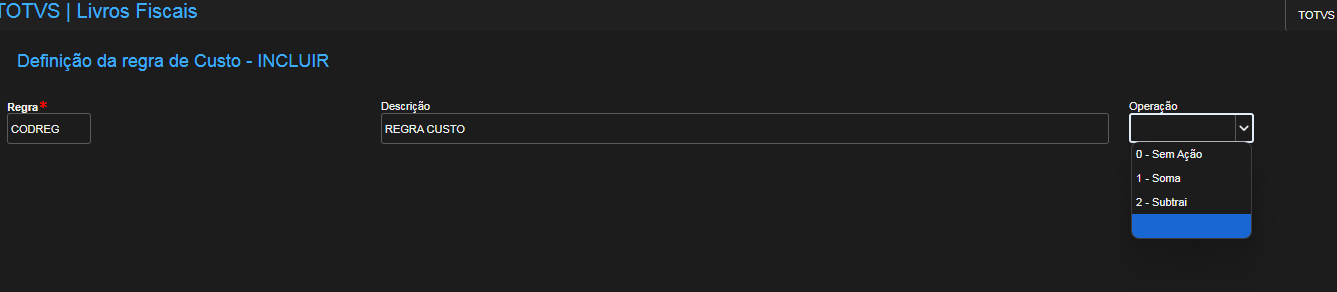
Example Registrations:
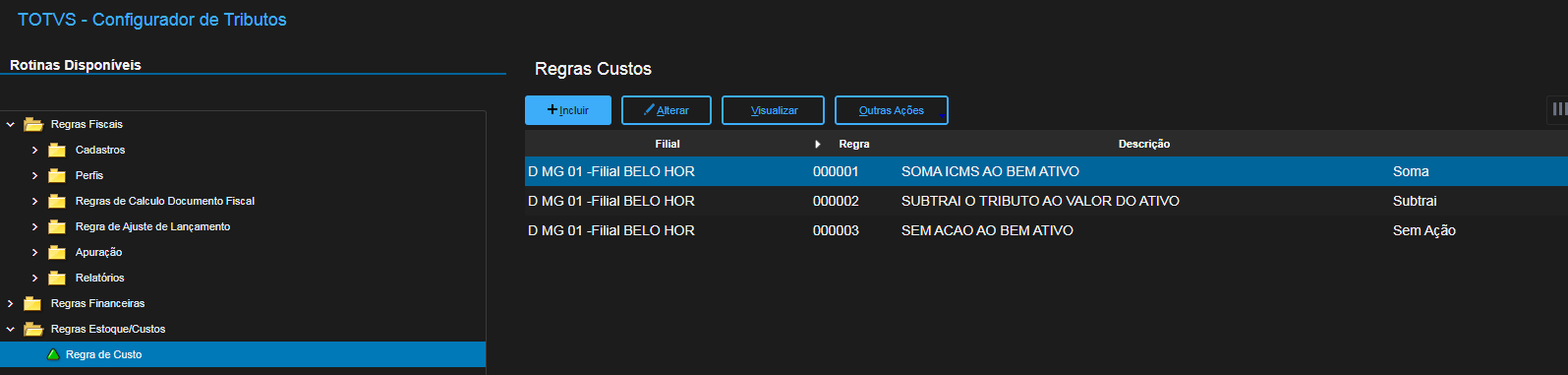
Linking the Cost to the Tax Document Calculation Rule:
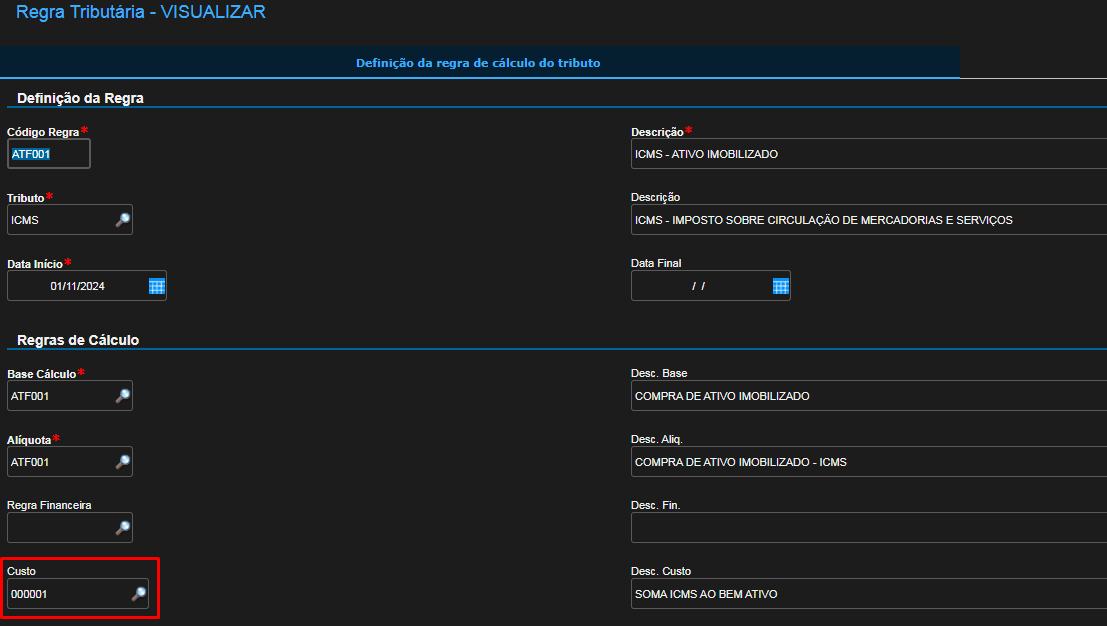
Functionality
With the value of the fixed asset updated through the execution of the formula defined in the MV_VLATFCT parameter, the calculation rules configured at the time of Entry Document inclusion, if they have a defined Cost operation, will adjust this value according to the chosen operation:
- 0 – No Action: The tax does not impact the fixed asset's value.
- 1 – Add: The tax value is added to the fixed asset's value.
- 2 – Subtract: The tax value is subtracted from the fixed asset's value.
Practical Example
Base formula (MV_VLATFCT):
(SD1->D1_TOTAL - SD1->D1_VALDESC)
Values used:
- D1_TOTAL = R$ 1,000.00
- D1_VALDESC = R$ 100.00
- Cost operation configured for the ICMS tax = 2 – Subtract
- ICMS value = R$ 120.00
Step-by-step calculation:
- Initial value of the fixed asset (from the formula):
1,000.00 – 100.00 = 900.00
- Applying the cost operation (subtracting the ICMS):
900.00 – 120.00 = 780.00
Final result: The value of the fixed asset will be R$ 780.00.
- bra
- squad_control
- sigaatf
- reforma_tributaria
- ativo_fixo
- f4_credicm
- f4_credipi
- mv_vlatfct
- valor_ativo
- composição_valor_ativo_fixo
- valor_bem
- valor
- configurador_de_tributos_ativo
- configurador_de_tributos_bem
- configurador_de_tributos_imobilizado
- totvs_protheus_line
- reference_document
- controllership_protheus_12
- fixed_assets_protheus_12
- fixed_asses_good
- fixed_asset_value_composition
- fixed_asset_tax_configuration
Visão Geral
Import HTML Content
Conteúdo das Ferramentas
Tarefas