For this feature to work, it is necessary to configure Smart View in your environment according to the documentation: Smart View - Configuration of the Protheus product integrated with Smart View. This functionality will be available starting from version 12.1.2510; for version 12.1.2410, it is necessary to create the call in the menu and configure the questions according to what is specified in section 05. |
Product: | TOTVS Backoffice | ||||||||||||||||||||||
Product Line: | Protheus Line | ||||||||||||||||||||||
Segment: | Backoffice | ||||||||||||||||||||||
Module: | SIGAATF - Fixed Asset | ||||||||||||||||||||||
Function: |
| ||||||||||||||||||||||
Country: | MEX | ||||||||||||||||||||||
Ticket: | N/A | ||||||||||||||||||||||
Requisition/Story/Issue (enter the related requirement) : | DMINA_CAPEX-30 |
Issues a statement with the updated values of the assets, with the possibility of grouping by ledger account.
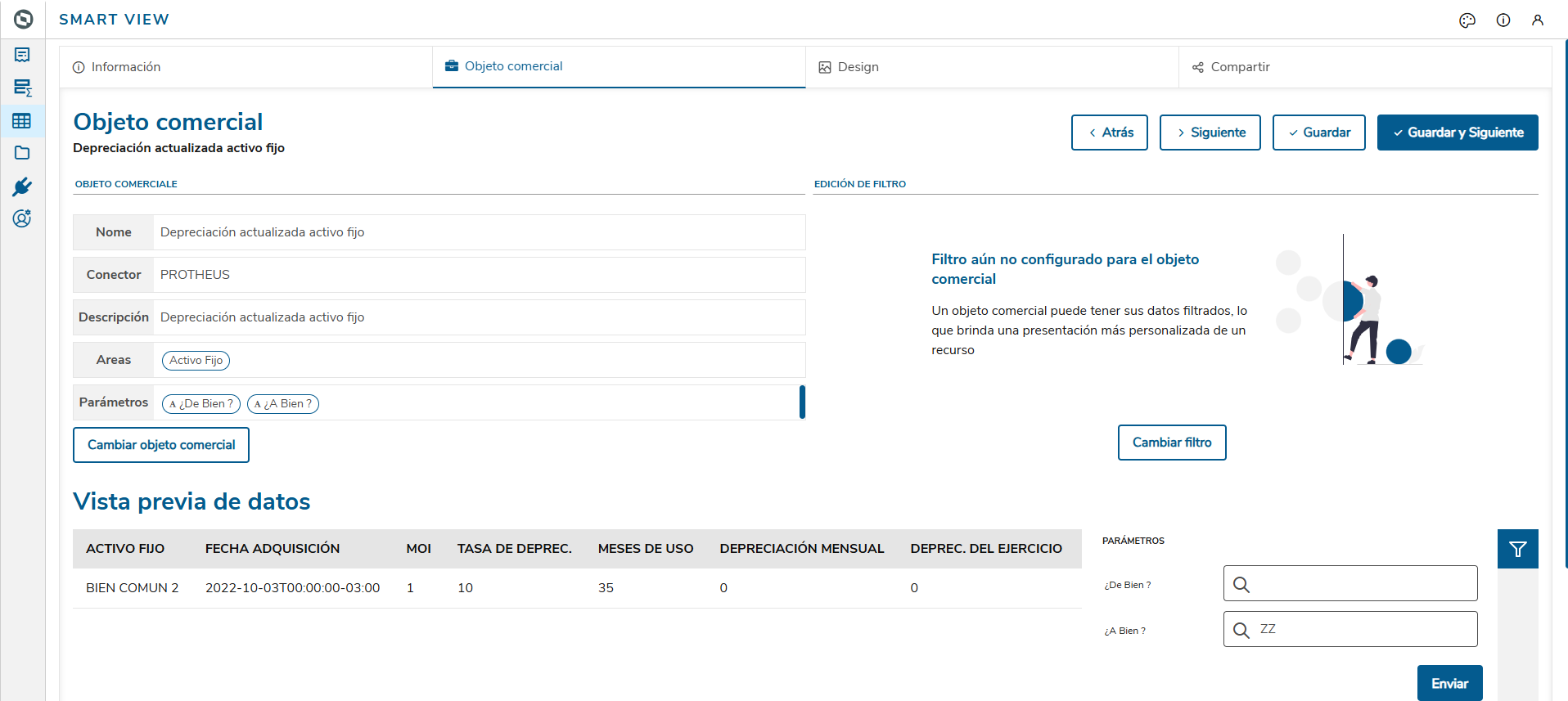
When executing the backoffice.sv.ctb.depreciatedassets_mex.tlpp object, the information will be displayed as follows:
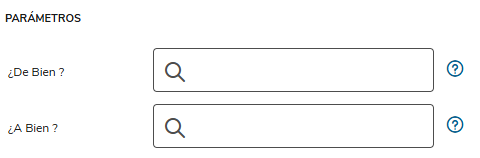
Set of parameters for filtering the data to be displayed in the data views:
From Asset? | Start Asset |
To Asset? | End Asset |
| ATFSV500 |
|---|
|
backoffice.sv.atf.depreciatedassets_mex.default.dg.mex.trp


Question Group: ATFSV500
Package: 015951
Order | Spanish Question | Type | Size | Decimal | Variable | Validation | Object | Query F3 | Options |
1 | From Asset? | C | 10 | 0 | MV_PAR01 | G | SN1 | ||
2 | To Asset? | C | 10 | 0 | MV_PAR02 | G | SN1 |
Menu option for report execution:
Module | SIGAATF - Fixed Asset |
Menu | Queries |
Submenu | Smart View |
Routine Name | Updated Fixed Asset Depreciation |
Program | ATFSV500 |
Type | Protheus Function |
Customization of fields: |
FIELD | TYPE | SIZE | DECIMAL | TITLE | DESCRIPTION |
N1_DESCRIC | C | 40 | FIXED ASSET | FIXED ASSET | |
N1_AQUISIC | D | 8 | ACQUISITION DATE | ACQUISITION DATE | |
N3_VORIG1 | N | 16 | 2 | MOI | MOI |
N3_TXDEPR1 | N | 9 | 4 | DEPRECIATION RATE | DEPRECIATION RATE |
MONTHS | N | 2 | USED MONTHS | TOTAL MONTHS ALREADY DEPRECIATED | |
N3_VRDMES1 | N | 16 | 2 | MONTHLY DEPRECIATION | MONTHLY DEPRECIATION |
N3_VRDBAL1 | N | 16 | 2 | DEPREC. FOR THE FISCAL YEAR | DEPREC. FOR THE FISCAL YEAR |
INPCP | N | 16 | 2 | AVERAGE INPC USED | CURRENT RATE IN THE SIE TABLE( IE_INDICE ) |
INPCDATAAQ | N | 16 | 2 | INPC ACQUISITION DATE | ACQUISITION RATE IN THE SIE TABLE (IE_INDICE) |
FATORATU | N | 16 | 2 | UPDATE FACTOR | UPDATE FACTOR ( INPCP / INPCDATAAQ ) |
DPATUAL | N | 16 | 2 | DEPREC. DEPRECIATION | SN3→N3_VRDBAL1 * FATORATU |
N3_VRDACM1 | N | 16 | 2 | UPDATE ACCRUED | UPDATE ACCRUED |
BALANCERED | N | 16 | 2 | BALANCE X REDIMIR | SN3->N3_VORIG1-SN3->N3_VRDACM1 |
BALANCEREDA | N | 16 | 2 | UPDATE REDIMIR | SALDORED * FATORATU |
N3_CCONTAB | C | 20 | ACCOUNT | LEDGER ACCOUNT | |
N3_CCUSTO | C | 9 | CC EXPENSE | EXPENSE COST CENTER | |
CT1_DESC01 | C | 40 | Currency 1 Descr | Currency 1 Description |