This document aims to clarify the functioning of the system in relation to the generation of records I015 and I012 by generating a ledger Z in layouts 7, 8, and/or 9.
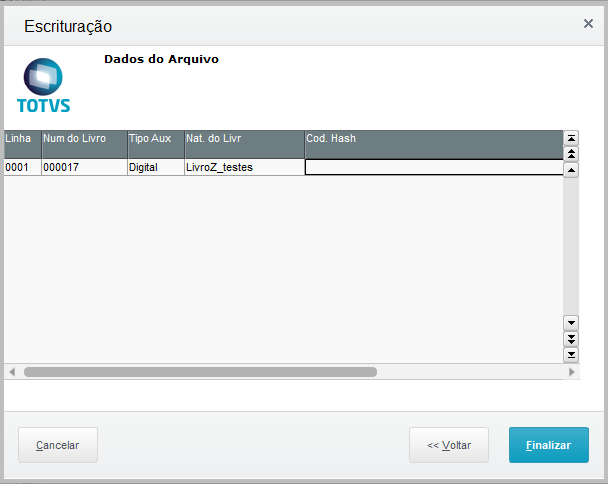
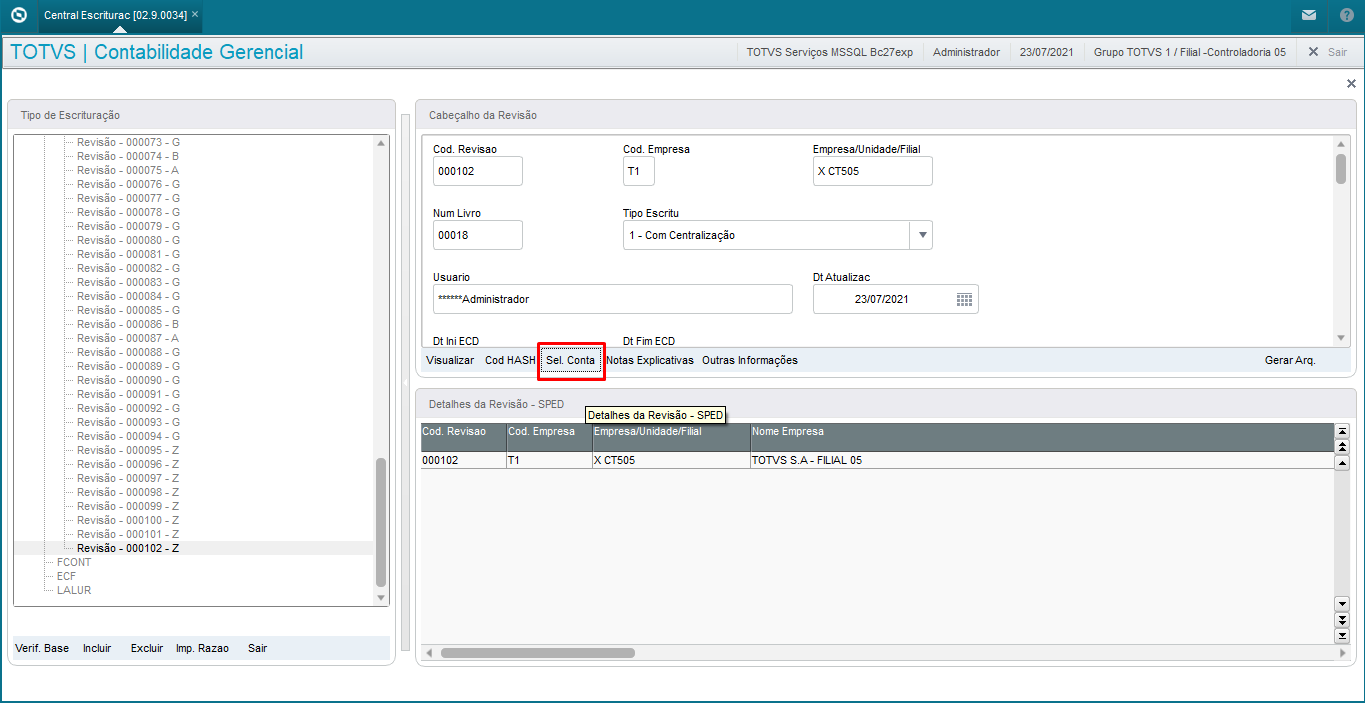
In layouts 7/8/9, Ledger Z generates the I012/I015 records through the COD HASH option found in the button on the bookkeeping center after selecting and entering the desired name for Ledger Z, which will later be generated in the exported TXT file.
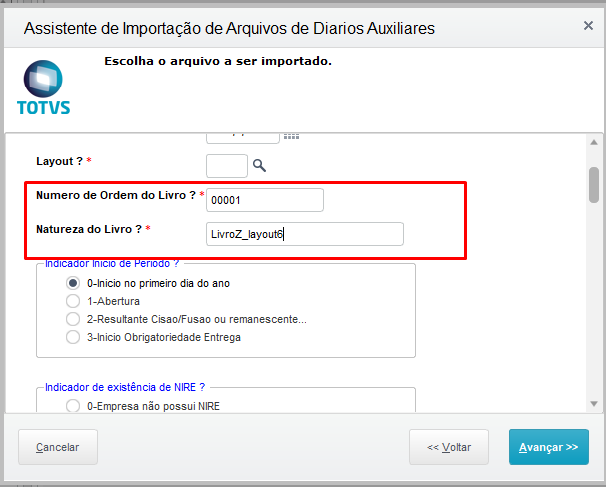
In the latest layouts: The revision is normally generated by the option, and it is necessary to fill the fields for the sake of legacy and functionality: Ledger Order Number/Ledger Nature
|
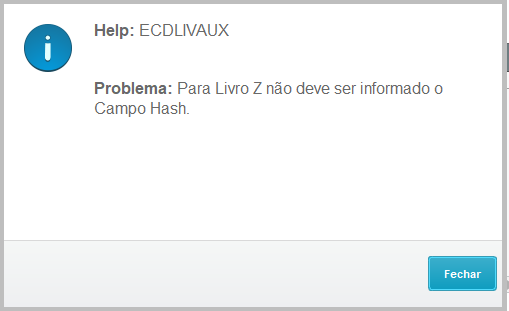
The Hash Code in layout Z is not manually populated, and if you try to fill, it a help will be displayed in the routine.
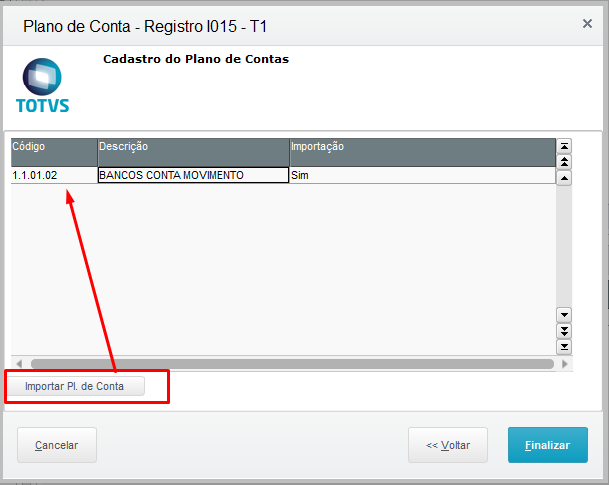
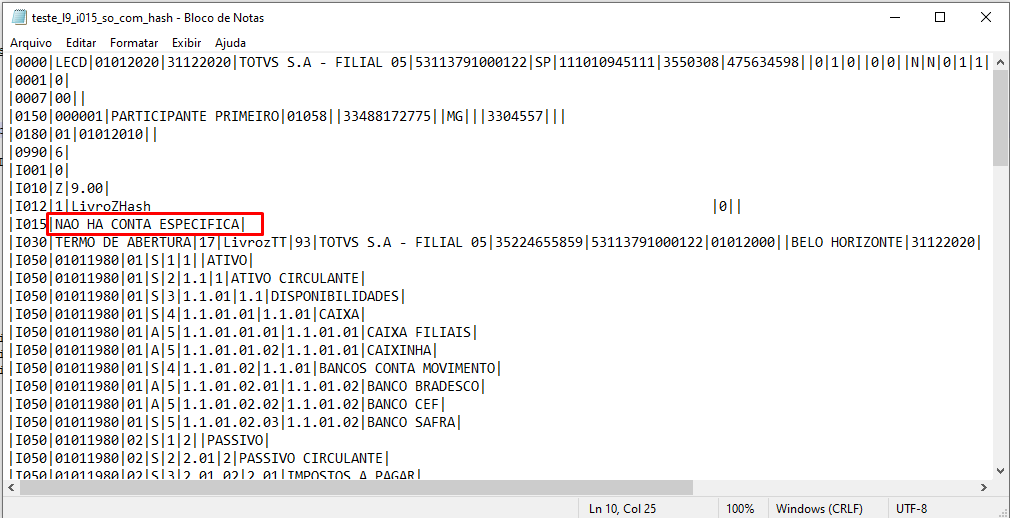
We also note that, if only account tagging is performed by the SEL ACCOUNT option, and table CS1(HASH CODE option) is not filled in, none of the two records specified for the Z ledger will be generated. |
As it was made in previous layouts:
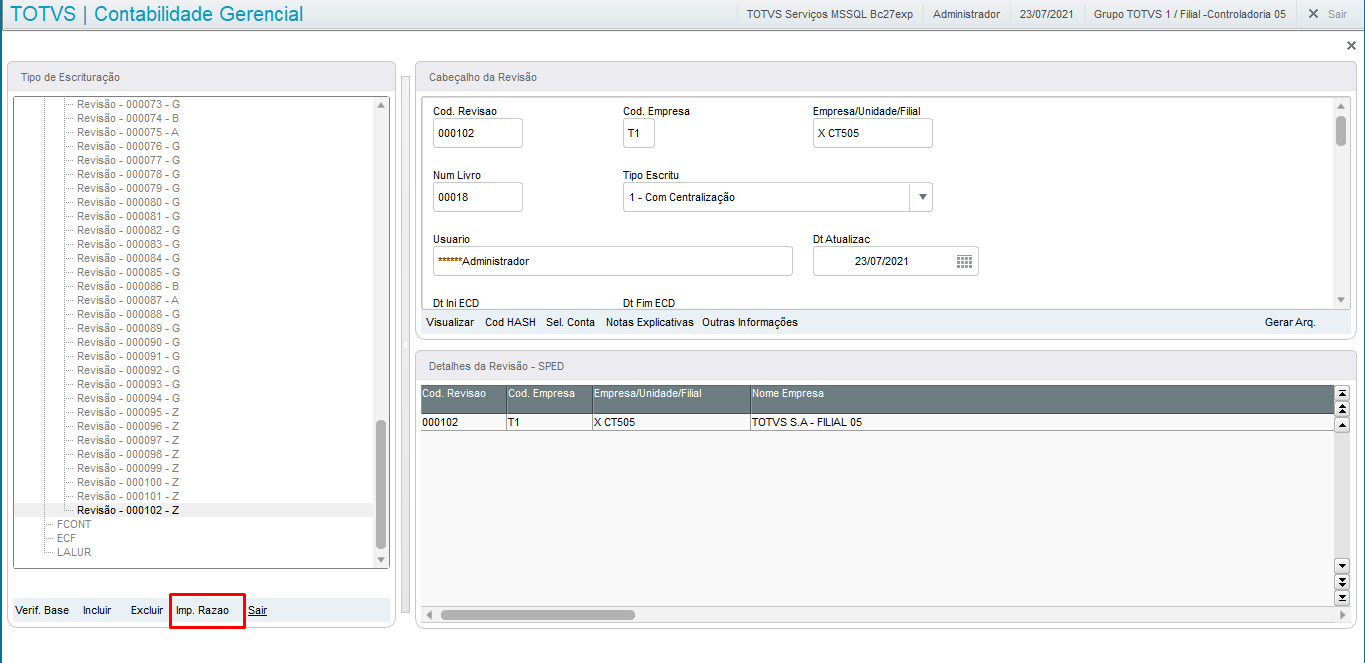
It is worth noting that, in the layouts prior to layout 7 in the update of the way in which records I012/I015 were generated was through the SEL.ACCOUNT option in the bookkeeping center, that generated records I015, and with the data in the LEDGER IMP option Ledger Order Number and Ledger Nature, data were generated for record I012 in table CS0.
In layout 6, the option in which the records are generated when filling in the fields in the LEDGER IMP selection:
Other Actions / Related Actions
Record | Description | Table Specified |
I012 | Ledgers Auxiliary to the Journal or Main Ledger | CS1(layout 7.8, 9), oldest layouts (CS0) |
I015 | Identification of the Accounts of the Short Bookkeeping referred to in the Auxiliary Bookkeeping | CSJ |