The Smart X Browser revolutionizes data visualization with a much more friendly and modern interface.
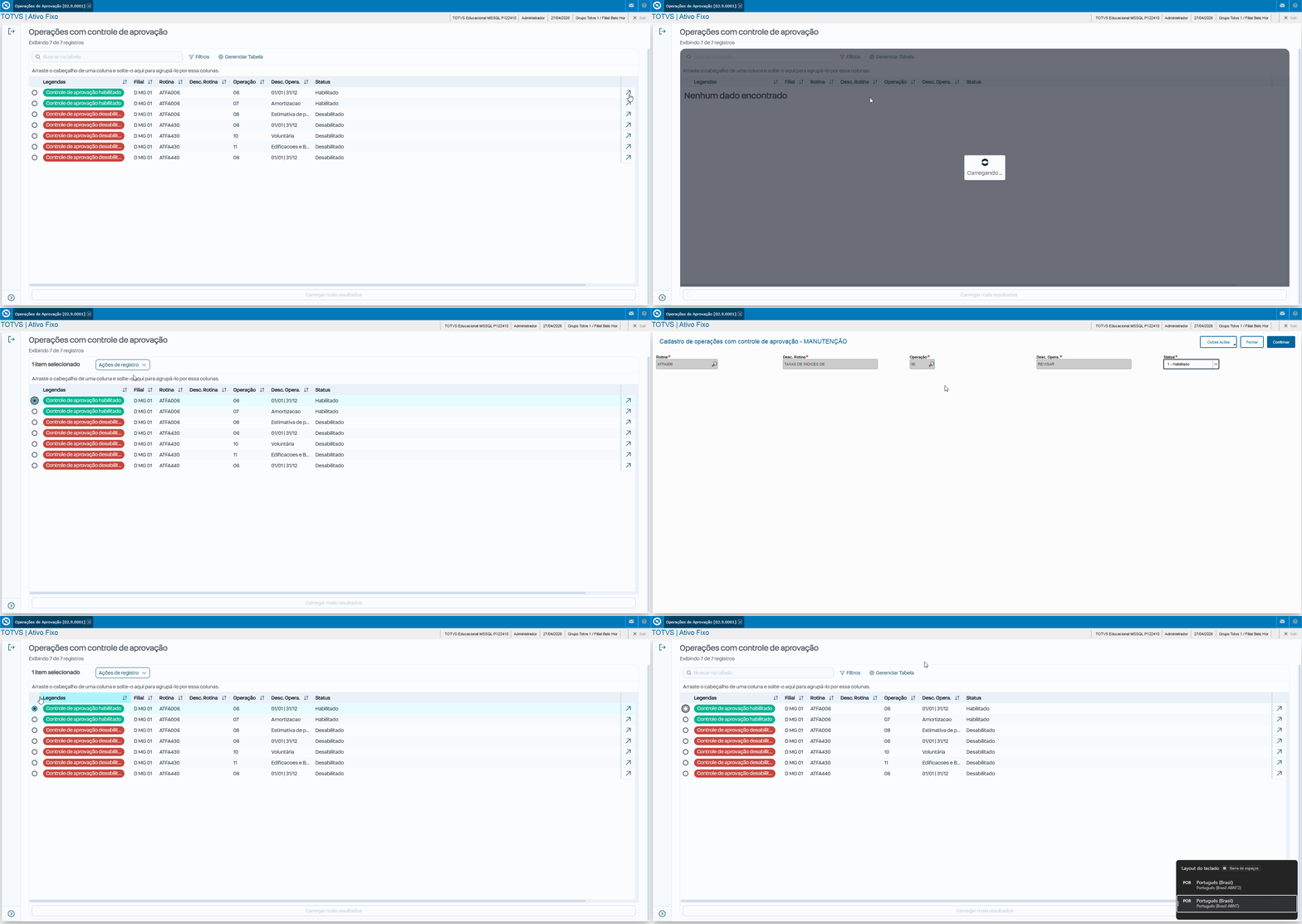
We applied this evolution to the Approval Operations routine (ATFA002), completely renewing the initial listing screen. The great advantage is that we preserve all the original inclusion, editing, and deletion rules intact. This way, you get a significant visual improvement with minimal impact on your existing customizations.
The standard browser lost some manual flexibility in order to gain much more performance and visual standardization.
Functionality | Standard Browser(MVC) | Browser Smart X | Migration Status |
Config. Work Paper | ✅ Faz (Filtros, Layout) | ❌ Não Faz | Critical. Migrate to code or Dictionary. |
Filter with AdvPL | ✅ Faz (Date(), U_Func) | ❌ Não Faz | Critical. Convert to SQL/oData. |
Responsive Interface | ⚠️ Limitado (HTML antigo) | ✅ Faz | Native (PO UI). |
Captions (.BMP) | ✅ Faz (Bitmaps/RGB) | ❌ Não Faz | Critical. Use Tags/CSS (color-07). |
Master/Detail Panel | ✅ Faz (Mesma tela) | ❌ Não Faz | UX changes to drill-down (new screen). |
Index Search | ✅ Faz (Lupa/DbSeek) | ❌ Não Faz | Use Advanced Filter. Quick search is memory only. |
SetFilterDefault | ✅ Faz (AdvPL e SQL) | ⚠️ Parcial | Requires SQL with the @ prefix. |
Smart X Search and Filters
Screen converted to Smart X: