The follow-up is a commitment or a task related to the legal matter.
The Follow-ups option available in the Lawsuits register is also an alternative of access, however only follow-ups of certain lawsuit are filtered and displayed. |
| Previous Registers - In some situations, the follow-ups are associated with the use of the following parameters |
|---|
For the system to work effectively, set parameter MV_JBLQFER. |
| For the system to work effectively, set parameter MV_JRESUFW. |
| For the system to work effectively, set parameter MV_JTRFWDR. |
| For the system to work effectively, set parameter MV_JTVENFW. |
| For the system to work effectively, set parameter MV_JTVENJF. |
| For the system to work effectively, set parameter MV_JVINCAF. |
| For the system to work effectively, set parameter MV_JHBPESF. |
| For the system to work effectively, set parameter MV_JAVALIA. |
| For the system to work effectively, set parameter MV_JFLUIGA. |
| For the system to work effectively, set parameter MV_JWFAPRV. |
| For the system to work effectively, configure routine Searches (jura163). |
You can also use the routine to configure fields, as well as to create parameters to enable searches.
When parameters MV_JTVENFW and MV_JTVENJF have their contents set to 2=No, you cannot change the follow-ups of closed lawsuits; however, if set to 1=Yes, you need to enter the reason for the change. |
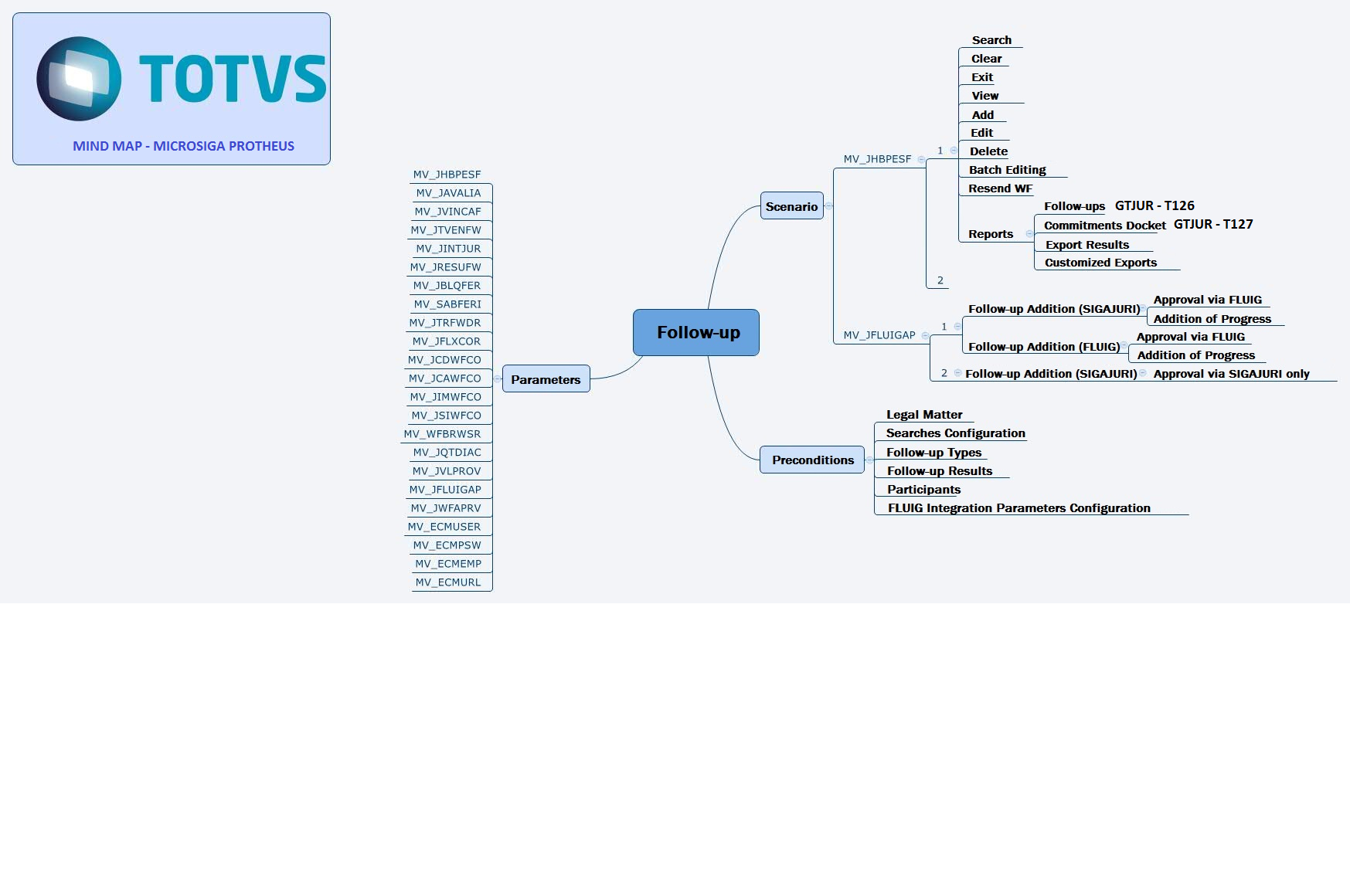
In the main page of the routine, the following options are available:
|
| Field | Description |
Lawyer Code | Field restricted in accordance with the correspondent of the current instance of the lawsuit. Access it via default query (F3). |
| Part Code | This field is restricted to active participants. |
| Type | The content entered via default query, checks configurations in the Follow-up Types auxiliary register. |
| Suggest Prog? | If filled out with Yes, it enables the completion of field Result Code. |
| Suggest Desc? | If filled out with 1=Yes, the information of field Default Desc is displayed in field Follow-up Description. |
| Duration | The system automatically fills out the follow-up duration information. |
| Limit Date | Automatically filled out when field Follow-up Dt is filled out. |
| Hour Set | If you fill it out with 1=Yes, the Hour and Duration information becomes required. |
| Corresp Store | In this field, enter the store of the correspondent responsible for the commitment. |
| Client | Enter the name of the client. |
| Store | Enter the store related. |
| Corporate Name | Enter the Corporate Name. |
| Case Number | Enter the case number. |
| Case Title | Enter a title for the case. |
| Defendant | Enter the defendant. |
| Plaintiff | Enter the plaintiff. |
| Lawsuit Number | Enter the lawsuit number. |
| Status | Enter the status. |
| Assignment Date | Enter the date of assignment. |
| Automatic Model | Field Available in the Follow-up Model Auxiliary Register. The system adds new follow-ups in accordance with default follow-up configurations. |
| User Intervention Model: | Field Available in the Follow-up Model Auxiliary Register. The system displays a screen for you to select the quantity of days and whether the date is retroactive or future, then it issues a confirmation message. Otherwise, the system displays a follow-up screen that suggests the information configured in the default follow-up, with its date recalculated. |