| This routine was adjusted to comply with the General Personal Data Protection Law (Statute No. 13.70) so that some fields containing data regarded as sensitive and/or personal are blurred, becoming illegible. |
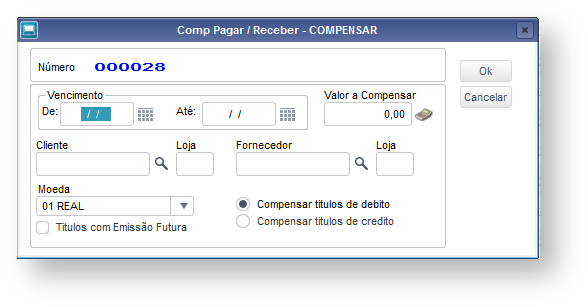
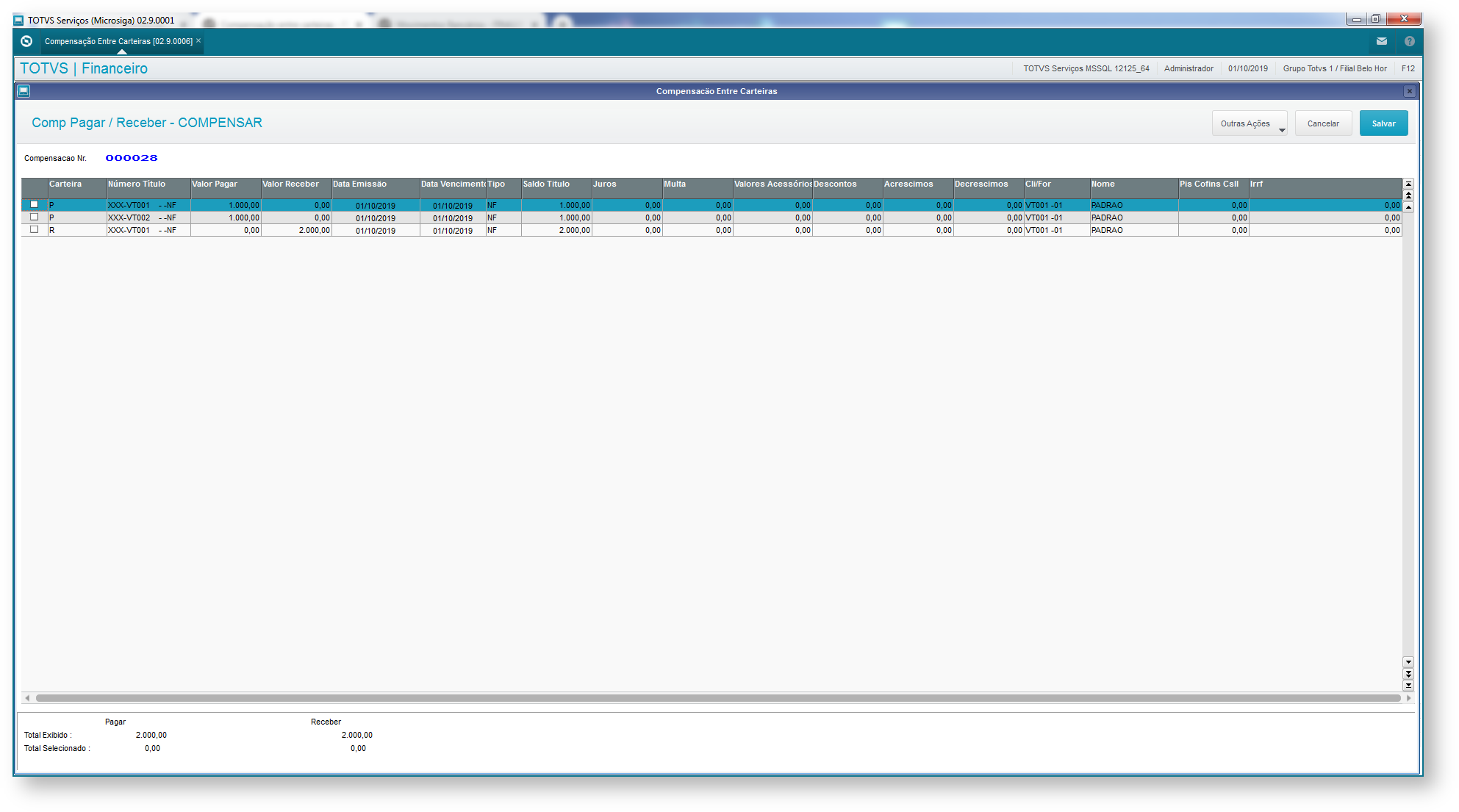
Use this routine to execute clearings of bills payable with bills receivable, thus offsetting accounts between supplier and customer.
This process takes the following bills into account:
Procedure manually performed through the Clearing Between Portfolios (FINA450), with the display of the screens involved in the process - actions/commands from the user are required
Procedure automatically performed in the Clearing Between Portfolios routine (FINA450) without the display of screen - no interaction from the user required.
Used in customizations in which the process does not require user interactions (MSEXECAUTO)
#include "rwmake.ch"
#include 'tbiconn.ch'

User Function Auto450()
    Local aAutoCab := {}
    Local aArea    := GetArea()
    Local cTabSe1  := "TMPSE1A"
    Local cTabSe2  := "TMPSE2A"
    Local aSE1450  := {}
    Local aSE2450  := {}
    Local aFilCmp  := {}

    Private lMsHelpAuto := .F.
    Private lMsErroAuto := .F.

    BeginSql Alias cTabSe1
        SELECT R_E_C_N_O_ as RECNO
            FROM %Table:SE1% SE1
            WHERE SE1.E1_FILIAL = 'D MG 01 '
                AND SE1.E1_PREFIXO = 'CPT'
                AND SE1.E1_NUM = 'VT001'
                AND SE1.E1_TIPO = 'NF'
                AND SE1.E1_CLIENTE = 'FIN001'
                AND SE1.E1_LOJA    = '01'
                AND SE1.%NotDel%
    EndSql

    While (cTabSe1)->(!EOF())
        SE1->(DbGoto((cTabSe1)->RECNO))
        AAdd(aSE1450, {SE1->E1_FILIAL+SE1->E1_PREFIXO+SE1->E1_NUM+SE1->E1_PARCELA+SE1->E1_TIPO})
        If ascan(aFilCmp,SE1->E1_FILIAL) == 0
            Aadd(aFilCmp, SE1->E1_FILIAL)
        EndIf
        (cTabSe1)->(DbSkip())
    Enddo

    (cTabSe1)->(DbCloseArea())

    BeginSql Alias cTabSe2
        SELECT R_E_C_N_O_ as RECNO
            FROM %Table:SE2% SE2
            WHERE SE2.E2_FILIAL = 'D MG 02 '
                AND SE2.E2_PREFIXO = 'CPT'
                AND SE2.E2_NUM = 'VT001'
                AND SE2.E2_TIPO = 'NF'
                AND SE2.E2_FORNECE = 'FIN001'
                AND SE2.E2_LOJA    = '01'
                AND SE2.%NotDel%
    EndSql

    While (cTabSe2)->(!EOF())
        SE2->(DbGoto((cTabSe2)->RECNO))
        AAdd(aSE2450, {SE2->E2_FILIAL+SE2->E2_PREFIXO+SE2->E2_NUM+SE2->E2_PARCELA+SE2->E2_TIPO+SE2->E2_FORNECE+SE2->E2_LOJA})
        If ascan(aFilCmp,SE2->E2_FILIAL) == 0
            Aadd(aFilCmp, SE2->E2_FILIAL)
        EndIf
        (cTabSe2)->(DbSkip())
    Enddo

    (cTabSe2)->(DbCloseArea())

    aAutoCab :={  {"AUTDVENINI450", cTod('27/08/19') , nil},;
                {"AUTDVENFIM450", cTod('27/08/19') , nil},;
                {"AUTNLIM450" ,8000, nil},;
                {"AUTCCLI450" , "FIN001" , nil},;
                {"AUTCLJCLI" , "01" , nil},;
                {"AUTCFOR450" , "FIN001" , nil},;
                {"AUTCLJFOR" , "01" , nil},;
                {"AUTCMOEDA450" , "01" , nil},;
                {"AUTNDEBCRED" , 1 , nil},;
                {"AUTLTITFUTURO", .F. , nil},;
                {"AUTARECCHAVE" ,aSE1450, nil},;
                {"AUTAPAGCHAVE" , aSE2450 , nil},;
                {"AUTAFILCOMP" , aFilCmp , nil}} //Optional parameter to be entered only when a clearance between multiple branches exist

    MSExecAuto({|x,y,z| Fina450(x,y,z)}, nil , aAutoCab , 3 )

    If !lMsErroAuto
        ConOut("Added successfully! ")
        confirmsx8()
    Else
        ConOut("Error when adding!")
        rollbacksx8()
        MostraErro()
    EndIf

    RestArea(aArea)
Return
|
Important:
For further information, access the automatic routine documentation. |
Operation for clearing between portfolios payable/receivable.
Operation for canceling the transaction generated by the clearing.
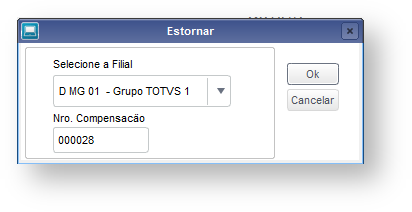
Operation for reversing the transaction generated by the clearing.
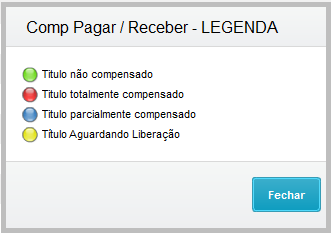
It displays the caption chart and meanings related to the bill payable.
Search for the bill in the accounts payable file, having it placed and highlighted in the browser.
Operation for viewing the bill selected, so you can check its balance and value.
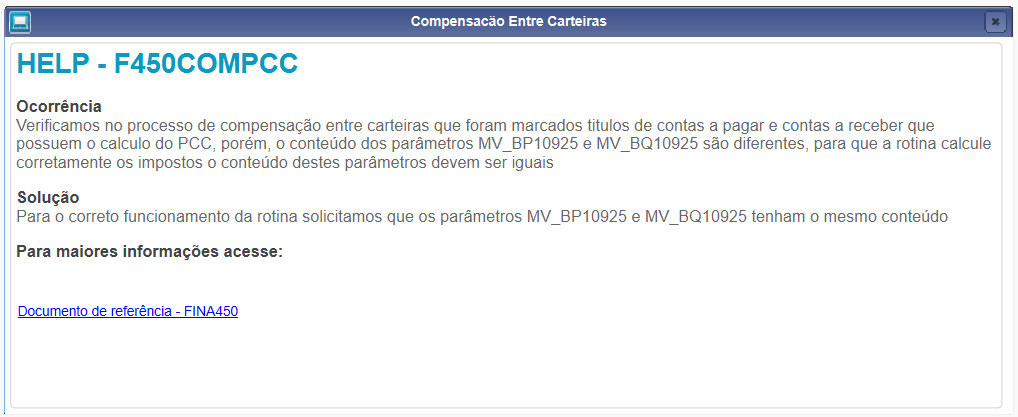
List of parameters applied to FINA450 and its processing
|
|
06. ACCOUNTING
The booking of processes applied to accounts payable clearing via the Financials module is done through the standard entries below:
SE | Taxable Event | ON | OFF (CTBAFIN) |
|---|---|---|---|
535 | Cancellation of Bills Payable/Receivable Clearing | X | |
X |
Entry point | Note |
|---|---|
F450BROW | Entry point that allows handling field contents, and which fields will compose the browser in the clearing between portfolios routine. |
lFA450BU | Entry point lFA450BU allows the customer to add a button. |
F450ValCon | Use entry point F450ValCon to validate the data related to selected bills and to control the clearing confirmation process, in routine Portfolios Clearing. Executed in function FA450CMP(). |
F450SE5 | Entry point F450SE5 is executed after all bills selected onscreen are cleared. |
F450OWN | Assemble filter expression of SE1 file in IndRegua. |
F450FIL | Customize IndRegua filter |
F450OWN1 | Assemble filter expression of SE2 file in IndRegua. |
F450FIL1 | Customize IndRegua filter |
F450ORDEM | |
F450GRAVA | To handle the data of the temporary table responsible for clearing. |
F450Conf | Entry point F450CONF validates the marking of bills for clearing. |
F450valid | Use this entry point to validate clearing screen data. |
F450CAES | Entry point F450CAES validates or executes a procedure after the user confirms the Cancellation/Reversal of clearing between portfolios. |
F450SE1C | Entry point F450SE1C makes complementary recordings in file SE1. It requires no return and does not go through any parameter. |
F450SE2C | Entry point F450SE2C makes complementary recordings in file SE2. It requires no return and does not go through any parameter. |
FA450BUT | Entry point FA450BUT adds toolbar options. Its return is the button array. |
FILEMOT | Entry point to read the text file of accounts receivable posting reasons. |