
Purpose
View of outstanding bills of customers, with brief information, enabling searches, filters and detailed queries of customer data and specific bills.
Query Fields
These fields are displayed in the query:
- Prefix
- Bill
- Installment
- Due Date
- Value
- Balance
- Name
To search information, the following key are searched:
- Prefix + Bill: Bill Identifier
- Customer Name: search data from customer name
Filters Used:
Filters available are:
- Outstanding bills – Bills does not have balance in the query date. The retroactive balance calculation is not handled as this type of query must be quick.
- Bills in arrears – Bills with balance and whose expiration is before the query date
- Bills due on date – Bills with balance and whose expiration is equal to the query date
- Bills due next 7 days – Bills with balance and whose expiration is in the break between the query date and the next 7 days.
- Bills due next 15 days – Bills with balance and whose expiration is in the break between the query date and the next 15 days.
- Bills due next 30 days – Bills with balance and whose expiration is in the break between the query date and the next 30 days.
Development/Procedure
Requirements
- Fluig must be integrated with Protheus, release 12.1.1 or later.
- To have a registered customer
- To have registered outstanding bills
Quick query view
The detailed queries of the registers are available using the standard routines of the system that were not changed for this implementation.
- Register of specific customer (placed in the query)
- Register of specific bill (placed in the query)
Access Fluig page in which the o widget Bills - Accounts receivable was added to view the bills 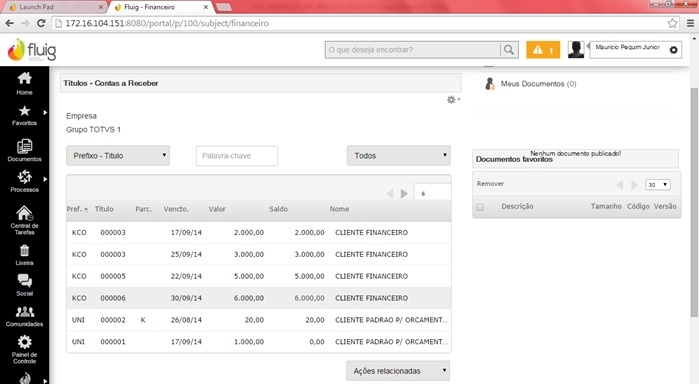
|
For searches, select the method you want. When choosing Prefix + Bill enter the code and bill of the registered entry and the filter you want o apply to data location as well. 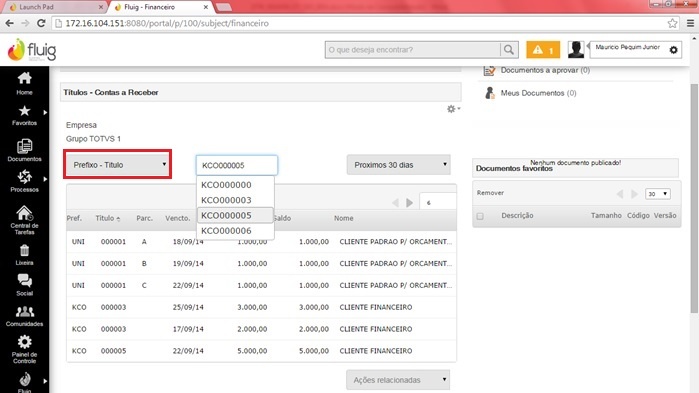
|
From Prefix + Bill and filters entered, registered data are displayed. 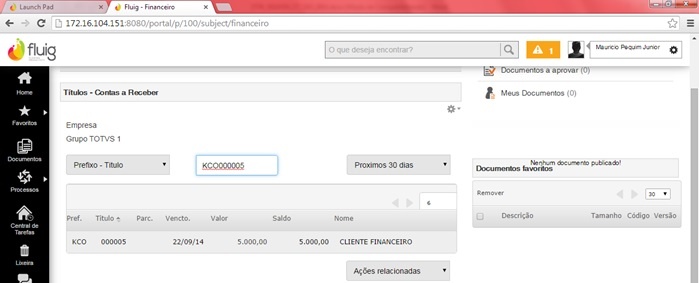
|
When searching for Customer Name, filter data from indicated customer. 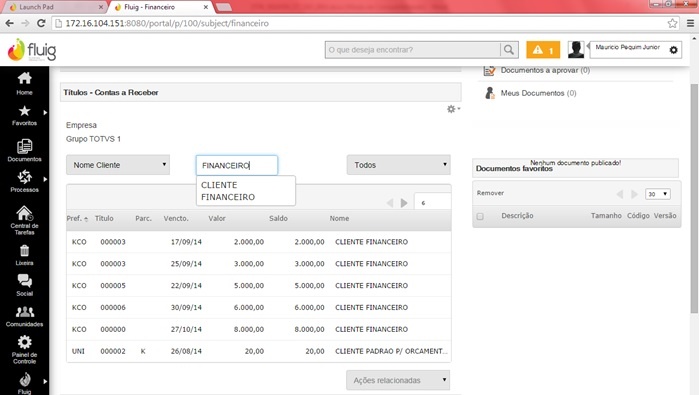
|
Check you can select different filters in the bills receivable query. 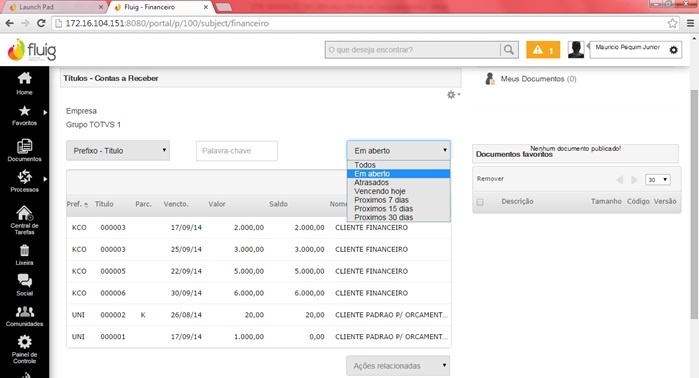 |
To view details of a record, we redirect to a Protheus screen, details or bill of the customer. For such, select a line, access Related Features, then select action, 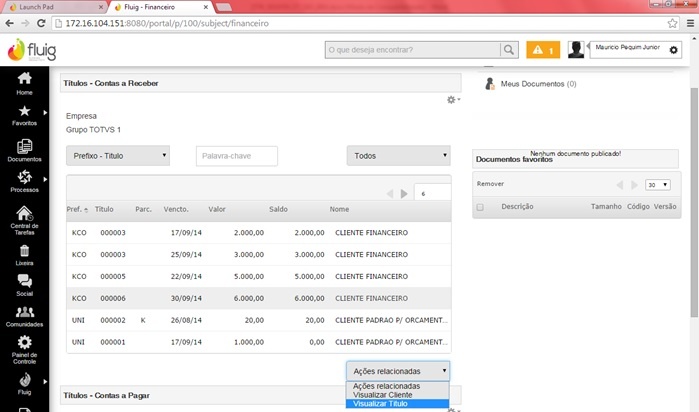
|
Note the action previously selected is displayed on Protheus 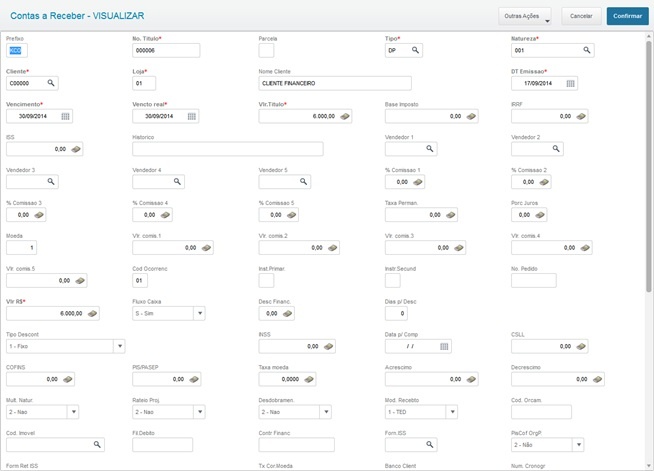 |
|
Considerations
For further information, access http://tdn.totvs.com/display/fluig/Plataforma+Fluig.