01. OVERVIEW

This routine aims at calculating the asset recoverable value, ensuring that assets are not registered with value higher than that one recoverable by use or sales.

By simulating reduction of asset recoverable value, you can change value and rate of assets that are not within the limits to recover values.

This routine complies with the provisions of Law 11.638 of December 2007.


To run the simulation and posting of the recoverable value of an asset, it is necessary to configure the MV_ULTDEPR parameter.


02. PROCEDURES


For add option

To adjust the recoverable value:

  1. In Recoverable Amount, click Add.
  2. A message will be displayed; click Next in the first step.
  3. In the second step of the message, click Next
  4. Fill in the desired parameters as shown below

Parameter

Description

From Asset ?

Start asset for validation

To Asset ? 

End asset for validation.

From Group ?

Start group range

To Group ?

End group range

From Cost Center ?

Start range of cost centers for the asset

To Cost Center ?

End range of cost centers for the asset

From Account ?

Start range of accounts for the asset

To Account ?

End range of accounts for the asset

From Date ? 

Start date of the assets to be evaluated.

To Date ? 

End date of the assets to be evaluated.

From Item ?

Start item number of the assets related to the asset code (SNJ_CBASE/N3_CBASE)

To Item ?

End item number of the assets related to the asset code (SNJ_CBASE/N3_CBASE)


Click Next.

On the processing screen, the following options will be displayed:

  • Simulate: Runs the simulation processing and stores the data for future posting.
  • To perform:Processes the informed data to identify the assets that may have their value recovered

Select the Perform option and click Finish.

At the end of processing, the type of asset generated by the routine is displayed according to the type defined in the parameter MV_ATFTIOA: 10- Management Depreciation with Linear Method or 12- Asset Recoverable Value.


Sale Value

The Sale field is used to record the expected sale value. This information does not affect the processing of the IOA calculation and is used for historical records only.

When the sale value is greater than or equal to the acquisition value, the depreciation rate may be zero.

The field Simulation Item allows to simulate up to 06 characters per IOA calculation.


The Orig. Value field represents the book value in currency 01 and is used to validate the data in the recoverable value processing, obtained according to the following rule:

  • When the sale value (Sale field) is greater than or equal to the original value, the recoverable amount of the asset (Value field) will be equal to the original value.
  • When the sale value (Sale field) is lower than the original value, the recoverable amount of the asset (Value field) will be the difference between the original value and the sale value.


03. EXPORT AND IMPORT (CSV)


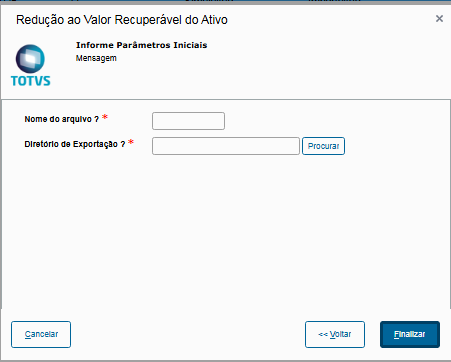
Export

Export can be performed for any asset within the routine, thereby generating a CSV template for future imports and desired changes.


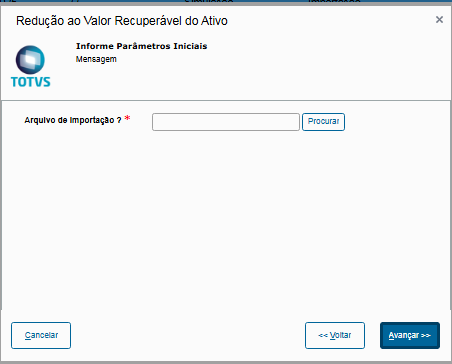
Import

Import of the CSV file containing the assets and their information to be included in the routine.

CSV templates can be generated by the routine by exporting any desired records via Other Actions → Export.

They can then be adjusted as needed, adding the SNJ fields and their respective values separated by semicolons.

It is essential to pay attention to spaces in the CSV fields SNJ_FILIAL, SNJ_BEM, SNJ_ITBEM, as they may affect whether the routine correctly finds the asset based on the CSV content.

Exemplo básico:


04. OTHER INFORMATION


See here how to register accounting entities.

05. TABLES USED