CONTENTS
Use this routine to plan the acquisition of assets, registering future fixed asset acquisitions on a given period.
With the acquisition planning resource, you can:
The Simulation routine will use each fixed asset with a registered plan for future acquisition, whenever the need to project the depreciation arises. The Purchase Classification routine will classify assets included with acquisition planning as Pending Assets, indicating that the asset needs to be finalized, because the asset will only be regarded as "acquired" after becoming active. Regardless of the estimated date of asset acquisition, you can activate the asset planned at any time. The System displays the caption with asset statuses, as follows:
|
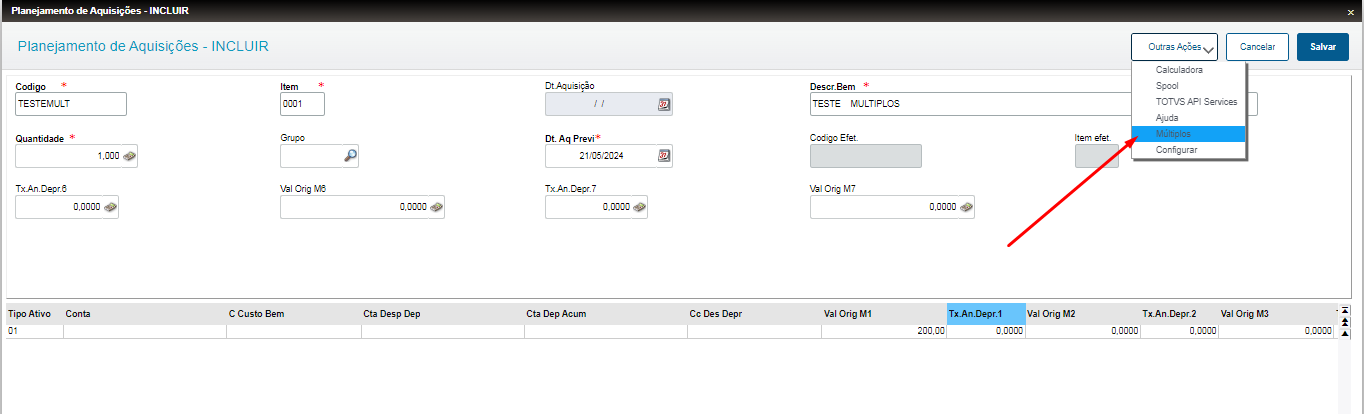
Addition of PlanningIn routine Acquisition Planning (ATFA310), when adding:
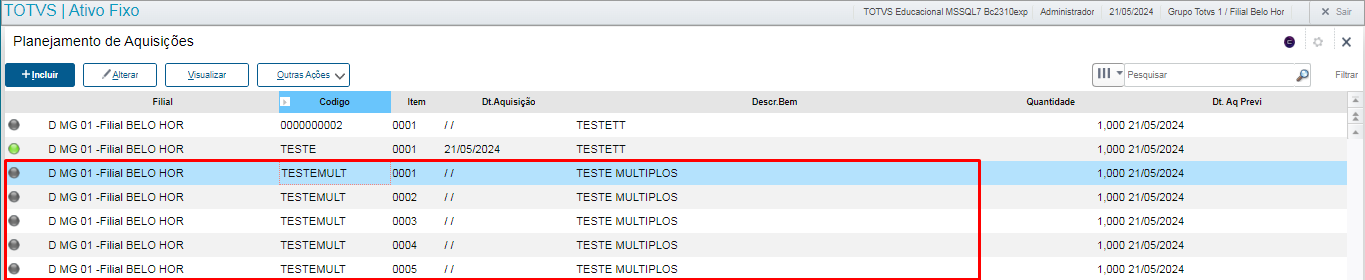
Addition by Multiples
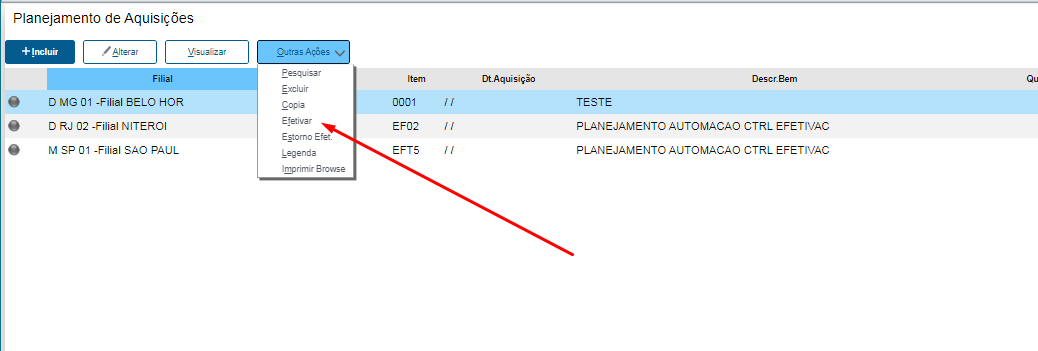
Activation Process
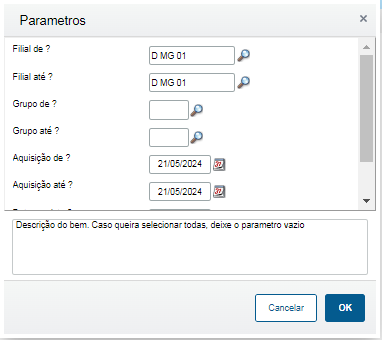
After selecting this option, we can activate the asset selected or a range of assets, according to the questions::
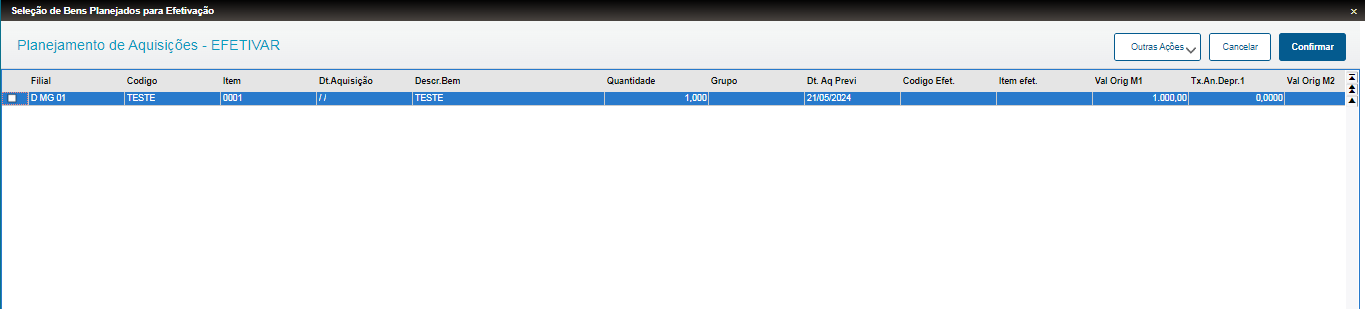
By Item (Asset Selected):The asset will be activated and enter the process for its classification, requiring its evaluation in routine Purchases Classification (ATFA240). By Selection (Multiple):Questions are displayed for their selection:
A screen is displayed with all plans that meet the conditions:
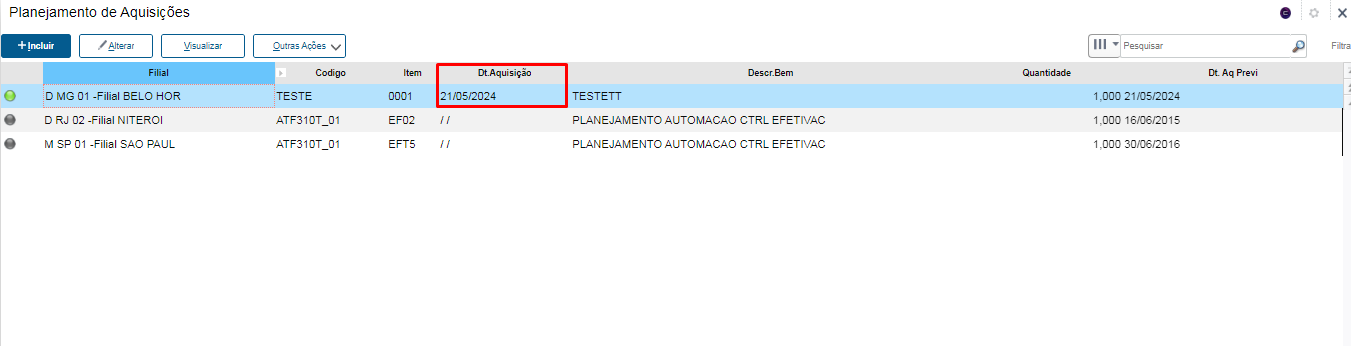
After confirmation:
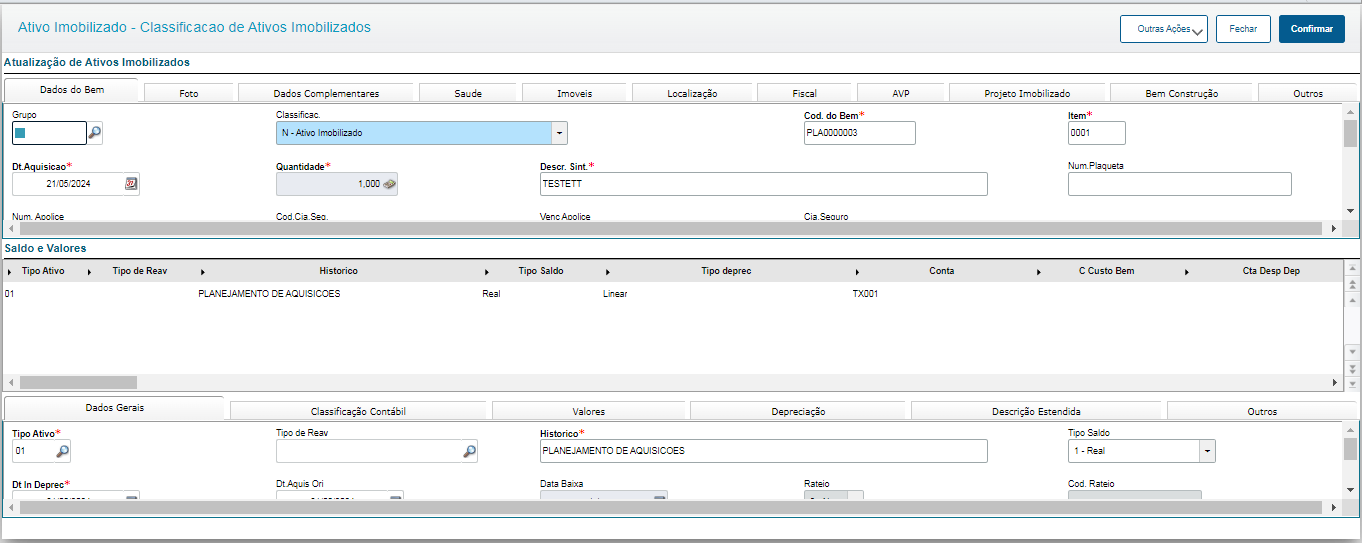
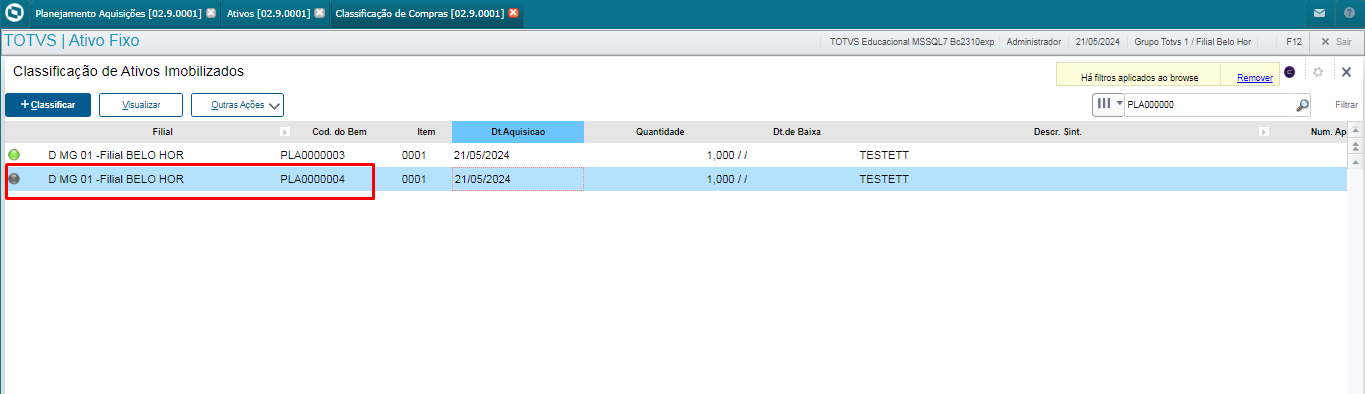
Then the classification must be done in routine Purchases Classification (ATFA240):
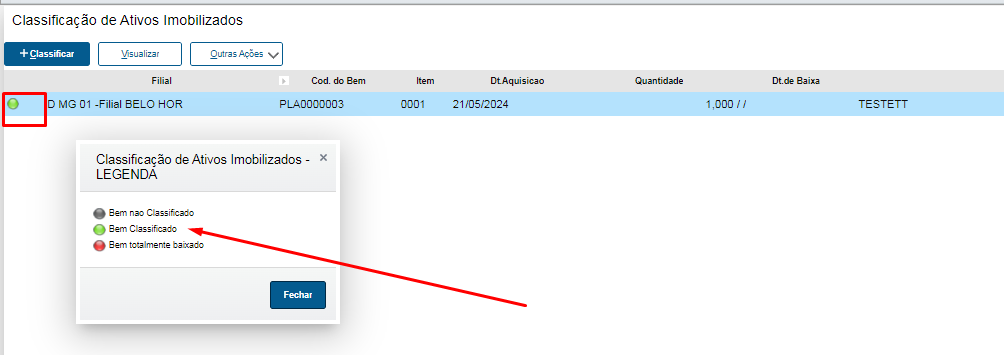
We can analyze that the asset is now classified and ready for its potential uses:
|
we added the plan that became the asset:
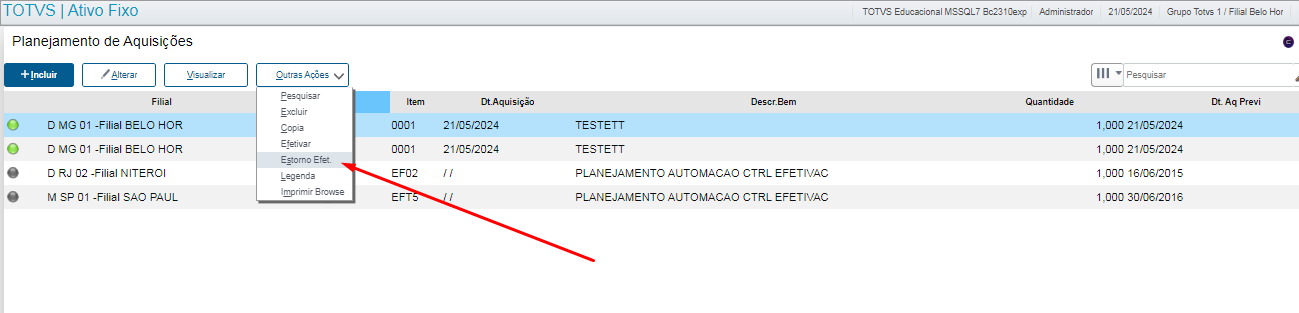
Now we will reverse this operation:
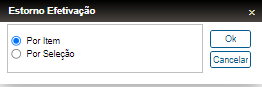
We can also select the plan with the cursor or a selection of them:
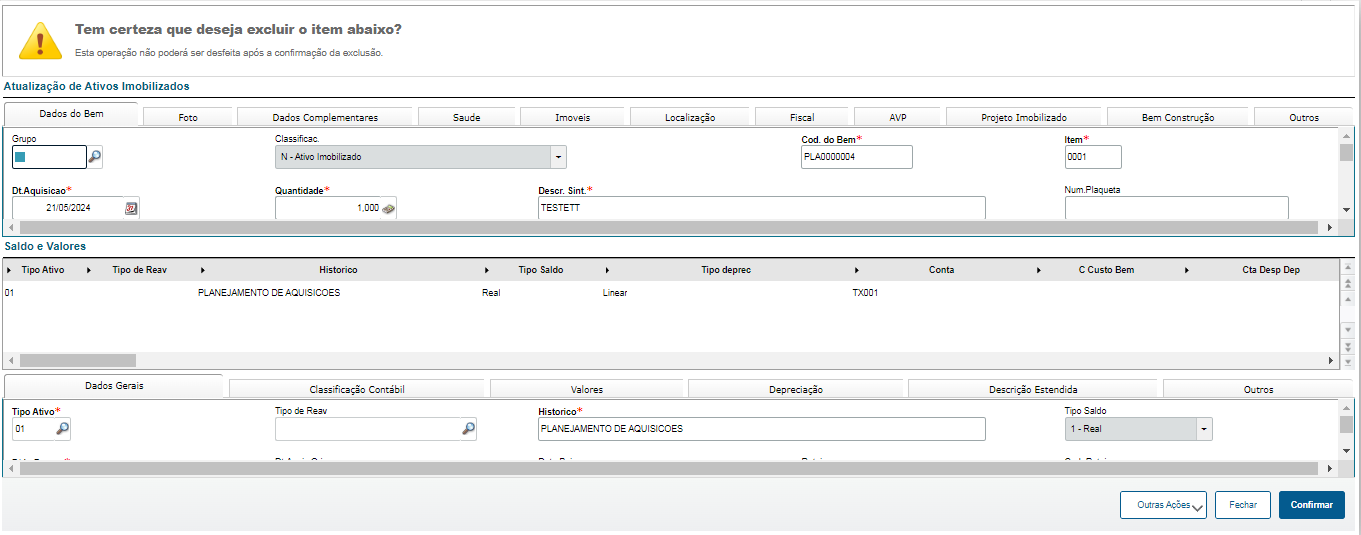
The asset deletion screen is displayed:
After confirmation, the asset is deleted.
|
Other Actions/Related Features
Action | Description |
Search | Search a plan in accordance with indexes |
Delete | Delete the plan in accordance with validations |
Copy | Copy a plan |
Activate | Activate a plan as asset |
Reverse Activation | Reverse a plan activation |
Caption | Display the caption of the routine |
Print Browser | Print the browser of the routine |
Multiples | The user can add more than one plan as they type |
Field | Description |
SNN_CODIGO | Planning Code |
SNN_ITEM | Number of planning item |
SNN_DESCRIC | Description of planning, used for describing the asset in the future |
SNN_QUANT | Asset quantity |
SNN_DTPREVI | Estimated activation date |
SNN_VORIG1 | Origin value in currency 1 |
SNN_CCONTAB | Asset account |
|
Question | Type | Contents |
From Branch? | Character | Initial Branch |
To Branch? | Character | Final Branch |
From Group? | Character | Initial Group |
To Group? | Character | Final Group |
From Acquisition? | Date | Start Date of planning acquisition |
To Acquisition? | Date | End Date of planning acquisition |
Estimated Date? | Date | Estimated Initial Date |
Asset Description? | Character | Description that you can use as selection criterion |
Parameter | Description |
MV_CBASEAP | Set the next base code of asset added when activating a plan. |
MV_ATFMOEDA | Currency to consider in field SNN_VORIG |
MV_MOEDA | Control of multiple currencies |
 Asset not activated
 Asset activated