CONTENT

  1. Overview
  2. Example of use
  3. Business Object Fields
  4. Access the object via the Protheus menu
  5. Tables

01. OVERVIEW

This business object aims to display the simulation of the recoverable amount of assets.


For this business object to to work correctly, you need to configure Smart View in your environment. Please refer to the documentation: Smart View - Protheus Product Configuration Integrated with Smart View.


This feature is currently in the pilot testing phase with select customers and will be officially released with the launch of Release 12.1.2510.

This page and the functionality may be subject to changes until the feature release date.

02. EXAMPLE OF USE


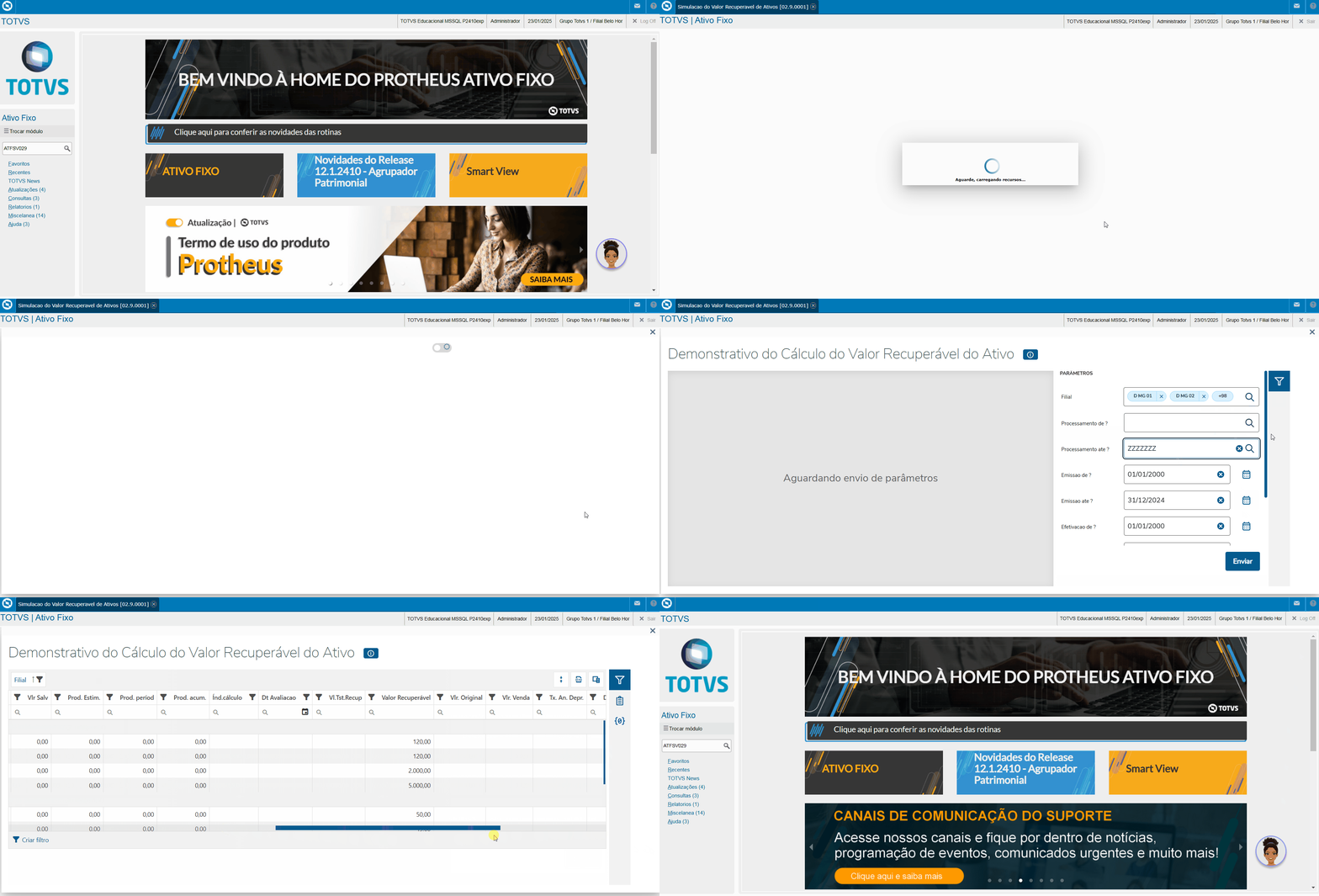
Data View:


Pivot Table:
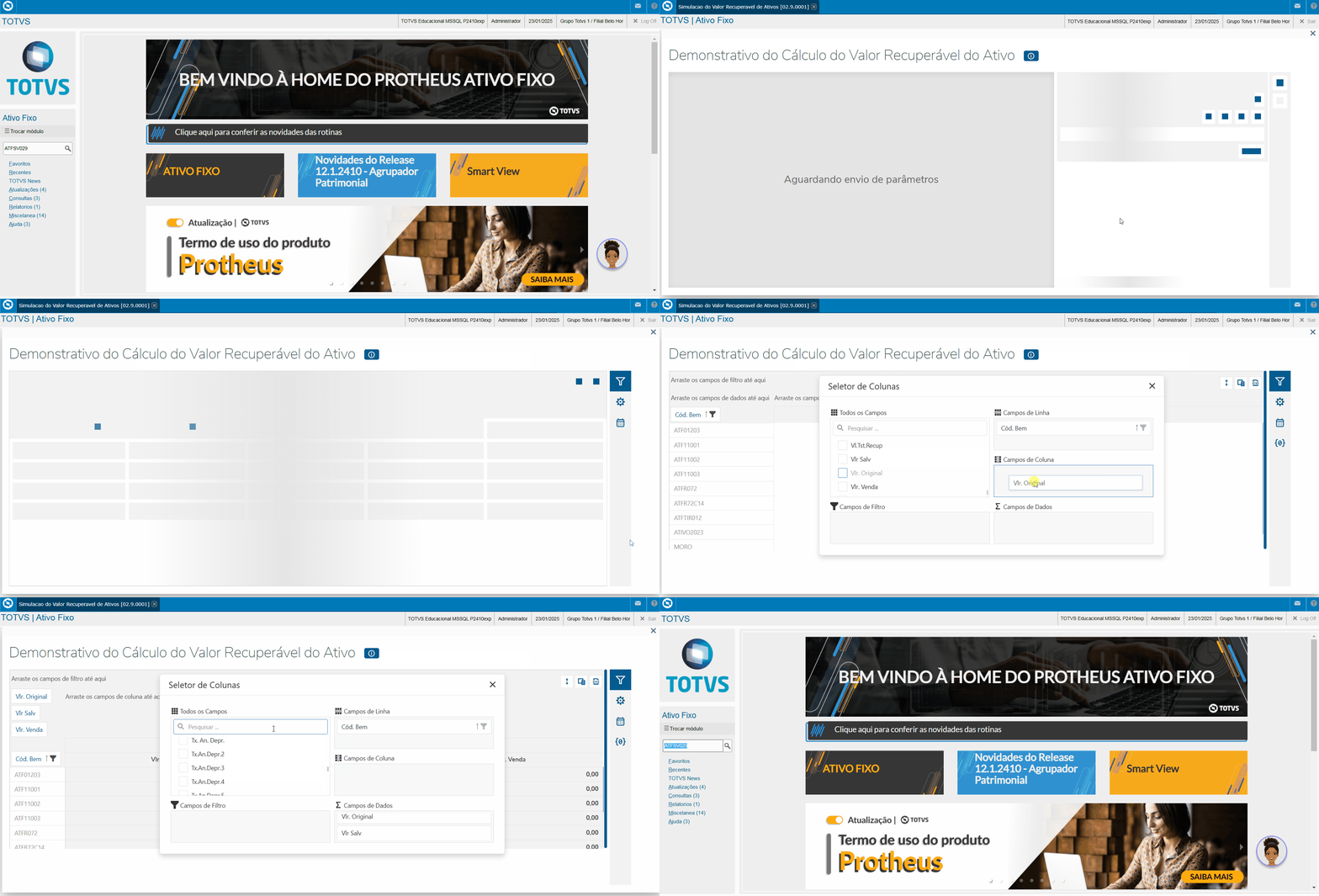
It's important to highlight that the organization of the pivot table is the customer's responsibility. They should structure it in the most appropriate way, according to their needs and defined rules, taking into consideration the fields available in the schema and the parametrization that has been performed.


Parámeters:

Question

Description

Effective in the business object?

MV_PAR01

From Processing ?                

Yes

MV_PAR02

To Processing ?           

Yes

MV_PAR03

From Issue ?                             

Yes

MV_PAR04

To Issue ?

Yes

MV_PAR05

From Effective ?               

Yes

MV_PAR06

To Effective ?              

Yes

MV_PAR07

Select Branch ?            

No

MV_PAR08

Simulation Status ?         

Yes

MV_PAR09

Second Currency ?               

Yes

MV_PAR10

Demonstrate ?                  

Yes

SV_MULTBRANCH

Branches

Yes

Regarding the parameter "Demonstrate? (MV_PAR10)", it controls the display of certain fields that are shown or hidden depending on the two views — Depreciation Methods and Currency — with specific display behaviors based on the selected option.

The parameters marked as "No" in the list above are hidden in the report or Smart View design. These parameters don't influence the report or its objects (Data View, Design, and Pivot Table).

03. BUSINESS OBJECT FIELDS

Display Name

Description

Origin

Branch      

System Branch        

NI_FILIAL 

Process    

Calculation Process Code

NI_PROC

Routine

Processing Routine           

NI_ROTINA

Issue Date

Processing Issue Date

NI_DTEMIS

IOA Date

Processing Effective Date

NI_DTIOA

Entry ID

Entry Identification

NI_LA

Status

Current Processing Status

NI_STATUS

Proc. Item

Process Item

NJ_ITEM

Code Asset

Asset Code

NJ_BEM

Asset Item

Asset Item

NJ_ITBEM

Type

Asset Type

NJ_TIPO

Depreciation tp

Depreciation type

NJ_TPDEPR

Deprec Freq  

Depreciation Frequency

NJ_PERDEPR

Max Deprec Val

Maximum Depreciation Value

NJ_VMXDEPR

Salv Val

Salvage Value

NJ_VLSALV1

Est. Prod.

Estimated Production

NJ_PRODANO

Period Prod.

Period Production

NJ_PRODMES

Accum. Prod.

Accumulated Asset Production

NJ_PRODACM

Calc. Index 

Depreciation Index Code

NJ_CODIND

Evaluation Date

Asset Evaluation Date

NJ_DTAVALI

Recovery Test Val

Value for Impairment Test

NJ_VLRIMPT

Recoverable Value

Asset Recoverable Value.

System

Original Value

Book Value

System

Sale Val.

Sale Value

System

Annual Deprec. Rate

Recoverable Amount Rate

System

Accum. Deprec.

Accumulat.Recover. Value Deprec 

System

P/R Account

Loss/Reversal Account     

NJ_CPERREV

R/E Account

Revenue/Expense Account    

NJ_CRECDES

Adj. Type   

Adjustment Type

NJ_TPAJUST

History   

Value History       

N3_HISTOR 

04. ACCESSING THE OBJECT VIA PROTHEUS MENU

The Asset Recoverable Value Simulation business object can be executed via the Protheus menu using program ATFSV029.

05. TABLES USED