
Histórico da Página
...
CONTENTS
- Visão Geral
- Exemplo de utilização
- Informativo dos registros especificados
- Tabelas utilizadas/Relacionadas
01. VISÃO GERAL
...
- Overview
- Example of use
- Information on records specified
- TABLES USED/RELATED
01. OVERVIEW
This document aims to clarify the functioning of the system in relation to the generation of records I015 and I012 by generating a ledger Z in layouts 7, 8, and/or 9.
| Card documentos | ||||
|---|---|---|---|---|
|
02.
...
EXAMPLE
In layouts
...
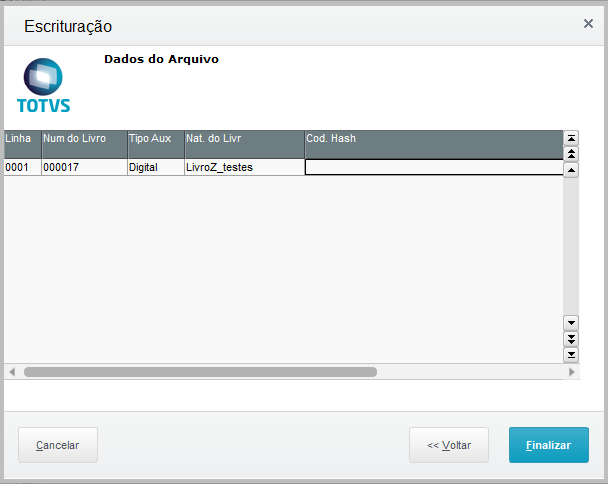
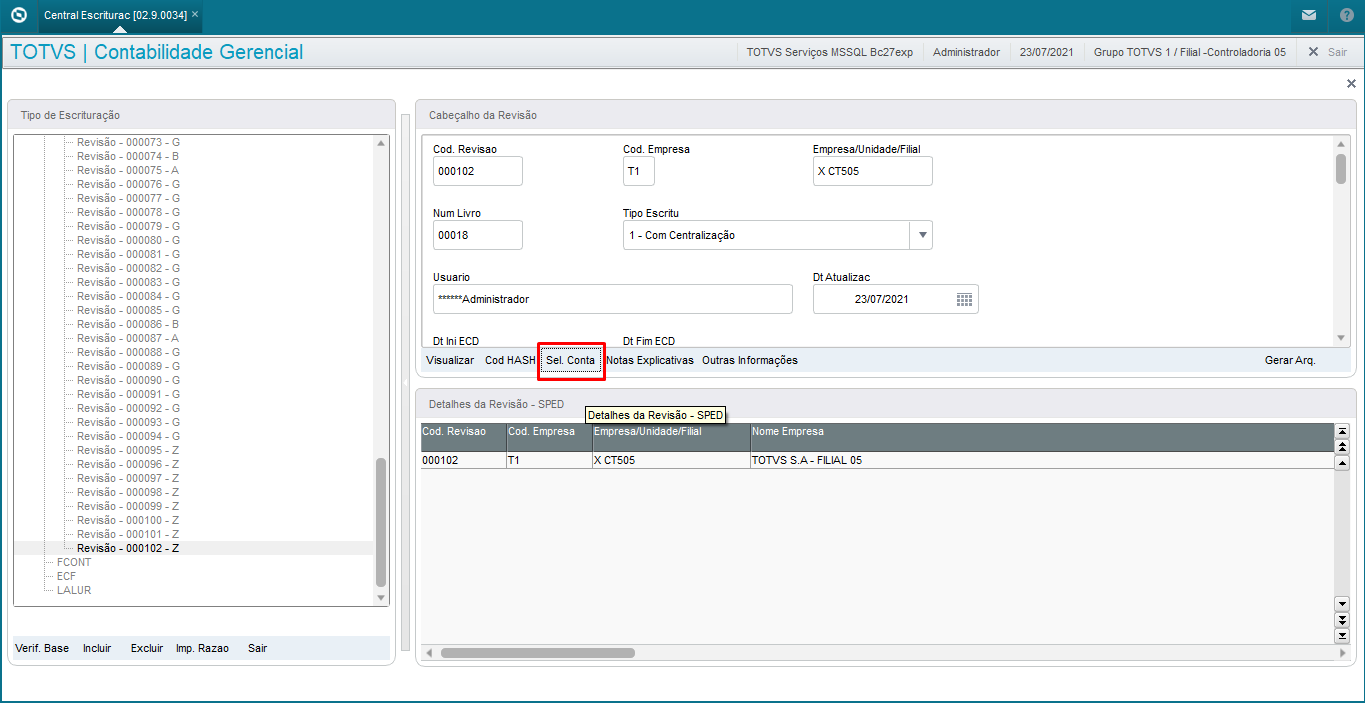
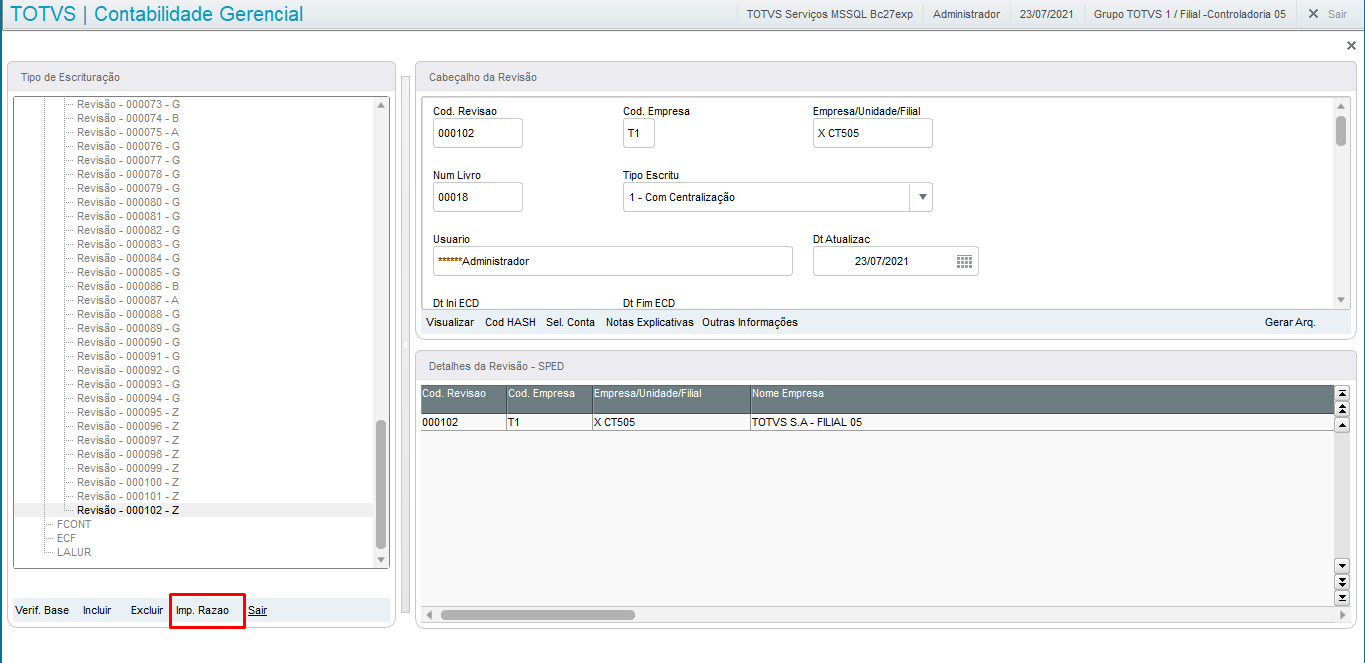
Nos leiautes 7/8/9 o livro Z gera os registros , Ledger Z generates the I012/I015 através da opção COD HASH encontrado no botão na central de escrituração após selecionar e digitar o nome desejado ao livro Z que posteriormente será gerado no txt exportadorecords through the COD HASH option found in the button on the bookkeeping center after selecting and entering the desired name for Ledger Z, which will later be generated in the exported TXT file.
| Informações | |||||||
|---|---|---|---|---|---|---|---|
| |||||||
In the latest layouts: The revision is normally generated by the option, and it is necessary to fill the fields for the sake of legacy and functionality: Ledger Order Number/Ledger Nature
|
| Aviso | ||
|---|---|---|
|
Como era feito em leiaute anteriores:
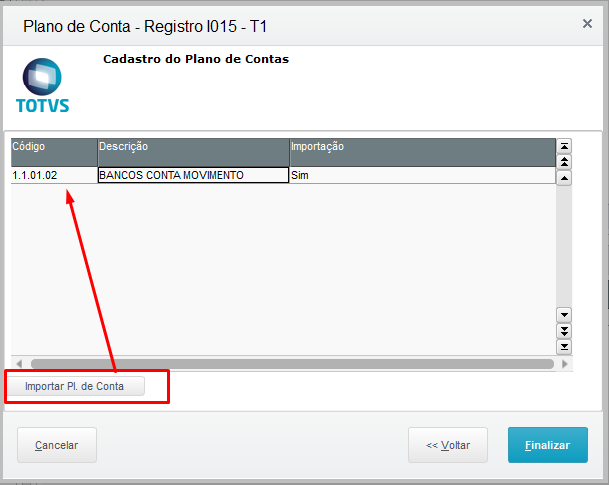
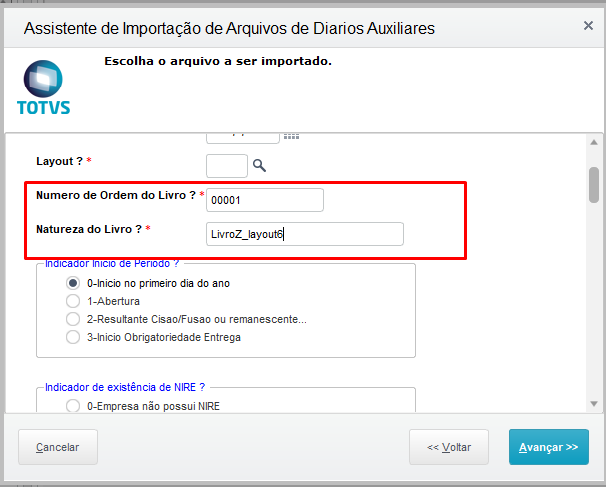
Vale ressaltar que nos leiaute anteriores ao leiaute 7 na atualização de a forma em que era gerado os registros I012/I015 era por meio da opção SEL.CONTA na central de escrituração que gerava os registros I015 e com os dados na opção IMP RAZÃO Numero de Ordem do Livro e Natureza do Livro eram gerados os dados do registro I012 na tabela CS0.
| |
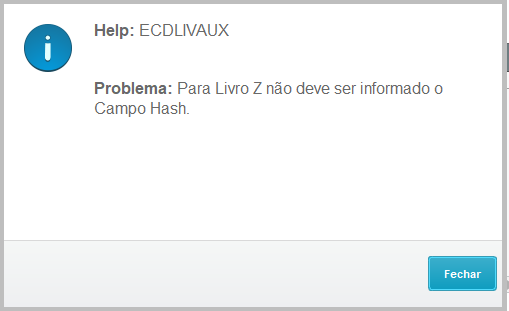
The Hash Code in layout Z is not manually populated, and if you try to fill, it a help will be displayed in the routine.
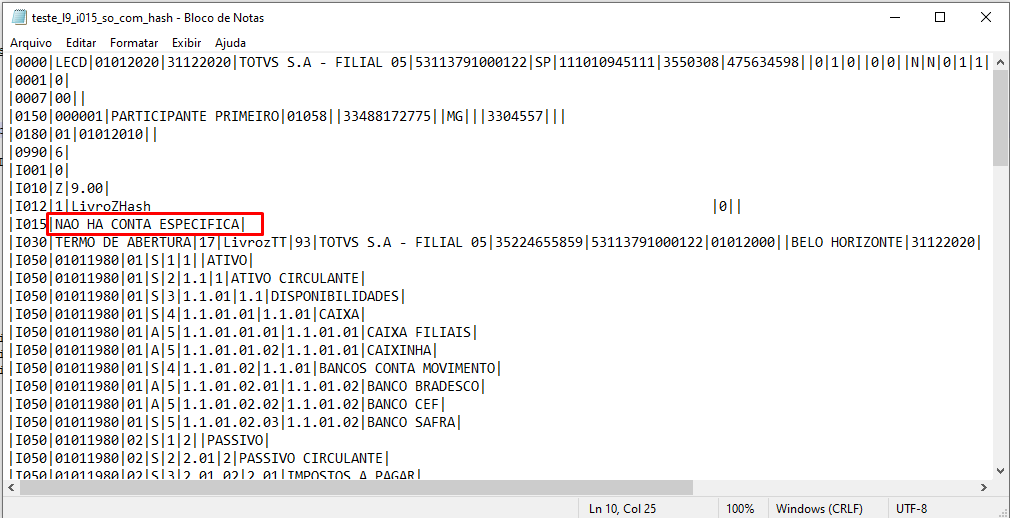
We also note that, if only account tagging is performed by the SEL ACCOUNT option, and table CS1(HASH CODE option) is not filled in, none of the two records specified for the Z ledger will be generated. |
As it was made in previous layouts:
It is worth noting that, in the layouts prior to layout 7 in the update of the way in which records I012/I015 were generated was through the SEL.ACCOUNT option in the bookkeeping center, that generated records I015, and with the data in the LEDGER IMP option Ledger Order Number and Ledger Nature, data were generated for record I012 in table CS0.
In layout 6, the option in which the records are generated when filling in the fields in the LEDGER IMP selectionNo leiaute 6 a opção em que é gerado os registros ao serem preenchidos os campos na seleção da IMP RAZÃO:
03.
...
Outras Ações / Ações relacionadas
Information on records specified
Other Actions / Related Actions
Record | Description | Table Specified | |
I012 | Ledgers Auxiliary to the Journal or Main Ledger | CS1(layout 7. | |
| Registro | Descrição | Tabela Especificada | |
|---|---|---|---|
| I012 | Livros Auxiliares ao Diário ou Livro Principal | CS1(leiaute 7,8, 9), | leiaute mais antigos oldest layouts (CS0) |
I015 Identificação das Contas da Escrituração Resumida a que se Refere a Escrituração Auxiliar | Identification of the Accounts of the Short Bookkeeping referred to in the Auxiliary Bookkeeping | CSJ |
04.
...
TABLES USED/RELATED
- CSJ - Identificação das Contas;Accounts Identification
- CS0 - Revisão;Revision
- CS1 - Dados complementares da revisão;Additional Revision Information
- CSV - Layout de Diários;Journal Layout
- CSW - Itens Layouts de Diários.Journal Layout Items
Visão Geral
Import HTML Content
Conteúdo das Ferramentas
Tarefas