Histórico da Página
...
When using the Subprocess component, it is also possible to share information between the forms of the main process and the subprocess. More details are described in the topic Sending data between the process and the subprocess.

| Painel | ||||||||
|---|---|---|---|---|---|---|---|---|
| ||||||||
|

...
Multimedia name ver-guia-subprocesso.mp4 width 100% page Plataforma ❙ Subprocesso autostart true space fluig height 5%
01. In the process diagram, click on the Subprocess component 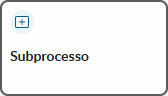 .
.
...
Multimedia name configurar-subprocesso.mp4 width 100% page Plataforma ❙ Subprocesso autostart true space fluig height 5%
01. In the process diagram, click on the Subprocess component you want to configure.
...
| Painel | ||||
|---|---|---|---|---|
| ||||
This option is only enabled when the main process already has a linked form and a process that has at least one published version has been selected in the Process field. The field configuration allows you to define which values should be shared between the forms of the two processes and the direction of each. It is possible to send data from the main process form to the subprocess form and vice versa. More details can be obtained in Data Sending between the Process and the Subprocess. |
04. Click on Add  .
.
05. In the Process Fields column, select the field from the main process form that will send or receive the value from the subprocess form – according to what is defined in the Direction column.
...
| Painel | ||||
|---|---|---|---|---|
| ||||
This option is only enabled when the main process already has a linked form and a process with at least one published version has been selected in the Process field. The field configuration allows you to define which values should be shared between the forms of the two processes and the direction of each. It is possible to send data from the main process form to the subprocess form and vice versa. More details can be found in Sending data between the process and the subprocess. |
03. Click on Add .
04. In the Process fields column, select the field from the main process form that will send or receive the value from the subprocess form – according to what is defined in the Direction column.
...
Multimedia name editar-envio-dados-subprocesso.mp4 width 100% page Plataforma ❙ Subprocesso autostart true space fluig height 5%
01. In the process diagram, click on the Subprocess component for which you want to edit the data sharing between the main process and subprocess forms.
...
Multimedia name remover-envio-dados-subprocesso.mp4 width 100% page Plataforma ❙ Subprocesso autostart true space fluig height 5%
01. In the process diagram, click on the Subprocess component from which you want to remove the data sharing between the main process forms and the subprocess.
...
Visão Geral
Import HTML Content
Conteúdo das Ferramentas
Tarefas