).
).
Greater emphasis on evolutionary updates (Update ).
The most relevant releases are identified by a special label:
 Essential: includes fixes and small platform enhancements.
 Mandatory: updates that contain critical emergency fixes.
See all the details at: Platform Update.
Stay informed about all the news from My Fluig.

November 11, 2025  November 04, 2025 October 29, 2025
We understand the importance of a smooth and efficient journey in managing your demands. Therefore, we have developed a new interface to optimize the starting point of each request. When initiating a request, you can be assured that each step will strictly follow the activities and flows defined in the current version of the process at the time of creation. This ensures consistency and predictability, even with the release of new versions of the process in the future.
To make your adaptation even simpler, we have prepared an interactive welcome guide on the request initiation page itself. You will be guided through an intuitive tour, with a brief description of what to do and how to navigate, ensuring that you make the most of all the available features from your very first access.
We hope that the experience of initiating requests gains a new dimension, allowing it to streamline and bring even more ease to your routine.
To check the complete documentation, access Request Initiation and stay updated on all the details.

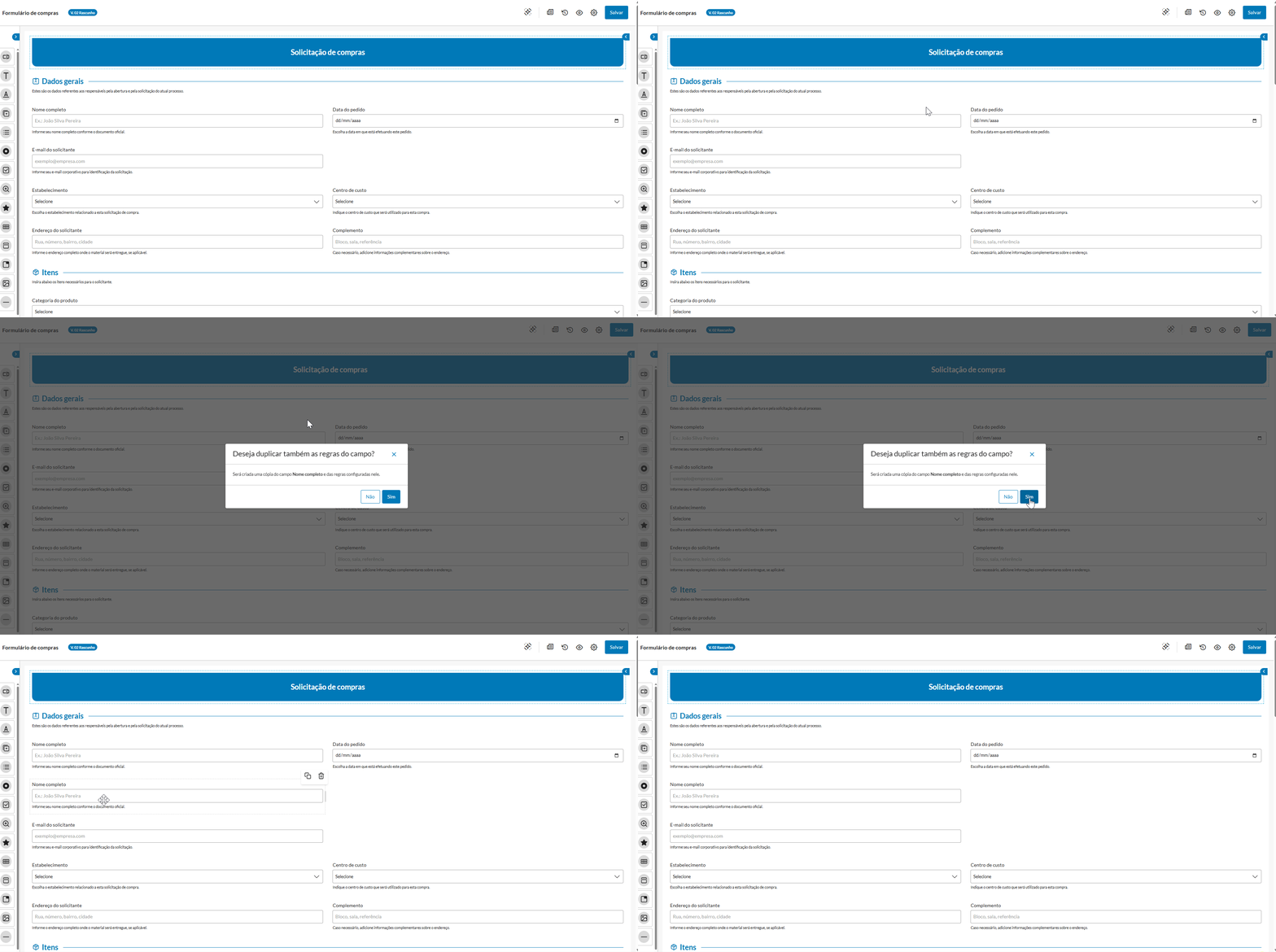
October 21, 2025 The Form Designer has been updated and is now more complete!
|
With this update, it has become easier to manage and track changes made to forms linked to processes.
With the version history, accessible through the icon , you can check the details of each version, such as the date and time of publication, modifications made, and the user responsible for each modification.
Additionally, it is also possible to view any previous version  and even restore it if necessary, ensuring more control and agility for your forms.
Access the documentation Version History for more details. |

October 14, 2025 October 07, 2025 The Board mode of the Task Center has received a new configuration! Now you can adjust the display of tasks according to your preference, choosing between two layouts: Standard or Compact.
More flexibility and practicality for you to keep track of your tasks your way.
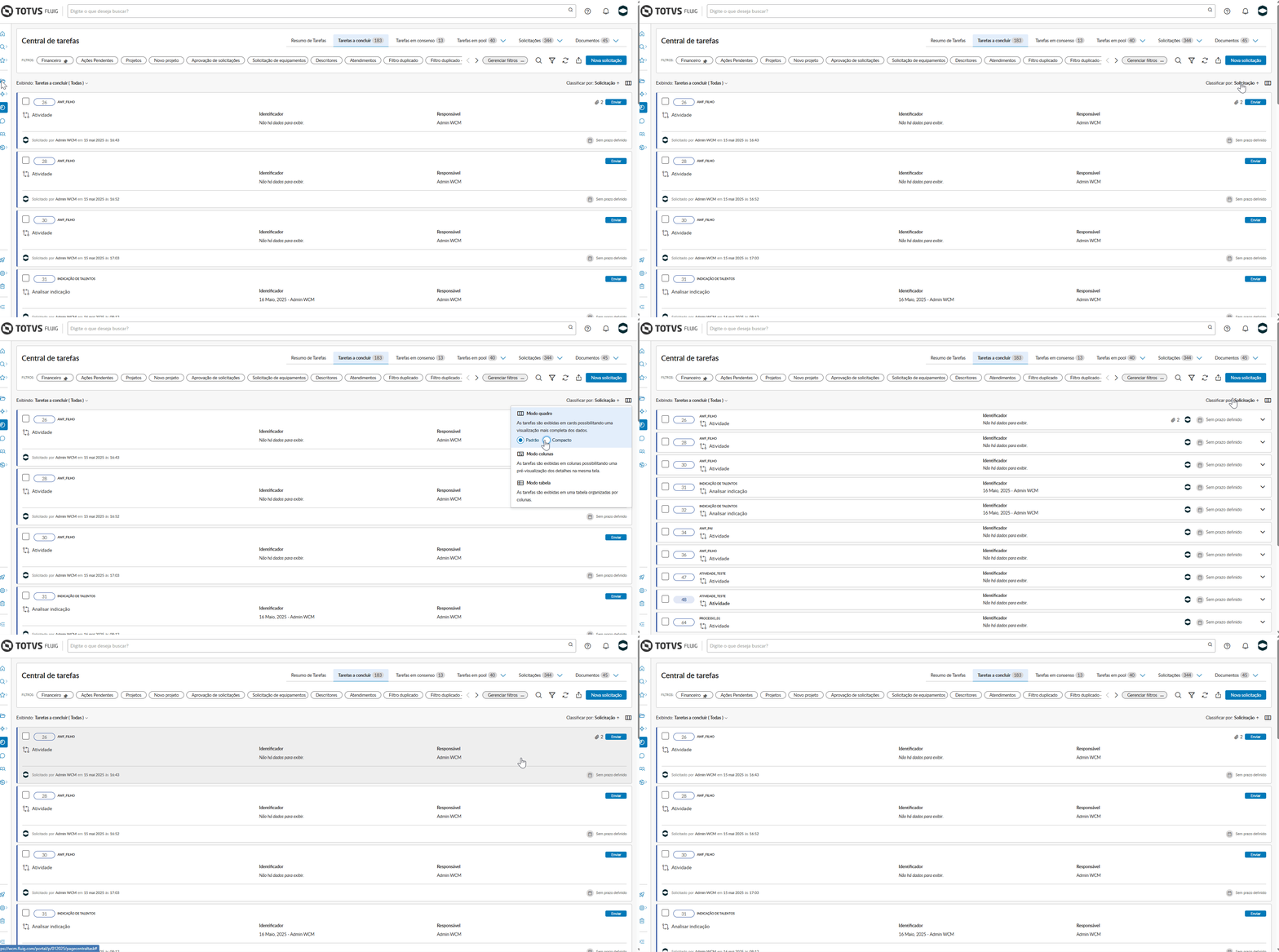
Access our documentation and find the details in the Viewing Modes section. |
Accessibility improvements have been applied to the header and menu to enhance the experience for users utilizing screen readers and other assistive technologies.
September 30, 2025 September 23, 2025 Without a doubt, this is an innovation that will transform the experience of new users on our platform: the First Access Guide to the TOTVS Fluig Platform, along with a completely revamped Home designed with users in mind.
Having an easy start can ensure maximum utilization of all functionalities. Therefore, when logging in for the first time, users will be intuitively guided through an interactive First Access guide.
This feature has been carefully developed to familiarize the user with the main solutions and functionalities of the platform, providing a smooth and efficient experience from the very first contact.
During the First Access guide, the user will have an overview of the main available solutions, including: Workflow automation, Ready-made processes and AI solutions, Enterprise content management, Task management, and Portals and communities. Additionally, it will be possible to customize the profile by entering personal data, area of expertise, and role, choosing the platform theme, and selecting the page template that best fits their work routine, making the experience more relevant and aligned with their needs.
Immediately after completing the guide, the user will be welcomed to the new Home of the TOTVS Fluig Platform. This new layout has been designed to be the user's command center, containing essential widgets and important content that facilitate the discovery of all the possibilities that only Fluig can provide. The new Home ensures autonomy and agility, allowing the user to explore and utilize the system with complete confidence.
To check the documentation containing all the details, access My first access.
|
Se você precisa fazer algum tipo de integração em seus processos, já pode comemorar: a Atividade de serviço já faz parte da paleta de componentes do Editor de processos!
A principal característica desse componente é sua capacidade de automatizar a execução de tarefas. Com suporte a serviços REST e SOAP, o componente permite a orquestração direta de serviços externos, promovendo mais automação, integração com outros sistemas e ganho de eficiência nos processos modelados.
Com configuração simplificada e suporte a parâmetros, cabeçalhos e autenticação, o componente oferece flexibilidade e aderência a cenários reais de negócio. Muito bacana, hein?
Confira informações detalhadas sobre o componente em Atividade de serviço. |
Os serviços disponíveis para uso no componente Atividade de serviços são aqueles que estão cadastrados no recurso Serviços do Painel de controle. |

O Editor de processo também já conta com o evento Captura de erro, que é utilizado juntamente com a Atividade de serviço quando sua execução é automatizada.
Esse evento permite o tratamento estruturado de exceções durante a execução do serviço configurado na atividade. Com ele, é possível identificar falhas em chamadas a serviços externos e definir ações corretivas ou alternativas, aumentando a robustez e a confiabilidade dos fluxos automatizados.
Esse evento é essencial para garantir processos resilientes e melhor gerenciamento de incidentes, evitando que uma solicitação fique travada por causa de inconsistências de execução. Mais agilidade que se fala, não é?

O componente Anotação veio para somar e agregar informações importantes aos seus processos!
Com ele, é possível adicionar comentários e informações extras diretamente no digrama do processo. Parece simples, mas é um recurso poderoso que visa facilitar a comunicação, o entendimento e a colaboração entre equipes durante a modelagem e a análise dos processos, tornando seus fluxos mais claros e documentados.
Além disso, com um processo bem documentado e com informações importantes à disposição, sua manutenção futura torna-se muito mais fácil e rápida. Informação nunca é demais, não é mesmo?

Agora, é possível definir condições avançadas no componente Exclusivo, que permitem criar as regras a partir de codificação, flexibilizando a criação de condições para pessoas mais técnicas que saibam programar e desejam criar expressões avançadas.
Desta forma, é possível criar regras de decisão mais complexas e dinâmicas, baseadas em variáveis do processo, funções personalizadas e operadores lógicos.
Esse tipo de condição é criada em uma IDE embutida no componente, que permite criar as expressões de forma estruturada, onde também são disponibilizados snippets prontos com as hAPIs da plataforma para facilitar a criação das condições. Se você prefere codificar, já pode começar!
Clique aqui e veja todos os métodos que estão disponíveis por meio da hAPI e que podem ser utilizados na criação de condições avançadas. |

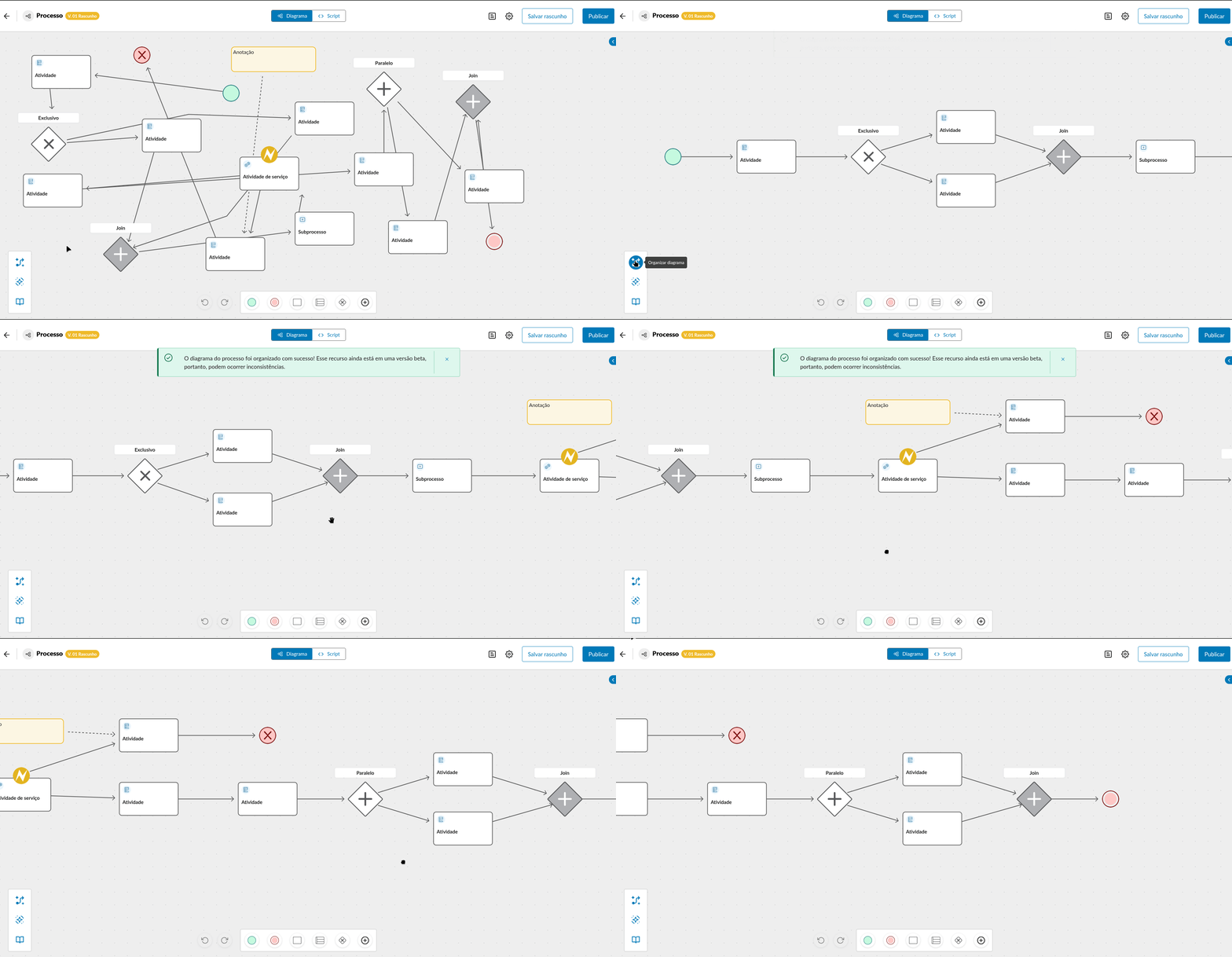
Já pensou em organizar o diagrama do seu processo em um passe de mágica?! Com o novo recurso Organizar diagrama, o layout do diagrama dos processos é ajustado automaticamente para uma disposição mais limpa, alinhada e visualmente organizada.
Ganhe tempo, melhore a legibilidade dos fluxos e mantenha seus processos sempre claros e bem estruturados com apenas um clique! Assim, fica ainda mais fácil visualizar e entender seus processos. Confira!
Esse recurso ainda está em uma versão beta, portanto, podem ocorrer inconsistências. |
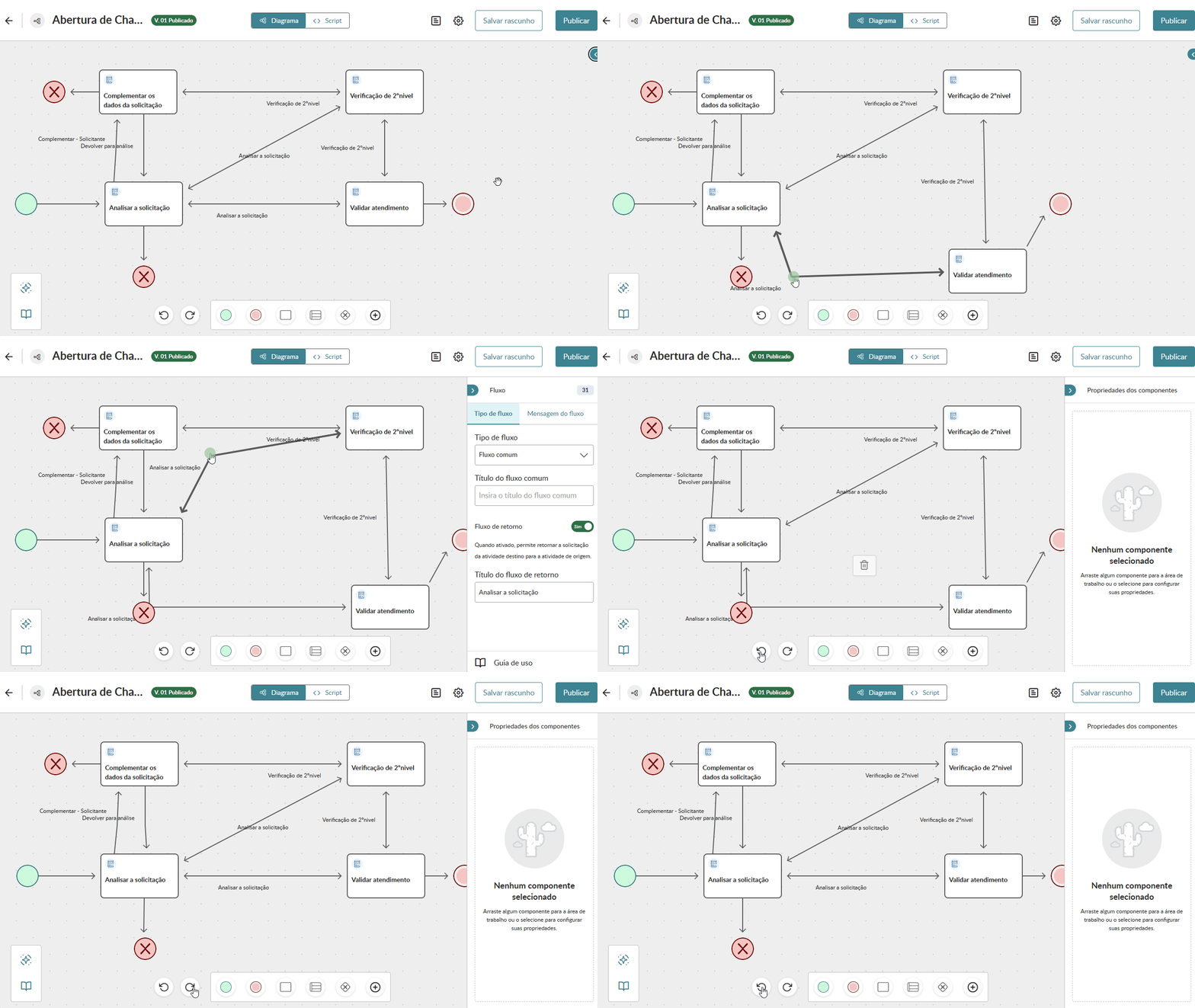
Agora você pode contar com mais controle e segurança na edição dos seus processos!
Com as novas ações Desfazer e Refazer, você pode modelar o diagrama com mais facilidade, corrigindo inconsistências rapidamente ou recuperando alterações com agilidade.
Trabalhe com mais confiança e flexibilidade na modelagem dos seus processos para agilizar o seu dia a dia!
16 de Setembro de 2025 10 de Setembro de 2025 26 de Agosto de 2025