
Histórico da Página
...
Register the Properties involved in the rural production of the customer.
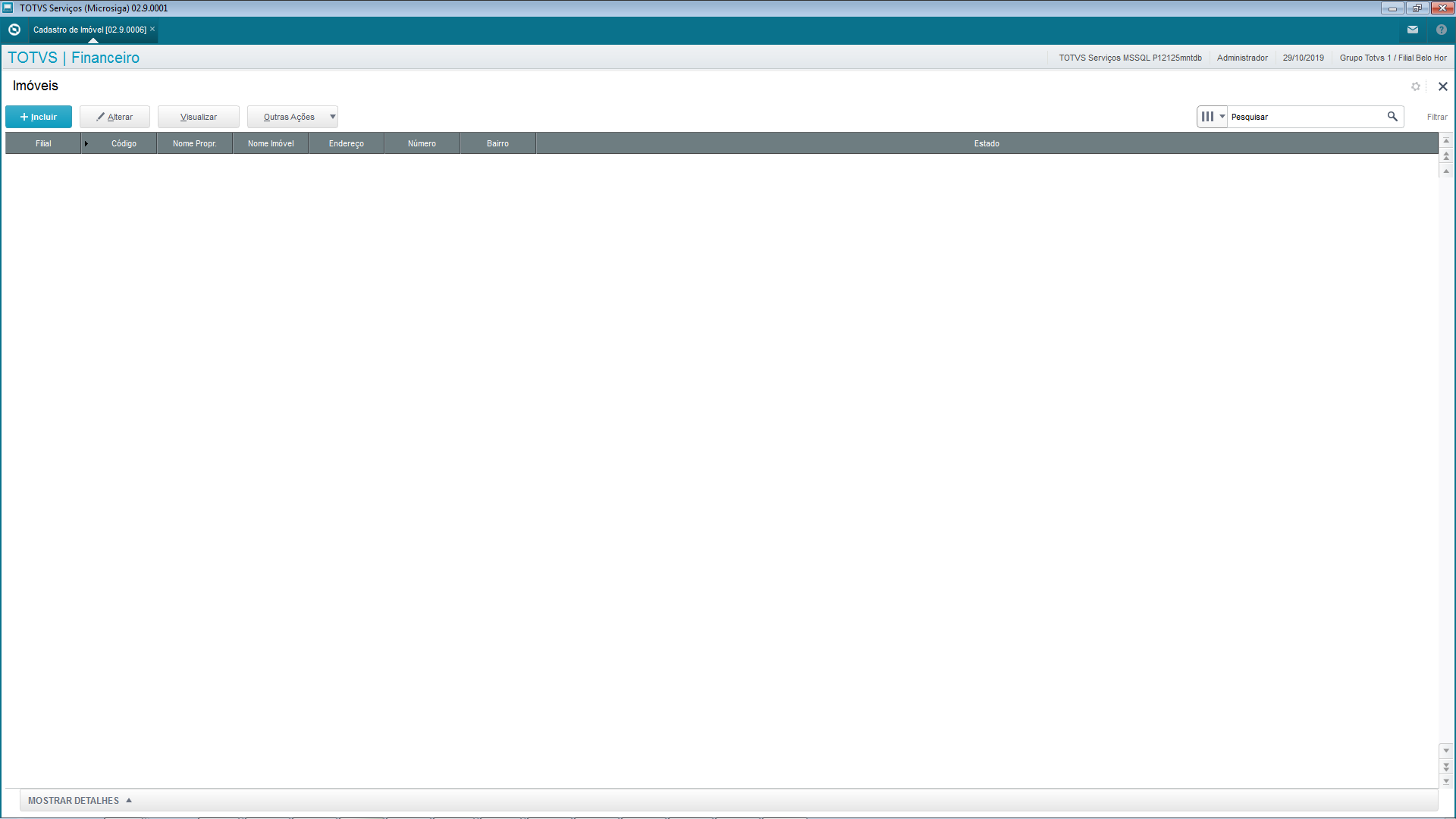
On this screen, the operator can add a new property (and the third parties involved with this property) and view or edit a record. 
When you add a new record and select one of the existing branches, the system already automatically loads the branch register data (SMO), thus assisting you to register a new property: 
The screen also has an Alt. Operation option which differs from option Edit by versioning the property register, allowing you to indicate changes to the register. For example: Property operation type, participation %, expiration date and third party register: 
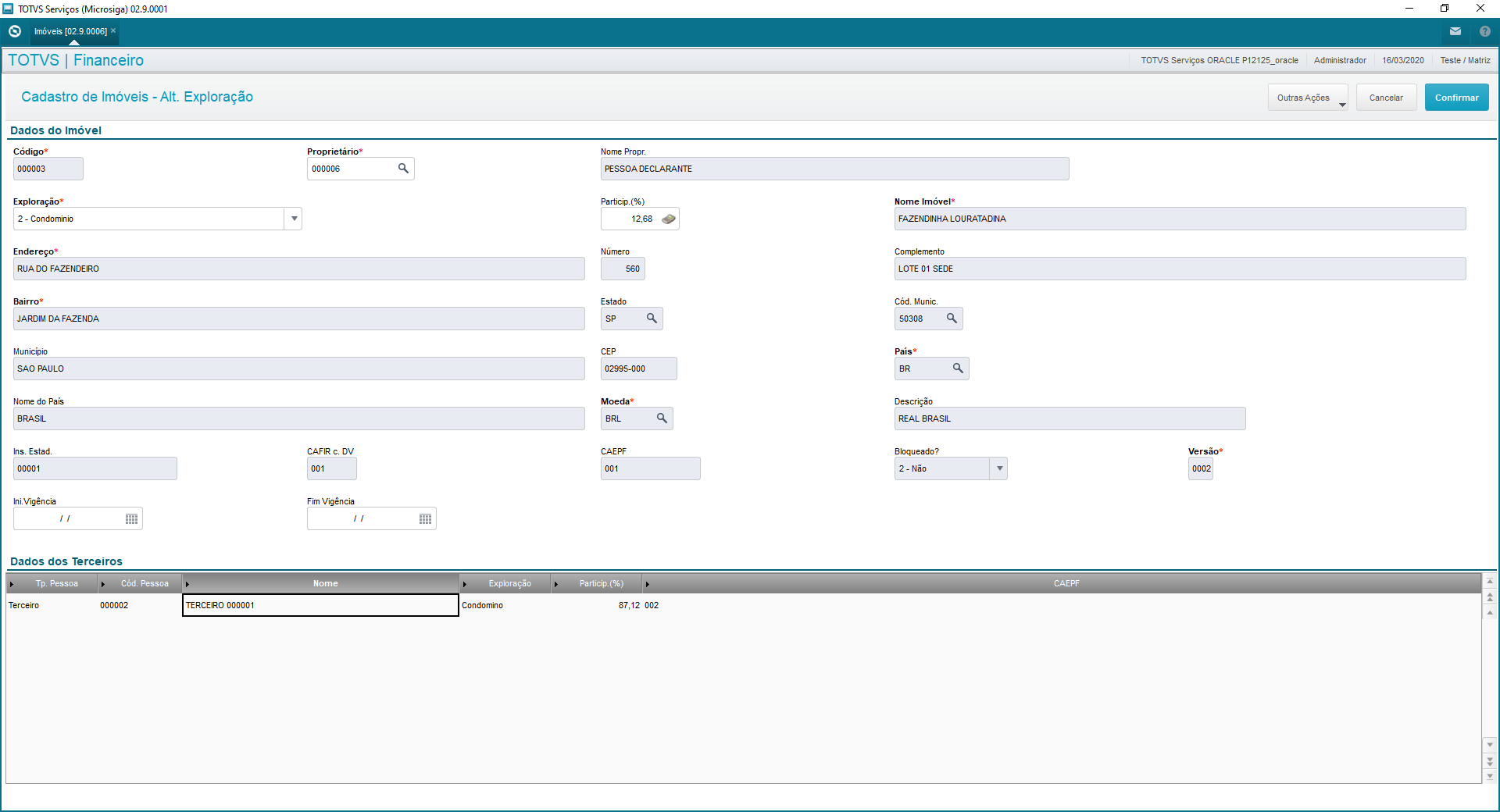
It is important to select the first version of the register of the property.
Other Features / Related Features
Feature | Description |
Delete | Deletes the record selected onscreen. |
Prints the record selected. | |
Property Complement | To register different CAFIRS the farm may have. |
You must always access the Property Compl. screen from the first version of the property register:
From the Edit Property screen, access Other Features > Property Complement: 
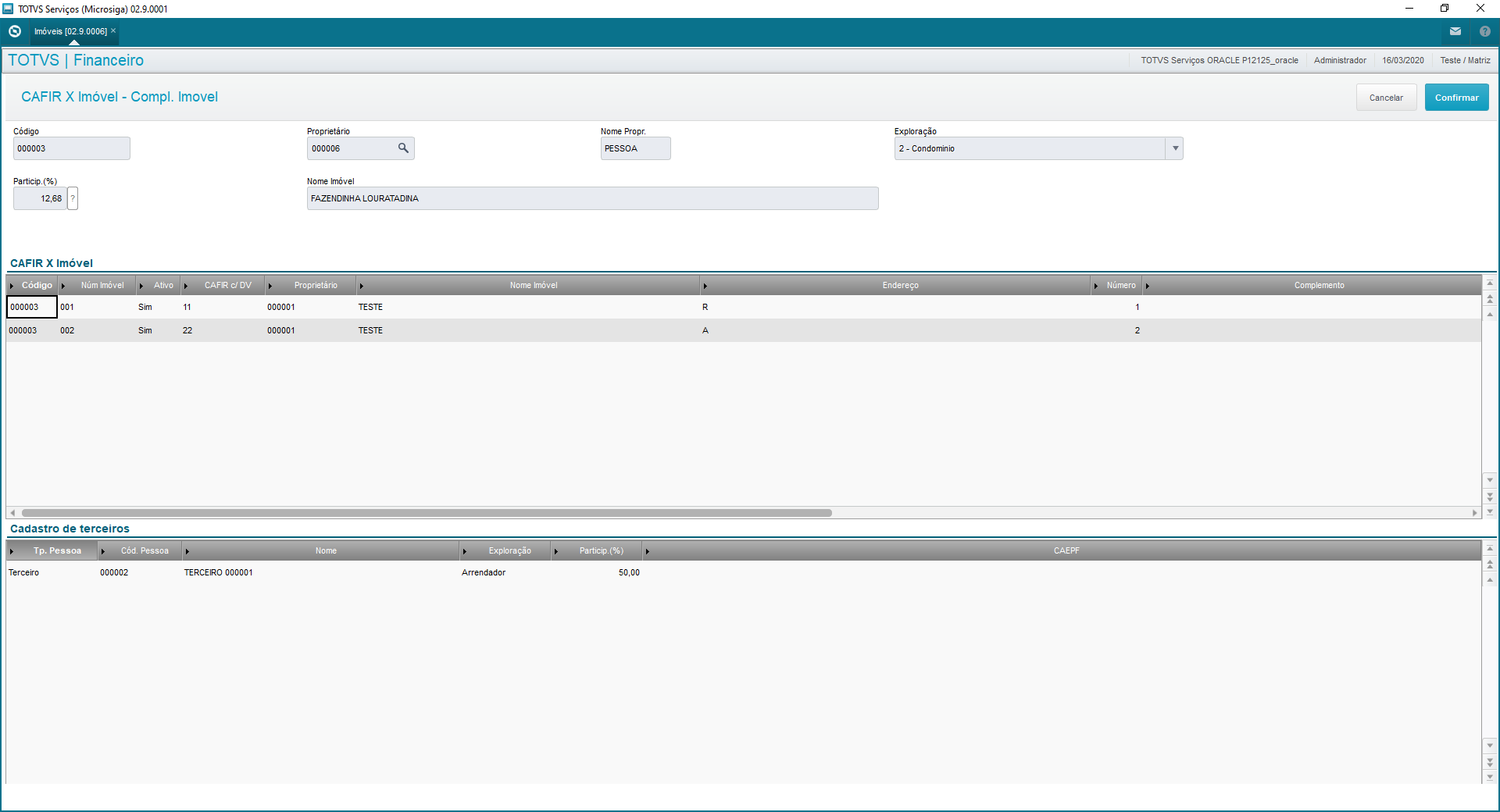
On this screen you can indicate other Rural Property Codes (which differ from the register in the Property), different address, operation type and participation %, besides registering third parties for each of these codes, if needed.
...
Main Fields and Parameters
Field | Description |
Code | Code of property |
Owner | Code of owner added to the person register (Natural Person). |
Operation | Type of operation of property by the owner. |
Participation (%) | Percentage of operation of property by the owner. |
Name of Property | Name registered in Branch Register (SM0) |
Address | Address of property in Branch Register |
Number | Number of property in Branch Register |
Complement | Complement of property in Branch Register |
District | District of property in Branch Register |
State | State of property in Branch Register |
City Code | Code of city in Branch Register |
Postal Code | Postal Code in Branch Register |
Country | Country of property in Branch Register |
Currency | Currency of property in Branch Register |
State Reg. | State Registration of property (if any) in Branch Register |
CAFIR w/ VD | Rural property register with verification digit |
CAEPF | Natural Person Economic Activity Register |
Blocked? | Indicate whether the property is blocked or not. |
Version | Indicate whether the property has versioning to control data printed in block Q100 of LCDPR file. |
Validity St. | Indicate the start of validity of property version (to control data printed in block Q100). |
Validity End | Indicate the end of validity of property version (to control data printed in block Q100). |
...
05. RELATED CONTENTS
Not Applicable.
| HTML |
|---|
<!-- esconder o menu --> <style> div.theme-default .ia-splitter #main { margin-left: 0px; } .ia-fixed-sidebar, .ia-splitter-left { display: none; } #main { padding-left: 10px; padding-right: 10px; overflow-x: hidden; } .aui-header-primary .aui-nav, .aui-page-panel { margin-left: 0px !important; } .aui-header-primary .aui-nav { margin-left: 0px !important; } </style> |
Visão Geral
Import HTML Content
Conteúdo das Ferramentas
Tarefas