Update CycleGreater emphasis on evolutionary updates (Update A special label identifies the most relevant releases:
See all the details at: Platform Update. |

|
|
Stay informed about all the news from My Fluig.

 December 16, 2025
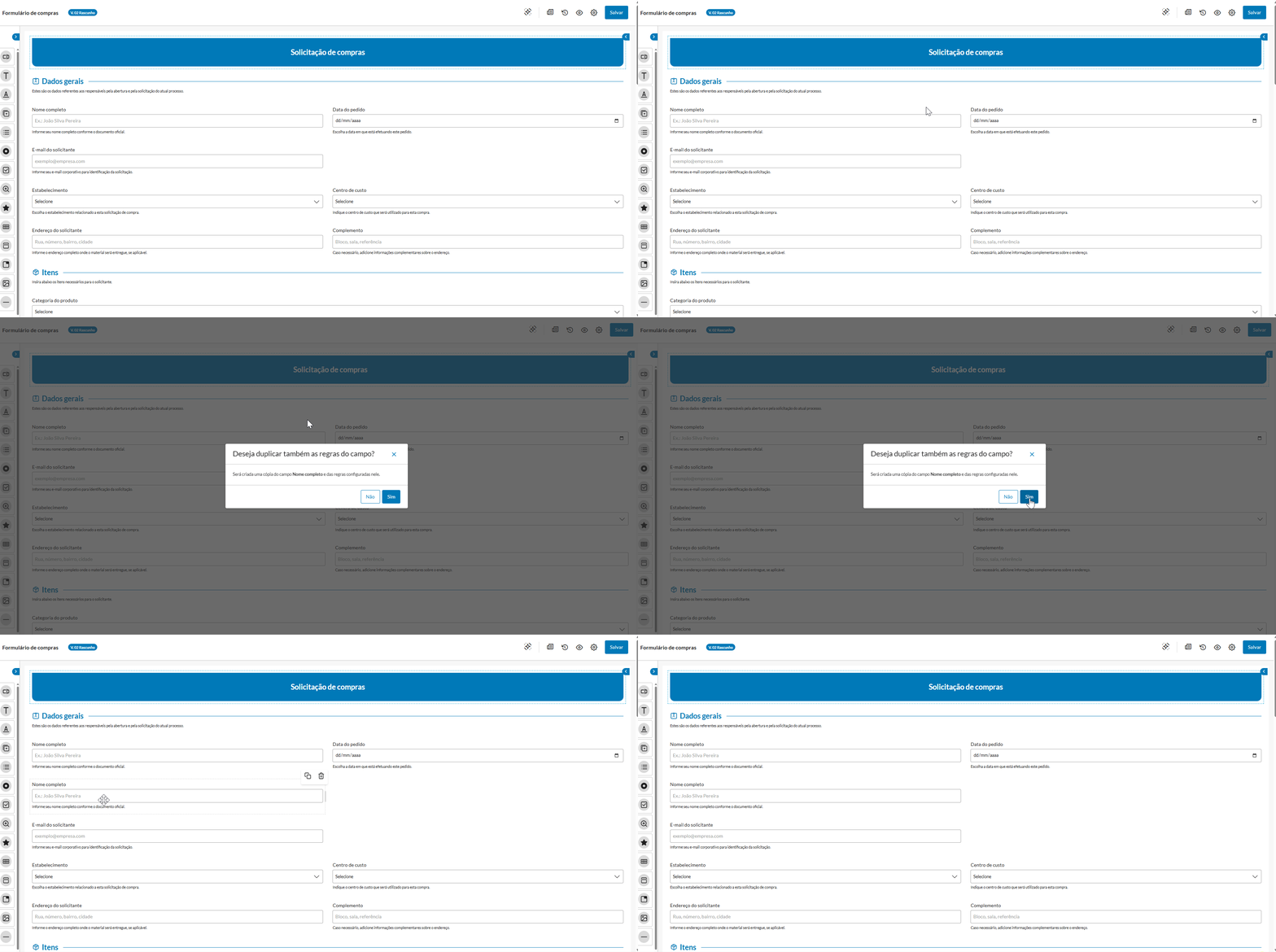
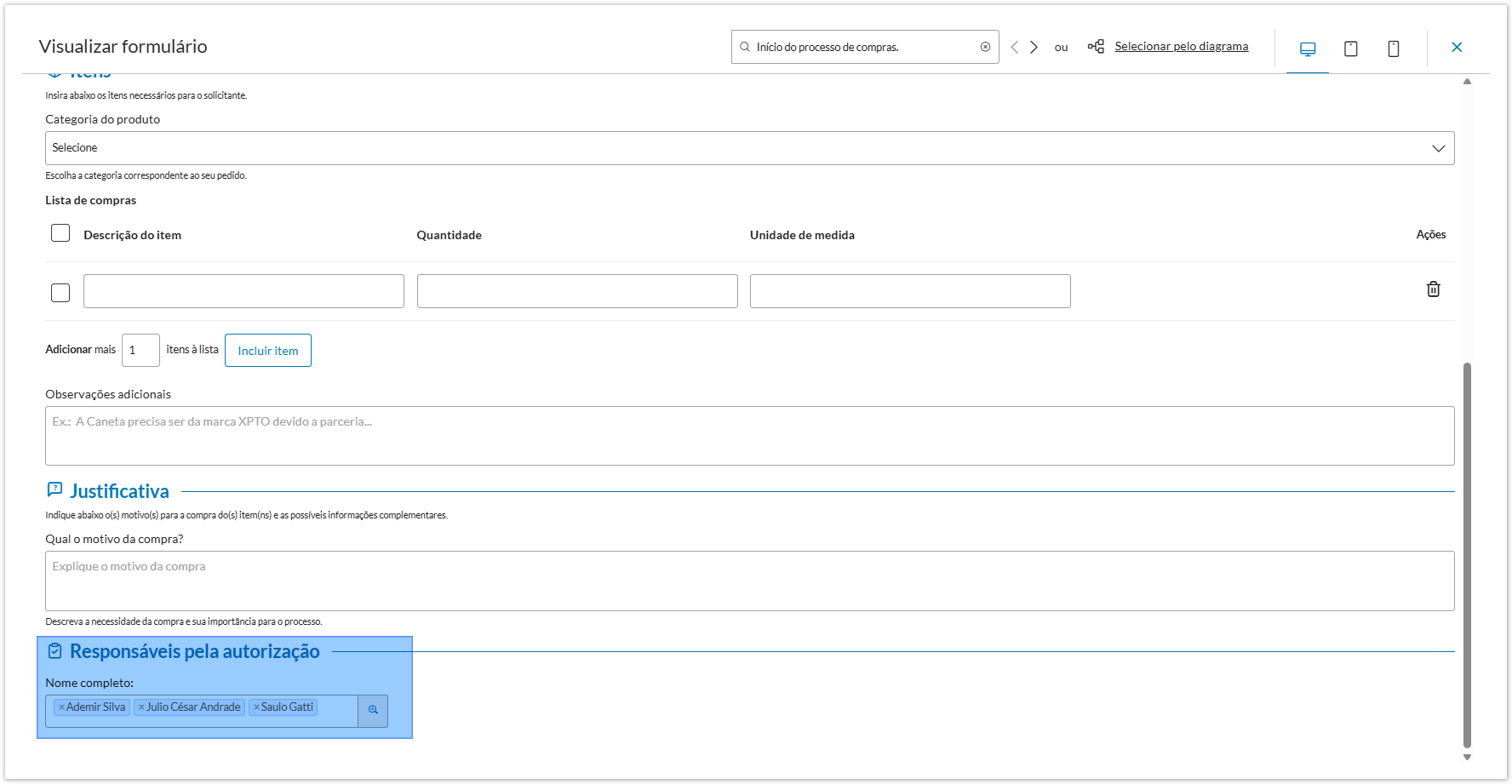
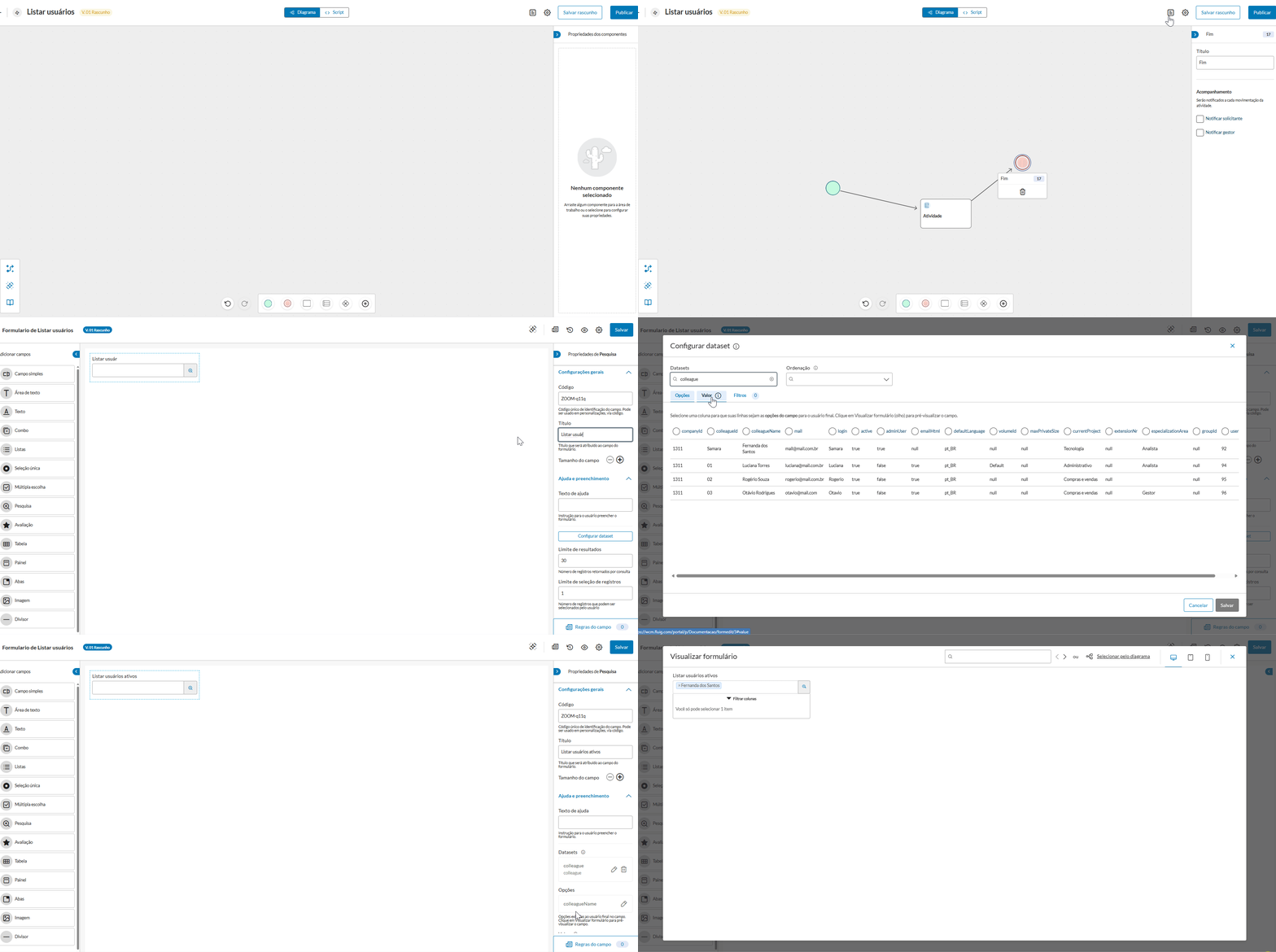
With the enhancement of the Search field in the new form, you can now search for data from dynamic and contextualized datasets, such as listing only active users of the platform or automatically displaying cities in accordance with the selected state.
This new feature lets you apply filters between fields and set limits on the display and selection of results, ensuring better performance. Additionally, you can use the values selected in a Search field to automatically populate other fields.
You can also start the field with preset filters, making the form more efficient and intuitive for those who fill it out.
You can configure all these possibilities with no need for additional coding. Update your platform and take advantage of this enhancement!
Access the Platform | Form Editor documentation. |
 December 09, 2025
  December 02, 2025
 We have updated the components of the Style Guide below to reflect the visual standard of the Animalia Design System, aligning the visual identity of Fluig with other TOTVS products. This evolution ensures greater visual consistency and strengthens communication between interfaces, providing a modern and coherent experience.
Accordion
Autocomplete Tags
Loading
Tabs
Breadcrumb
Label
Dropdown
Access the Fluig style guide for more details. |
November 26, 2025 Request queries have become even more complete. Now, in the My Requests tab, in addition to querying requests with the Open status filter, you can also query requests that have already been Finished and Canceled.
This way, it becomes much easier to control everything that has already been completed, keeping your routine organized from start to finish, providing more control and efficiency to monitor each step of your requests.
Access the Platform | Requested by Me documentation. |

Check out the news published about the removal of the jQuery Migrate plugin from the platform. If you haven't reviewed your codes yet, now is the ideal time to do so, ensuring full compatibility and avoiding unwanted impacts.
Refer to the documentation How to identify what needs to be updated and learn how to identify possible adjustment points.
Now the forms you create using the new process/form editor automatically receive the default name "Form + Process Name," eliminating the need to manually define a title, if desired.
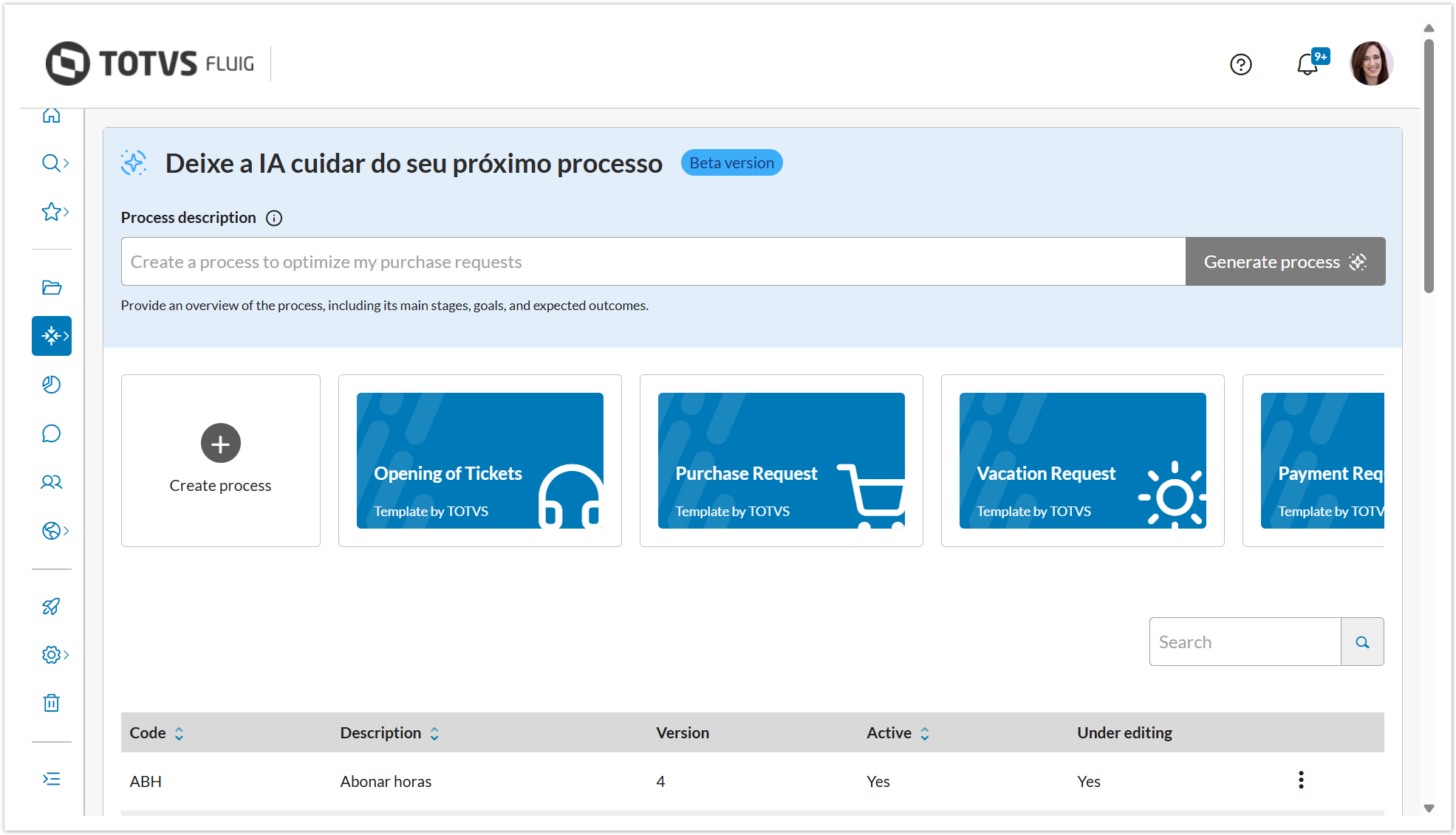
November 18, 2025 You can now turn your ideas into processes much faster within TOTVS Fluig. The Configure processes feature has received an important update: you can now create complete processes with AI support, in addition to continuing to use the ready-made templates!
What has changed?
In the Processes menu → Configure processes, there is now a new option Let AI take care of your next process.
From there, just describe what you need — steps, goals, and expected outcomes — and AI automatically generates an initial process for you to adjust as you wish.
Additionally, you can also:
Why does this matter?
This improvement shortens the entire creation journey, reduces rework, and helps teams bring ideas to life in minutes — ideal for those who need to document flows quickly, standardize operations, or prototype new processes.
The Activity Block has arrived to simplify process modeling. An innovative component combines — in a simplified and efficient way — the traditional concepts of Pool and Swimlane into a single visual element, making process modeling more agile and the diagram clearer and more intuitive.
With it, you can represent the main participant — Organization (Pool) — and the responsibilities — Subdivisions (Swimlanes) — involved in a process. All of this graphically, with personalized names, differentiated colors, and a modern look to make your processes much more attractive and easy to understand. Pretty cool, right!?

We have implemented new methods for manipulating the "Add" and "Trash" buttons in advanced forms, allowing you to hide or add buttons in specific parent x child tables, ensuring greater compatibility with different types of environments.
New methods
Additionally, we have also implemented new button positioning attributes.
These updates enhance the level of customization and control available for developers, allowing for more precise adjustment of button behavior aligned with the needs of each form.
Find more details in the FormController and Form Customization documentation. |
|
November 11, 2025 November 04, 2025 October 29, 2025 We understand the importance of a smooth and efficient journey in managing your demands. Therefore, we have developed a new interface to optimize the starting point of each request. When initiating a request, you can relax knowing that each step will strictly follow the activities and flows defined in the current version of the process at the time of creation. This ensures consistency and predictability, even with the release of new versions of the process in the future.
To make your adaptation even simpler, we have prepared an interactive welcome guide on the request initiation page itself. We will guide you through an intuitive tour, with a brief description of what to do and how to navigate, ensuring that you make the most of all the available features from your very first access.
We hope that the experience of initiating requests gains a new dimension, allowing it to streamline and bring even more ease to your routine.
To check the complete documentation, access Request Initiation and stay updated on all the details.

October 21, 2025 We have updated the Form Designer, which is now more complete!
|
With this update, it has become easier to manage and track changes made to forms linked to processes.
With the version history, accessible through the icon , you can check the details of each version, such as the date and time of publication, changes made, and the user responsible for each change.
Additionally, you can also view any previous version  and even restore it if needed, ensuring more control and agility for your forms.
Access the documentation Platform | Version History for more details. |

October 14, 2025 October 07, 2025 The Board mode of the Task Center has received a new configuration! Now you can adjust the display of tasks as desired, choosing between two layouts: Standard or Compact.
More flexibility and practicality for you to keep track of your tasks your way.
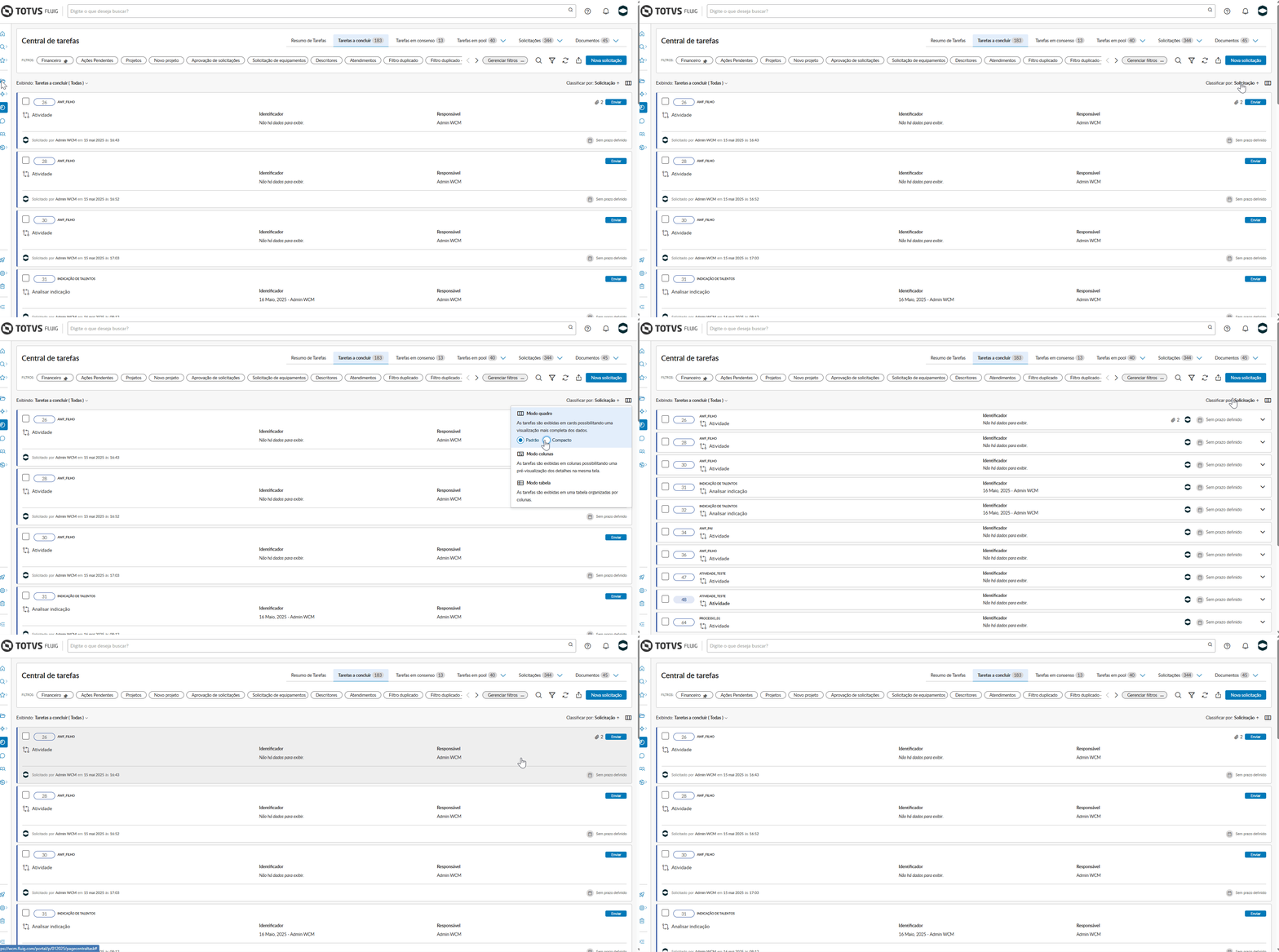
Access our documentation and find the details in the Viewing Modes item. |
We have applied accessibility improvements to the header and menu, enhancing the experience of users utilizing screen readers and other assistive technologies.
September 30, 2025 September 23, 2025 Without a doubt, this innovation will transform the experience of new users on our platform: the First Access Guide to the TOTVS Fluig Platform, along with a completely revamped Home Page designed with users in mind.
An easy start ensures the maximum utilization of all features; therefore, an interactive First Access guide will intuitively conduct users when logging in for the first time.
We have carefully developed this resource to familiarize the user with the main solutions and features of the platform, providing a smooth and efficient experience from the very first contact.
During the First Access guide, the user will have an overview of the main available solutions, including Workflow automation, Ready-made processes and AI solutions, Enterprise content management, Task management, and Portals and communities. Additionally, they can customize their profile by entering personal data, area of expertise, and role, choosing the platform theme, and selecting the page template that best fits their work routine, making the experience more relevant and aligned with their needs.
Immediately after completing the guide, the user will be welcomed to the new TOTVS Fluig Platform Home Page. This new layout is designed to be the user's command center, containing essential widgets and important content that facilitate the discovery of all the possibilities that only Fluig can provide. The new Home Page ensures autonomy and agility, allowing the user to explore and utilize the system with complete confidence.
To check the documentation containing all the details, access My first access.
|
If you need to perform any type of integration in your processes, you can celebrate: the Service Activity is now part of the component palette of the Process Editor!
The main feature of this component is its ability to automate task execution. With support for REST and SOAP services, the component allows for direct orchestration of external services, promoting more automation, integration with other systems, and increased efficiency in modeled processes.
With simplified configuration and support for parameters, headers, and authentication, the component offers flexibility and adherence to real business scenarios. Pretty cool, right?
Check detailed information about the component in Service Activity. |
The services available for use in the Service Activity component are those registered in the Services resource of the Control Panel. |

The Process Editor now also includes the Error Capture event, used together with the Service Activity when its execution is automated.
This event allows for structured exception handling during the execution of the service configured in the activity. With it, you can identify failures in calls to external services and define corrective or alternative actions, increasing the robustness and reliability of automated workflows.
This event is essential to ensure resilient processes and better incident management, preventing a request from being stuck due to execution inconsistencies. More agility, right?

The Annotation component has arrived to add and aggregate important information to your processes!
With it, you can add comments and extra information directly on the process diagram. It may seem simple, but it is a powerful resource aimed at facilitating communication, understanding, and collaboration among teams during the modeling and analysis of processes, making your workflows clearer and better documented.
Furthermore, with a well-documented process and important information readily available, future maintenance becomes much easier and quicker. Information is never too much, is it?

Now, you can define advanced conditions in the Exclusive component, creating rules through coding, providing flexibility for more technical users who know how to program and want to create advanced expressions.
This way, you can create more complex and dynamic decision rules based on process variables, custom functions, and logical operators.
The creation of this type of condition occurs in an embedded IDE within the component, which allows for structured expression creation, where ready-made snippets with the platform's hAPIs are also provided to facilitate the creation of conditions. If you prefer coding, you can start now!
Click here to see all the methods available through the hAPI, that you can use for creating advanced conditions. |

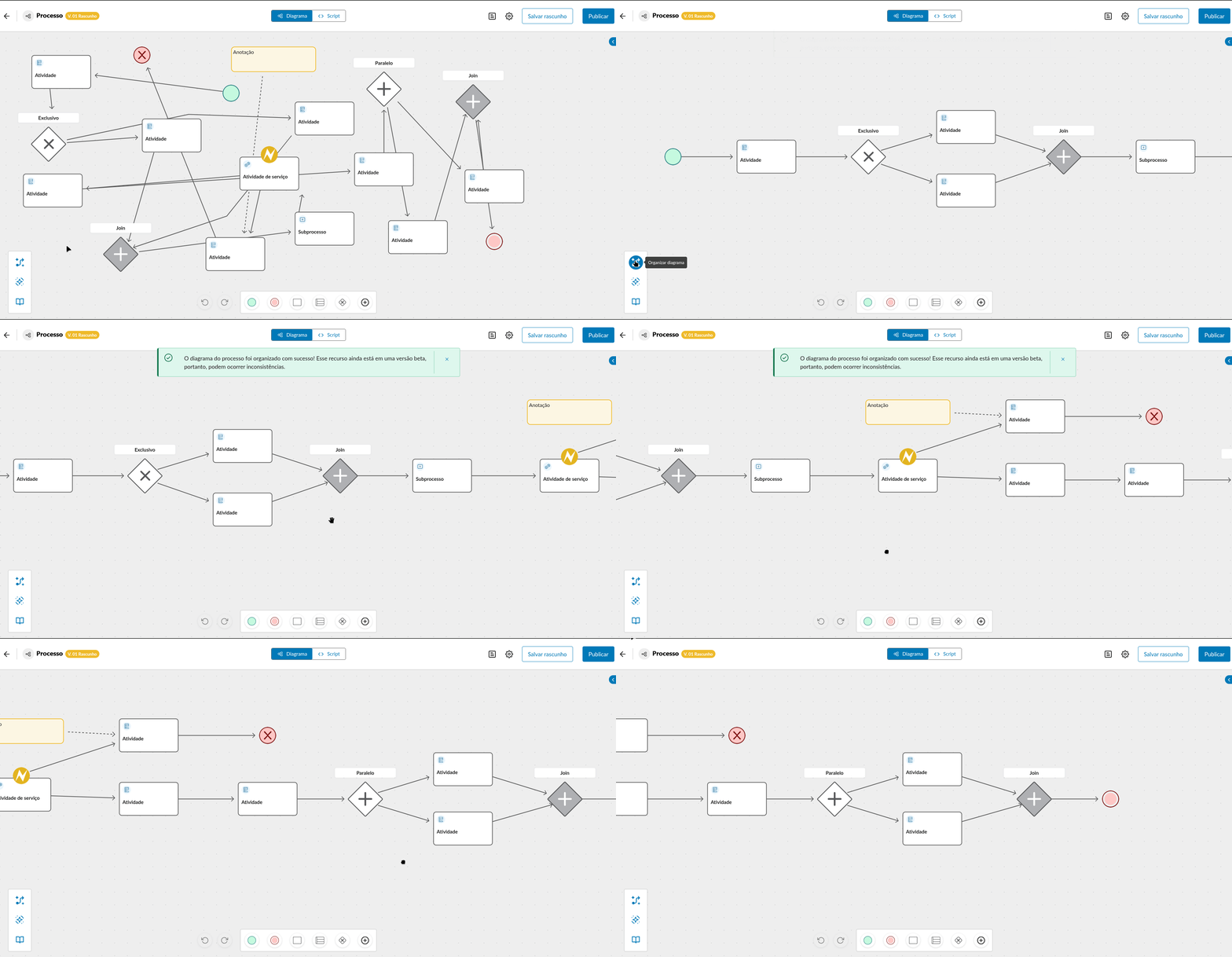
Have you ever thought about organizing your process diagram in the blink of an eye?! With the new Organize Diagram feature, the system automatically adjusts the process diagram's layout for a cleaner, aligned, and visually organized arrangement.
Save time, improve the readability of workflows, and keep your processes always clear and well-structured with just one click! This way, it becomes even easier to visualize and understand your processes. Check it out!
This feature is still in a beta version, so inconsistencies may occur. |
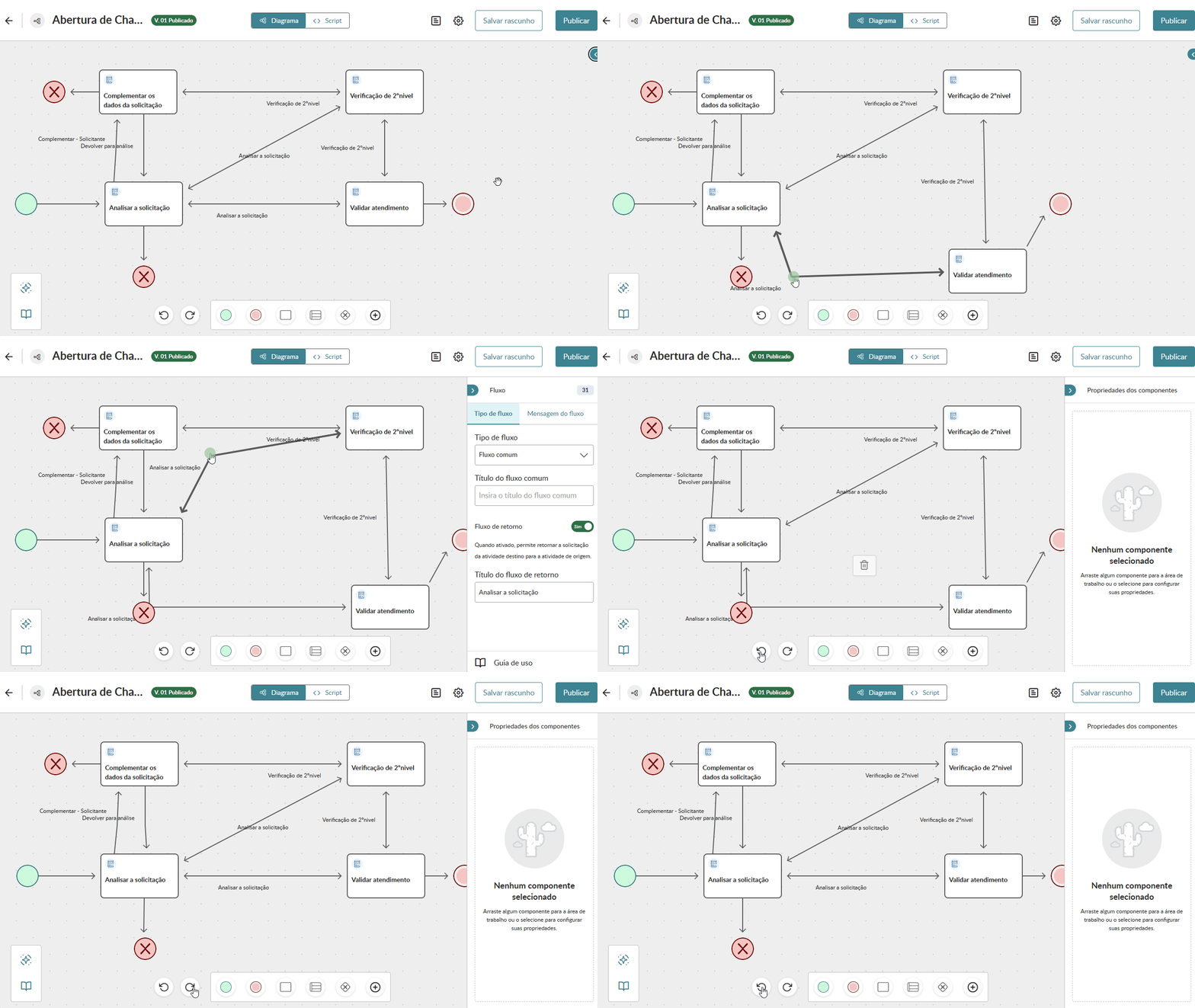
Now you can have more control and security when editing your processes!
With the new Undo and Redo actions, you can model the diagram more easily, quickly correcting inconsistencies or recovering changes with agility.
Work with more confidence and flexibility in modeling your processes to streamline your daily activities!
September 16, 2025 September 10, 2025 August 26, 2025