Check out the new features available in the fluig 1.6.3 update:
Snowflake theme: A brand new look for fluig!
Now with the Snowflake theme you can make your platform look even more beautiful and easy-flowing. An innovative design for the top and side menu, with pages structured in levels, makes the features even more accessible, while giving your portal a fresh look.

You can also customize Snowflake based on your company’s logo, favicon image and brand color. Still prefer the classic fluig theme? No problem! You can restore the platform to the previous design with just one click.

Check out how to enable the Snowflake theme in your company, and go to fluig Help to learn about all theme customization options. |
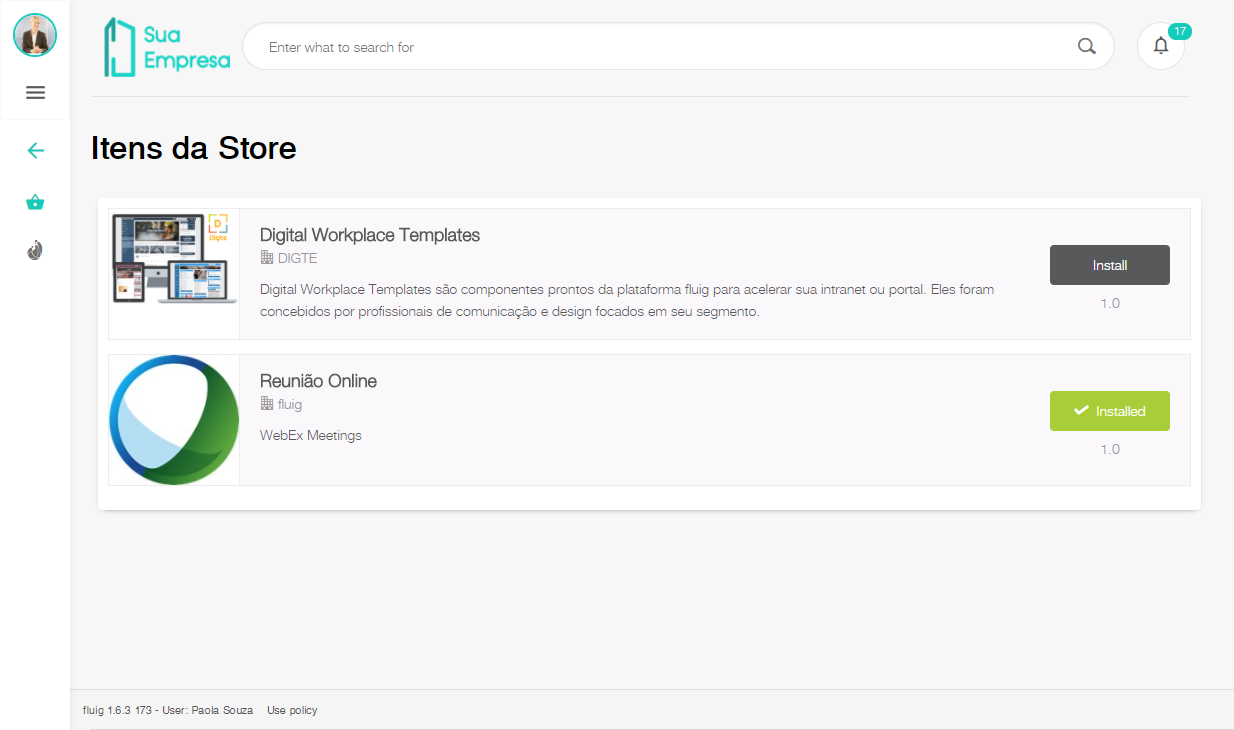
Installing items purchased on the fluig Store is now just one click away!
It is now much easier to install certain fluig Store components in your environment, directly via the platform and the new Store items page. Just get the item of your choice on the fluig Store, apply the license and go to the Store Items page to install the purchased product with one click.
A selection of special offers will be available at the Store Items during this first phase, but the store will soon expand and add more products to this model.
Approval is here!
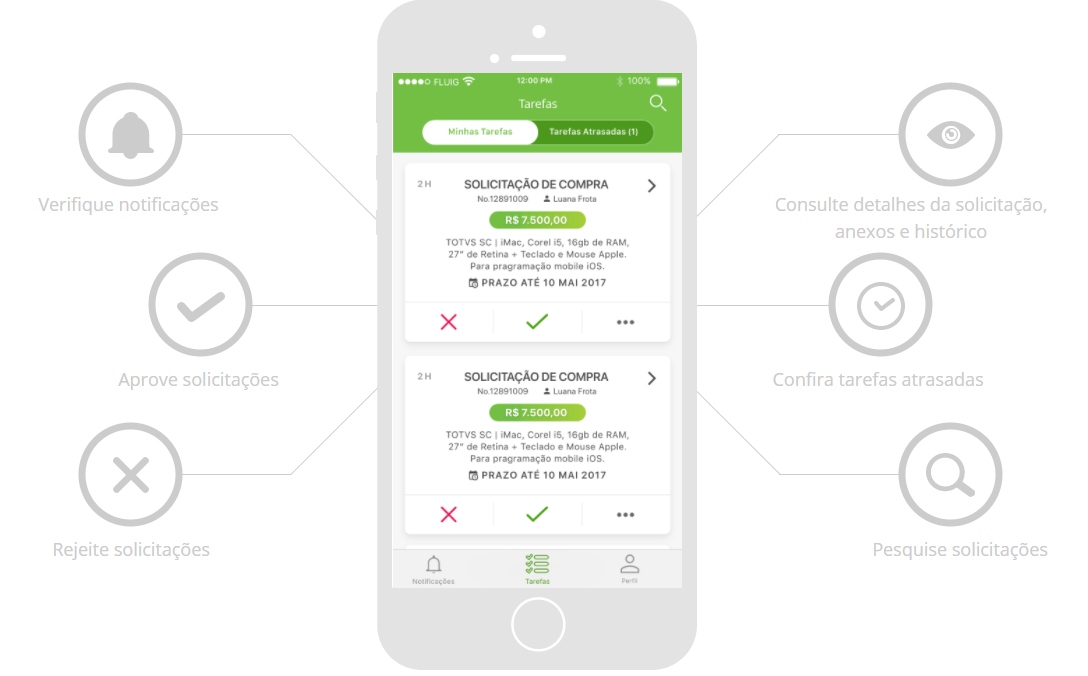
In addition to a new theme for your fluig, the Snowflake update brings the Approval application to light the decision process. It is already available for free for Android and for the IOS platform only from 19 December. Approval will be the companion in the processes of the executives of the companies that use the platform fluig, making the more complex processes can be seen in the simplest and most agile way. The magic of Approval is in the summary of information, coupled with the powerful flow engine of processes, allows super complex ERP screens to be simplified for easy analysis.
It is perfect for controlling your process activities and approvals of requests wherever you are. Come check out the app full of facilities that have come to assist your day to day in a complete way.
For the Android platform, the app is now available for download. For the IOS platform, the app will only be available from December 19th. |
Forms cannot be edited on Approval. If an activity requires data to be entered on the form, it will have to be redesigned in order to be used in the application |
And don’t forget: |
|
Learn about the new process monitor
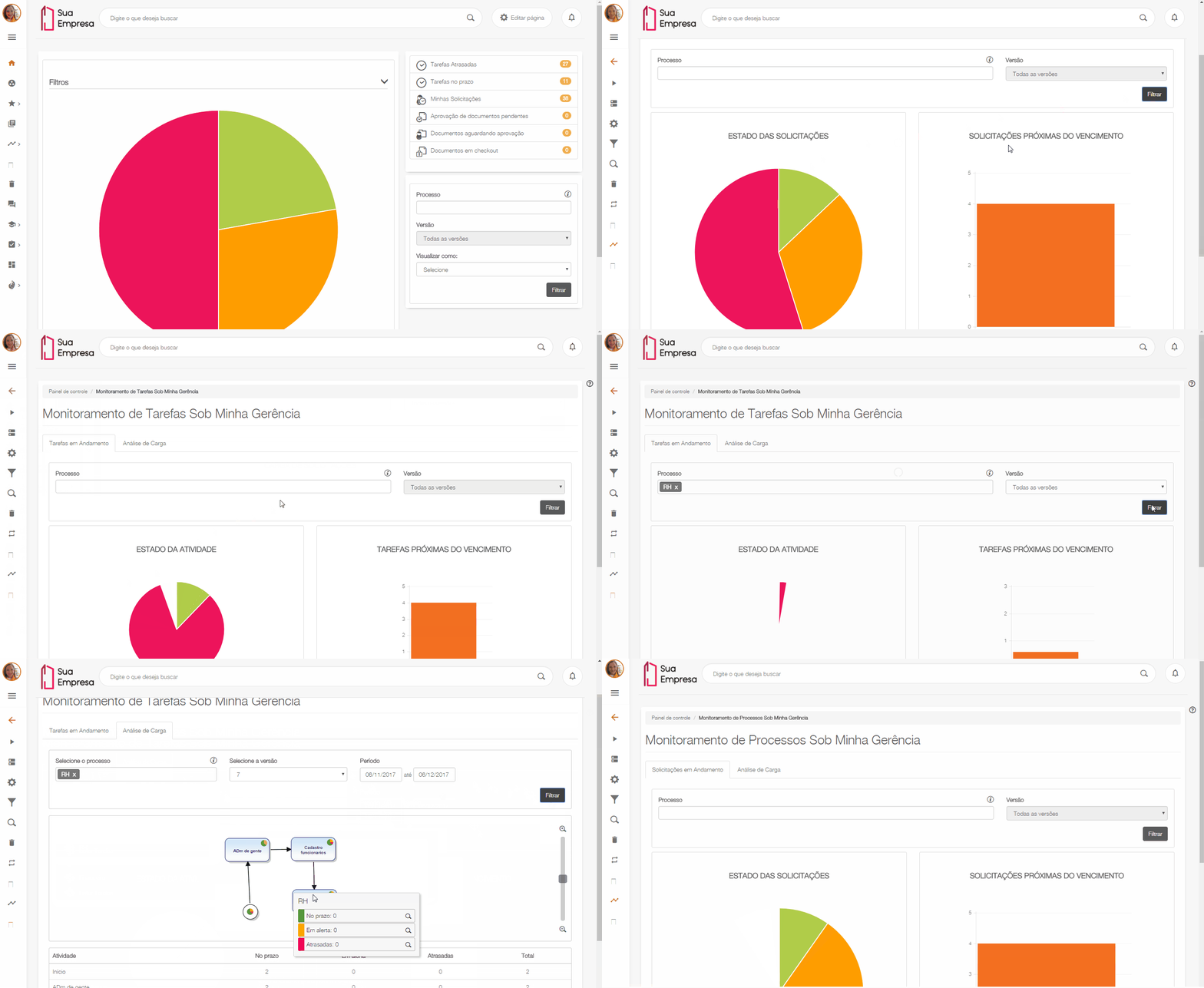
If you are a manager or administrator user and needs an effective means to control your processes and tasks in progress, we would like to introduce you the new Process Monitoring and Task Monitoring menus. Its essence has migrated from the processes and tasks widget directly to the processes menu, making your routine of monitoring processes much easier. The Processes menu features the Process Monitoring and Task Monitoring items that allow you to control and configure data according to your needs. For more information and a more in-depth understanding of the early versions of the control of process and task deadlines, go back to our 1.6.2 release.
In the Process Monitoring item, it is possible to check all the processes under my management, get information on the status of requests (within the deadline, being notified or delayed) and requests about to expire, filter by process and version, and generate reports containing the list of requests. But the big news is the Load analysis tab, where you can check the number of processes and measure the bottlenecks in each request, in a more thorough and specific way.
After measuring the processes that require special attention, it is time to check the activities in each process. With this, the Task Monitoring item brings us all the data on the tasks under my management. That allows viewing the status of the activities that are delayed or within the deadline and also the tasks about to expire and generating a report containing the activity status list. Here we also have the Load analysis, which shows us a process design and a summary so that it is possible to identify the activities that require greater development.
We have brought you the organization and independence that you need to keep up with your business! Come learn more!
For more information, see our user documentation in Process Monitoring and Task Monitoring. For information on process and task chart settings, see Configure Process and task chart widget. |
|
Possibility of exporting requests
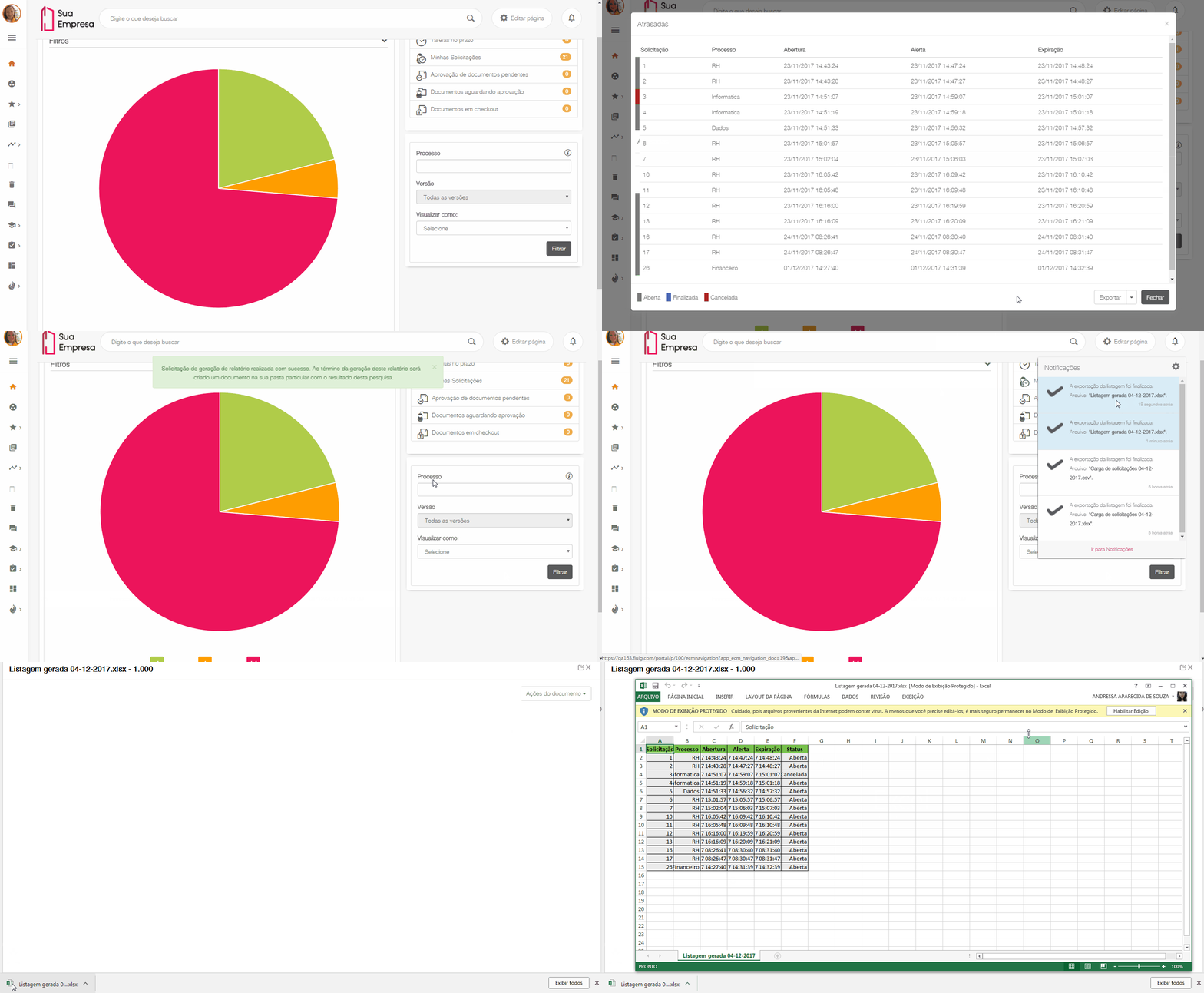
Want to export data from the list and do not know how? Take it easy, because now that is possible and it will make things much easier. On the list of requests or processes, simply click the “Export” button and wait for the file to be generated. The default export format is Excel. However, select CSV if you require a different format. Simple and easy to use. Check it out!
For more information, see our user documentation in Process Monitoring and Task Monitoring. |
|
What’s new in the processes and tasks widget
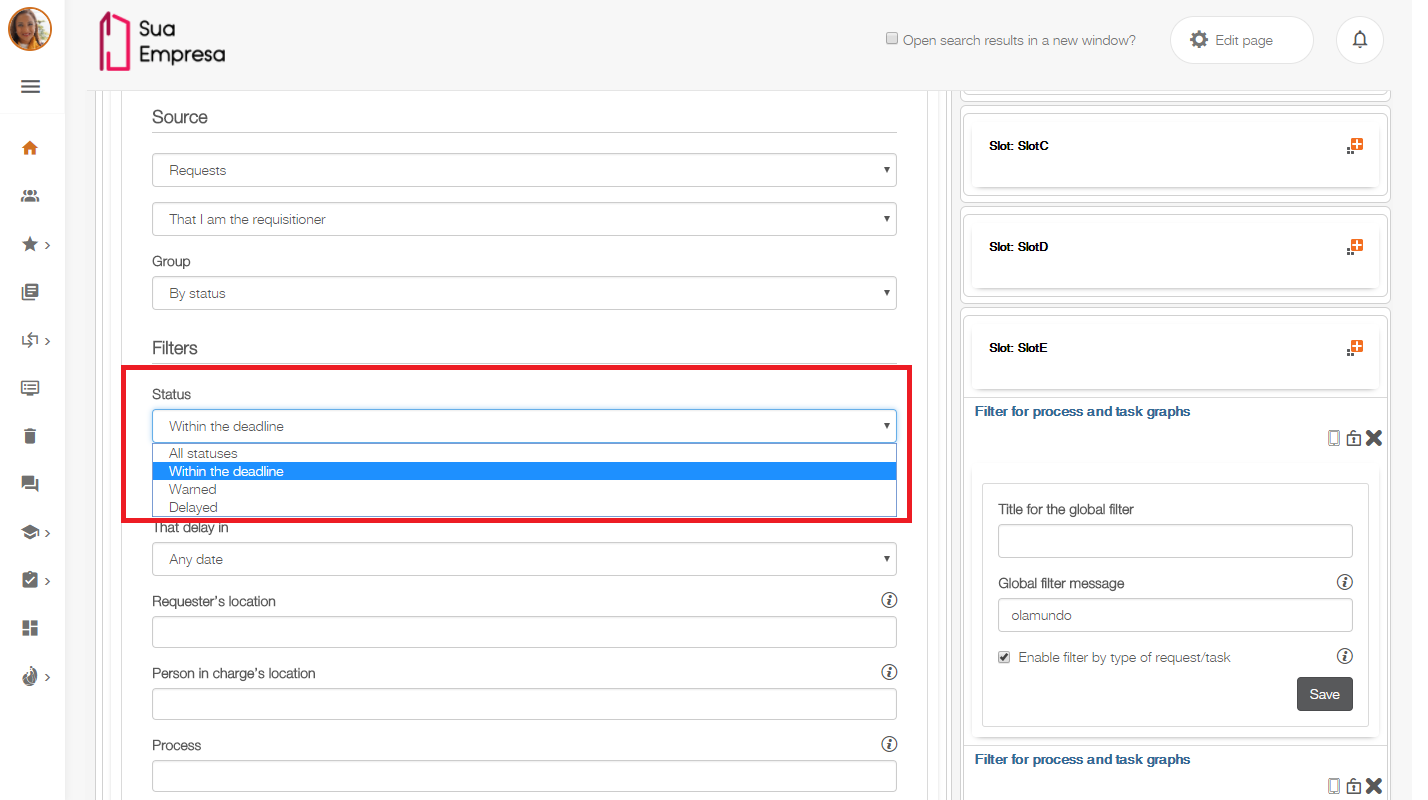
For those who need to view both the tasks whose status is completed or canceled, and the Open tasks, which was already set as default, they can celebrate, because the “Status” field has been added to the Processes and tasks widget, allowing them to add requests to the chart by the status to be viewed: Open, canceled or completed. In the chart, when you click the slice to view the requests, the list shows the requests defined by color, as the caption will indicate. Intuitive and easy as you need it to be! Come check it out!
For more information on the other widget settings, go to the Configure Process and task chart widget page and see our user documentation. |
|
New widget for graphics filters
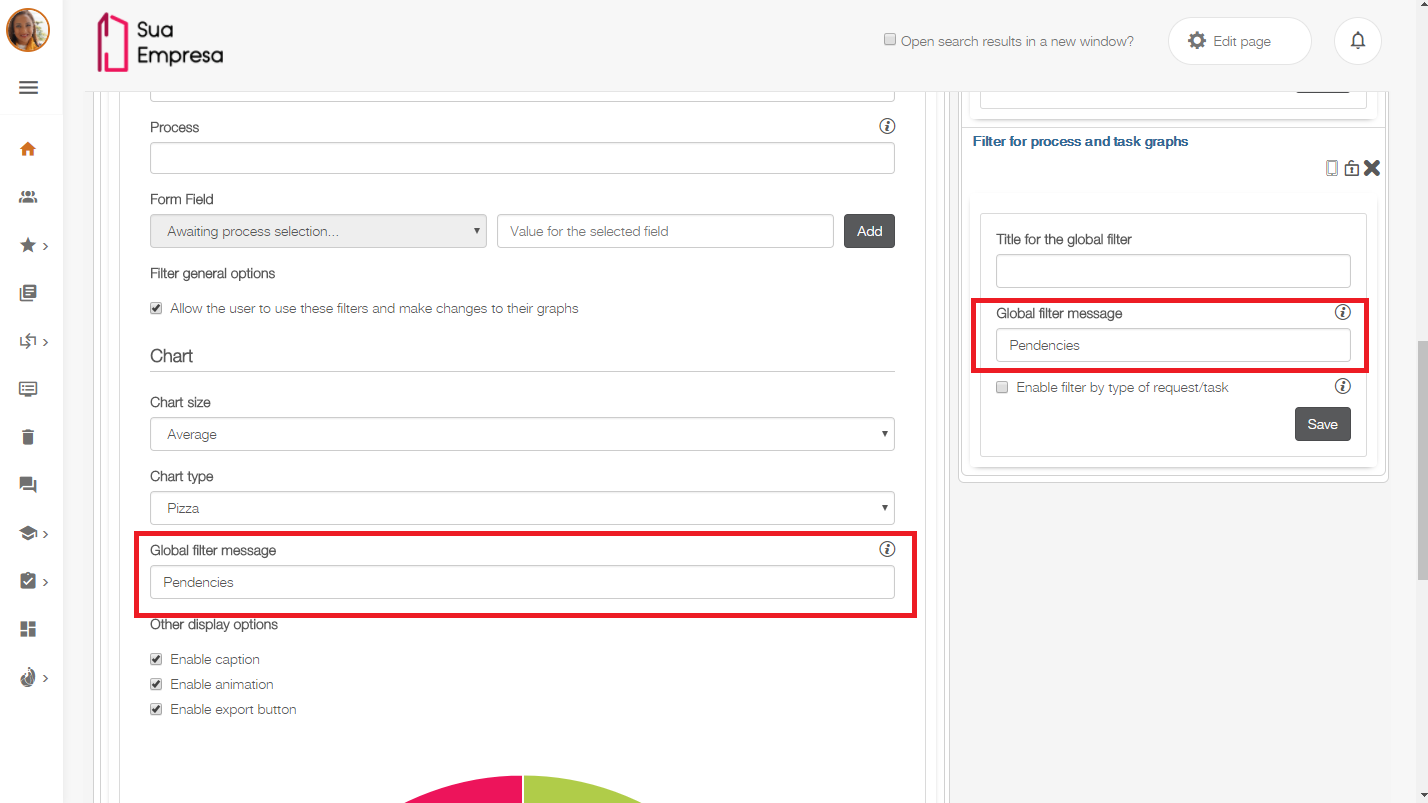
You thought, we did! The new Filter widget for process and task graphs allows you to globally filter your process and task graphs, and can filter processes and their versions. The message configured in the "global filter message" field must also be defined in this field in the graphic that will receive the filter, so that its operation happens correctly.
This widget will be applied to all charts that are configured upon receipt of the message. Check out!
For more information on setting up the widget, visit our user documentation on the Configure Filter widget page for process and task graphs. |
|
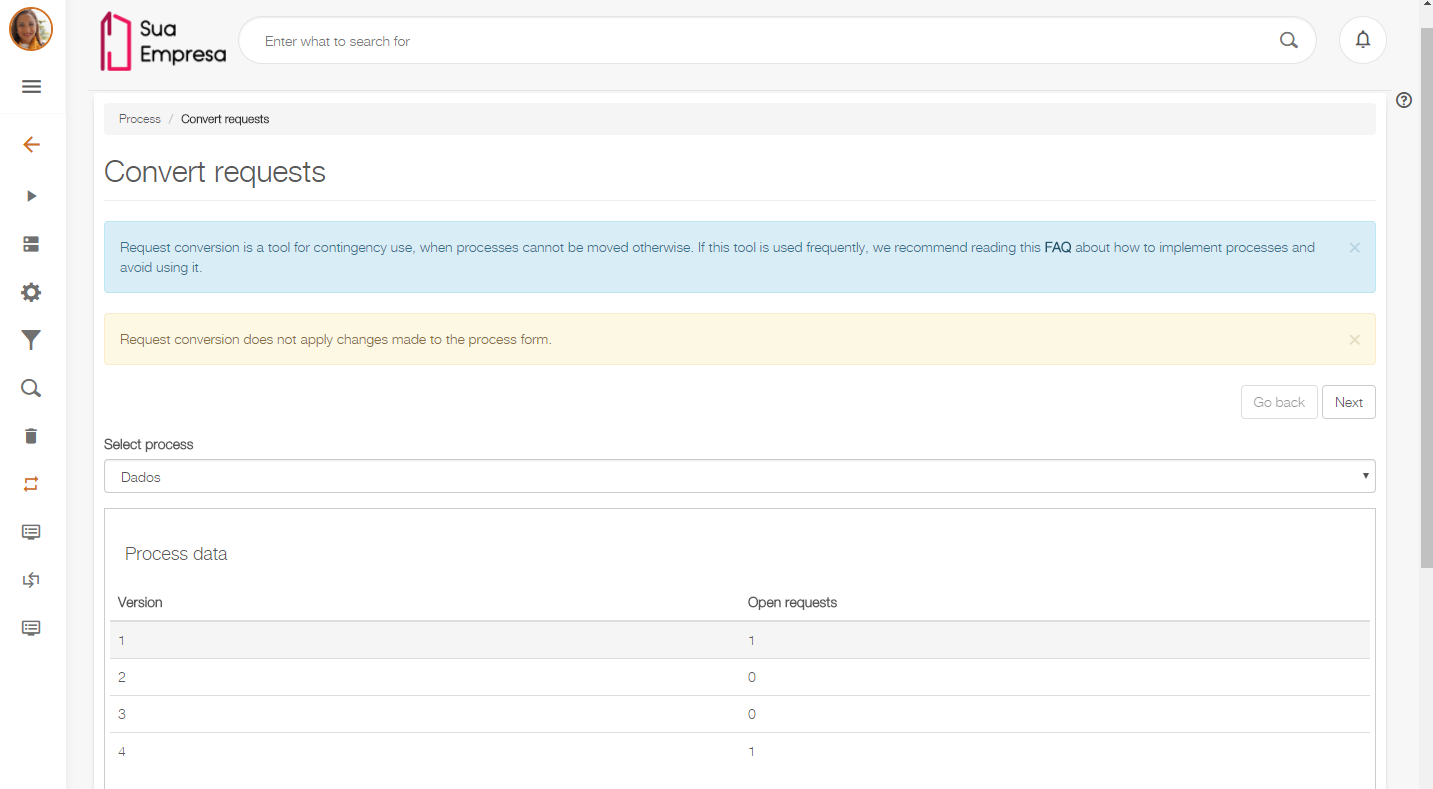
New layout for the Convert requests screen
Tired of non-standard or old layouts? This is no longer a problem. The Convert Requests screen has undergone some layout changes and now it meets the fluig’s Style Guide standard. Its new layout is now much more intuitive and simplified, thus making it easier to convert requests. The fields will be pre-mapped in cases where they have not been changed.
The screen also displays the information containing the link to the FAQ page, which will answer your questions about how to minimize the need for conversion. In addition, there is some information about the effects of conversion on the form.
For more information, go to Convert Requests and see our documentation. |
|
New fields in the request details
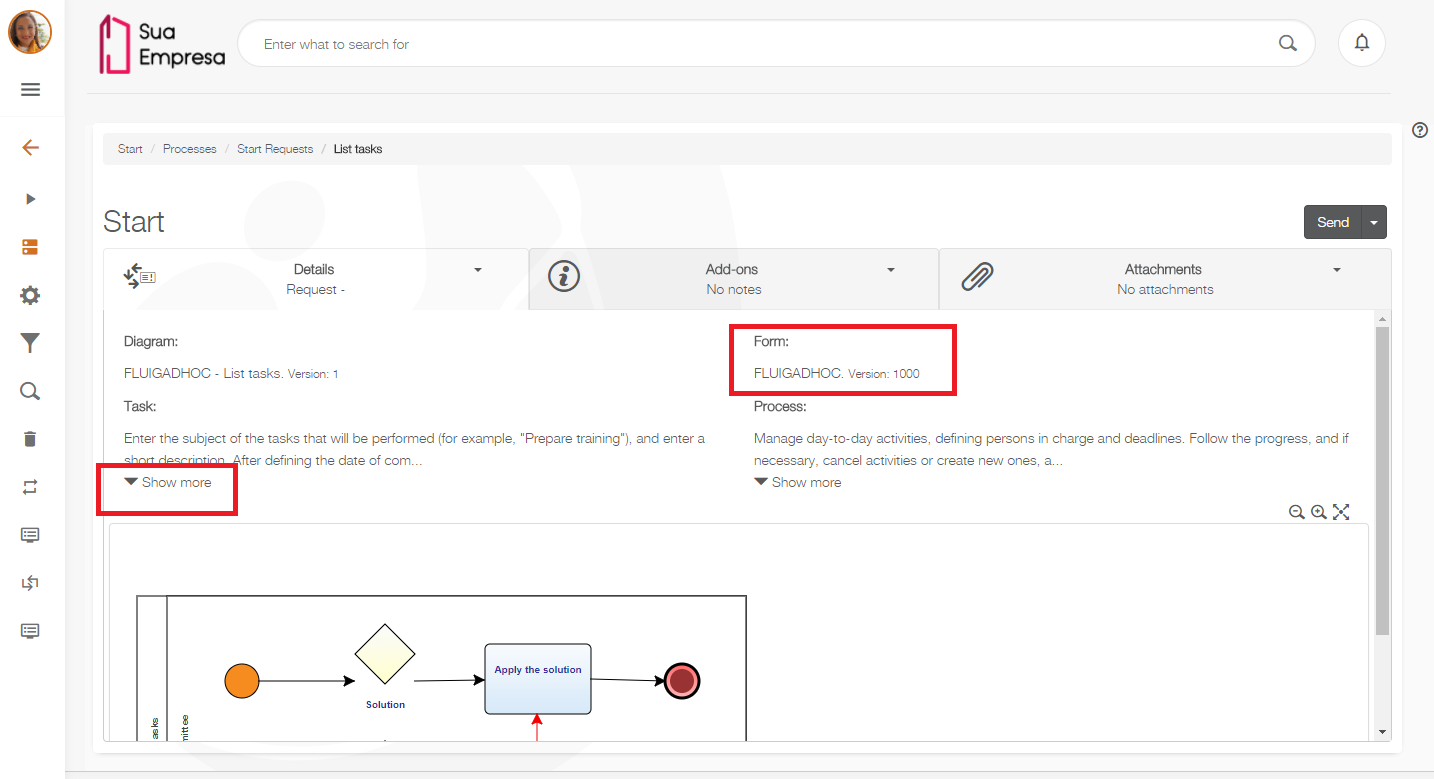
If you have a form associated to the request, it is now much easier to view version details on the Request details screen, from the new “Form” field. It allows you to monitor the version of the form.
And there is more, the Process and Task fields now feature the “Show more” button, which enables the user to read the entire description whenever needed. Thus allowing the full text to be minimized and available whenever it is accessed. Optimizing your experience with more information and fewer clicks. Check it out!
For more information, go to View request details and My requests and see our documentation. |
|
New notification receipt settings
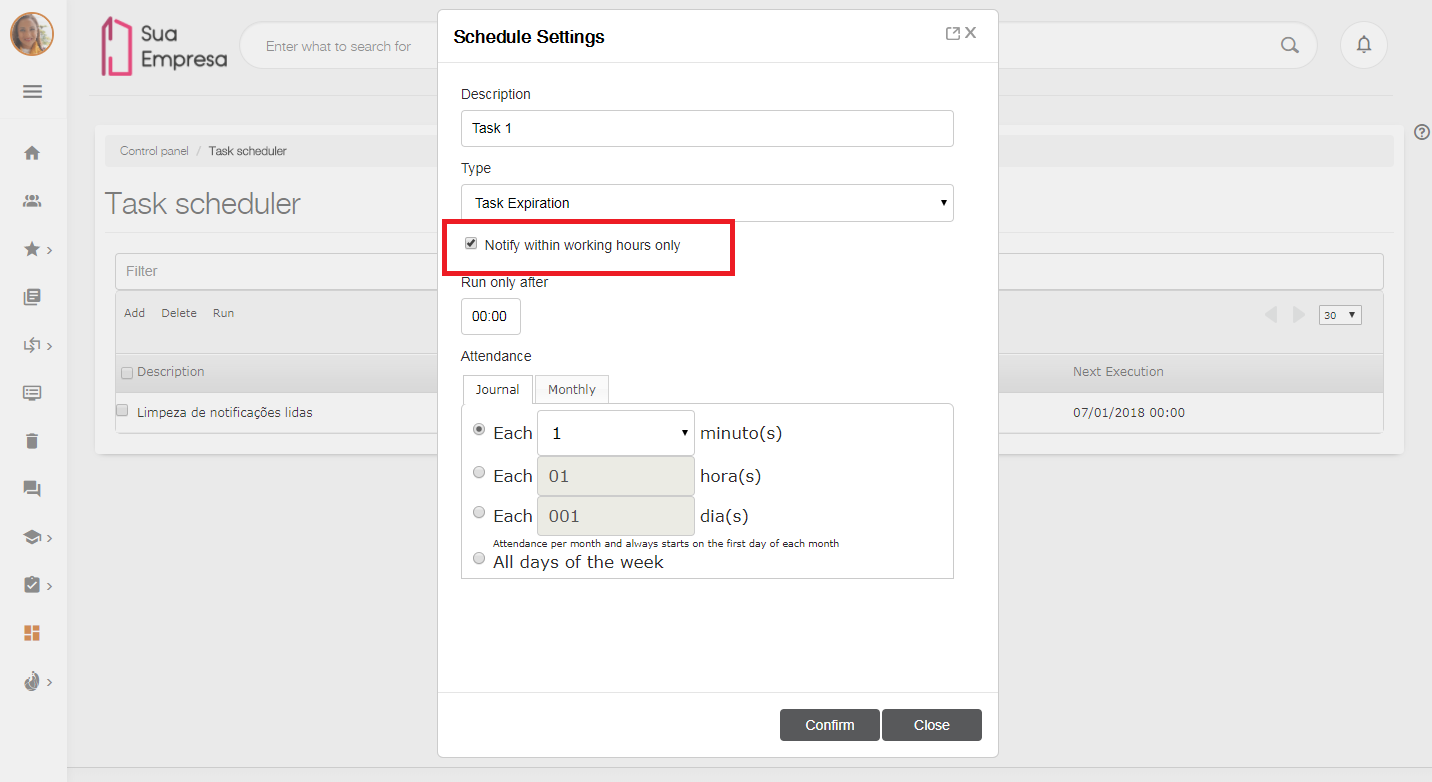
Receiving notifications of delayed or expired tasks out of your working hours is past history. Now you can use the Task scheduler to configure and define whether or not to receive notifications of Delayed tasks and Task expiration only within your working hours. When you select the new “Notify within working hours only” option, notifications are configured to be received only during working hours, so that you do not receive numerous e-mails when it is not your working hours.
For example, if your working hours are from 8 a.m. to 6 p.m., Monday through Friday, that means that you can only receive notifications during this time.
If you want to keep the system default behavior and send e-mails at any time, simply do not check this option. |
For more information, go to Task scheduler and Working hours and see our online help documentation. |
|
A new parameter to validate task transfer
Cannot transfer your workflow pending issues because of customized mechanisms? The new WKIsTransfer parameter allows you to know whether it is a regular transfer or it is transferring pending issues. It checks if the user is transferring a task, enabling better customization and better management of their process.
For more information, go to Parameters and Custom assignment mechanism and see our technical documentation. |
|
Multifactor security with the safe id application
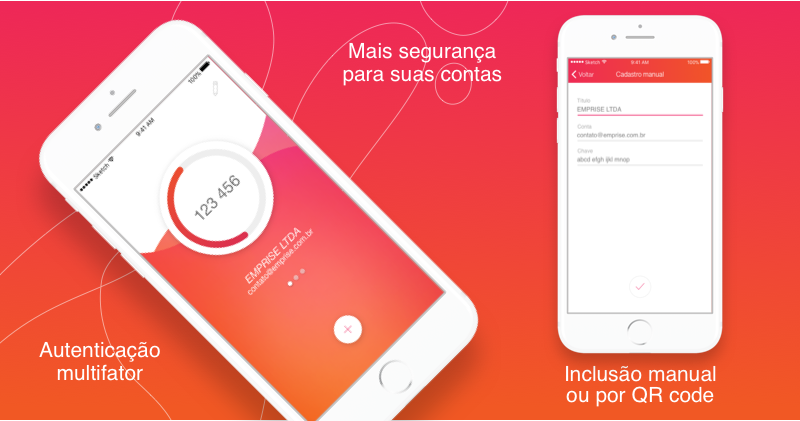
Want more security when accessing your accounts and web applications? The safe id application’s multifactor authentication provides an additional layer of security through a token only available on your cell phone.
To add an account to safe id, simply scan the QR code provided by your service of choice and you are ready to go! An authentication token is automatically generated by the application and will prevent your account from being accessed by malicious agents, which, even if they have your login and password, will not have access to the code generated by safe id.
Plus, your device does not need to be online to add new accounts or see the tokens already registered.
A new look for the Services feature
The Services feature has been repaginated and with much more accurate creation and handling options. In addition to the SOAP and Rest service types, the new JDBC service type allows SQL queries to be sent to any of the 3 relational database types. JDBC is used when the system does not have a SOAP or Rest API to make the data available.
To access the Services, go now to the Control Panel - General tab.
For details on how to register each type of the services available, go to our User Help page in Services. |
|
What is new in Dataset service registration
In addition to the automatic creation of Datasets that consume SOAP-like services, we now have the automated creation of Datasets with JDBC-type services, which allows SQL queries to be sent to any of the databases supported by the flow, whether MySQL, SQLServer or Oracle. In this way it is no longer necessary to develop customized datasets for integration via SOAP and JDBC, making integration with database and external services even easier.
Come and see in the video below an example of the creation and application in form of a Dataset that consumes a service JDBC.
For more information, go to Datasets and see our online help documentation. |
|
Good news for those who use MySQL databases!
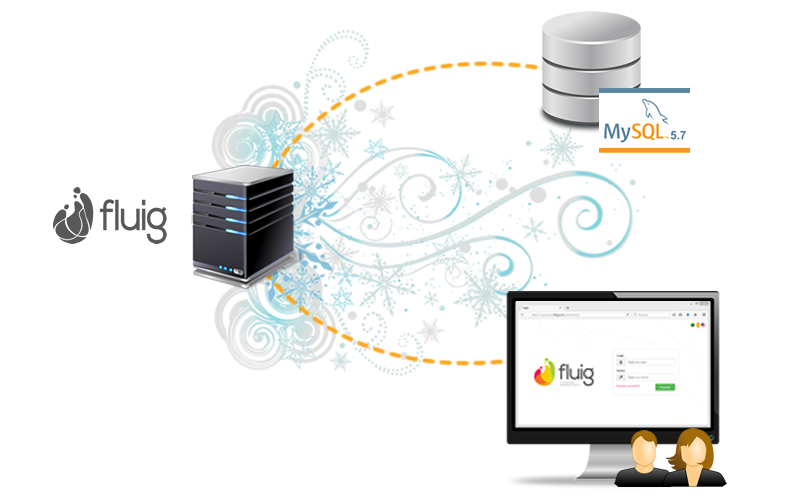
One of the new features in the 1.6.3 update is you can now use fluig with the MySQL 5.7 database. The new performance and scalability features in this MySQL version are great. Update fluig and give it a try!
New information on the Users screen
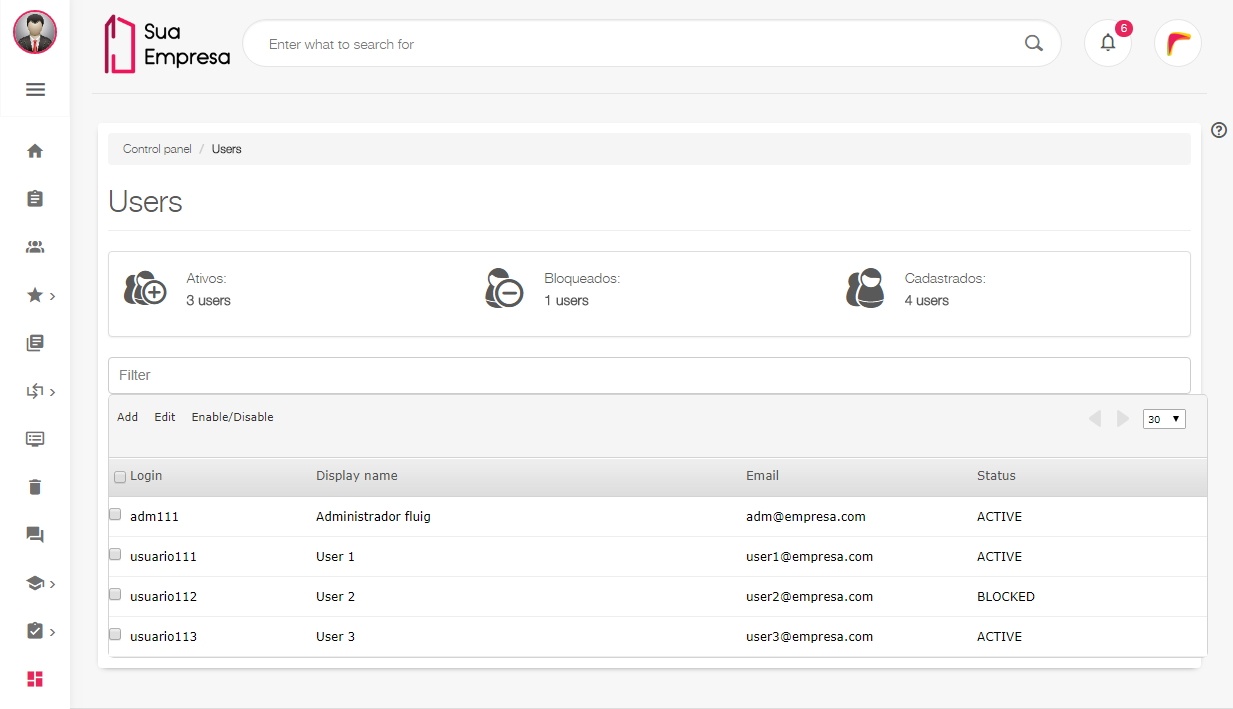
You asked for it, and we listened! Now the Users page just got more interesting as it allows the platform administrator to view the number of active and locked users with no effort at all. Check it out!
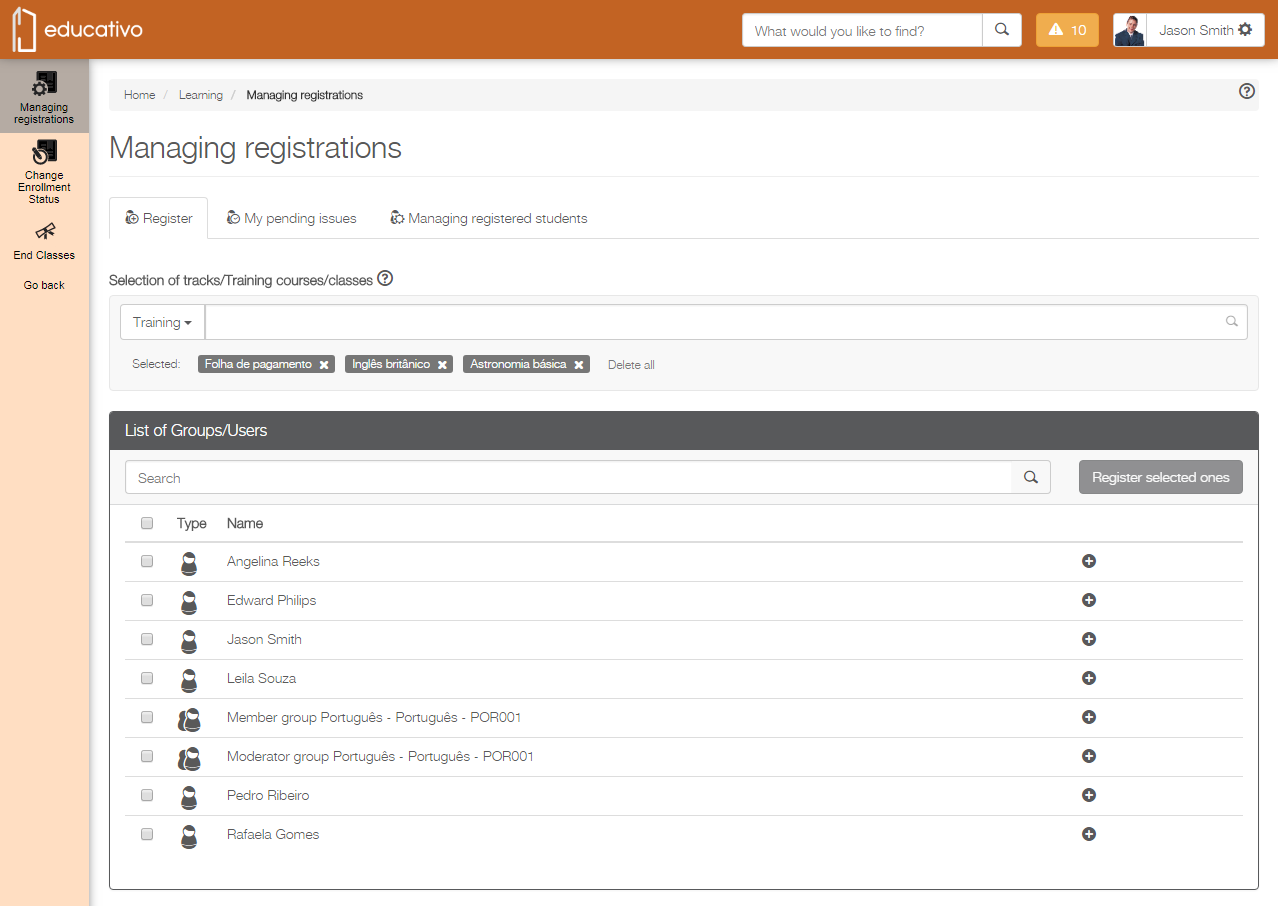
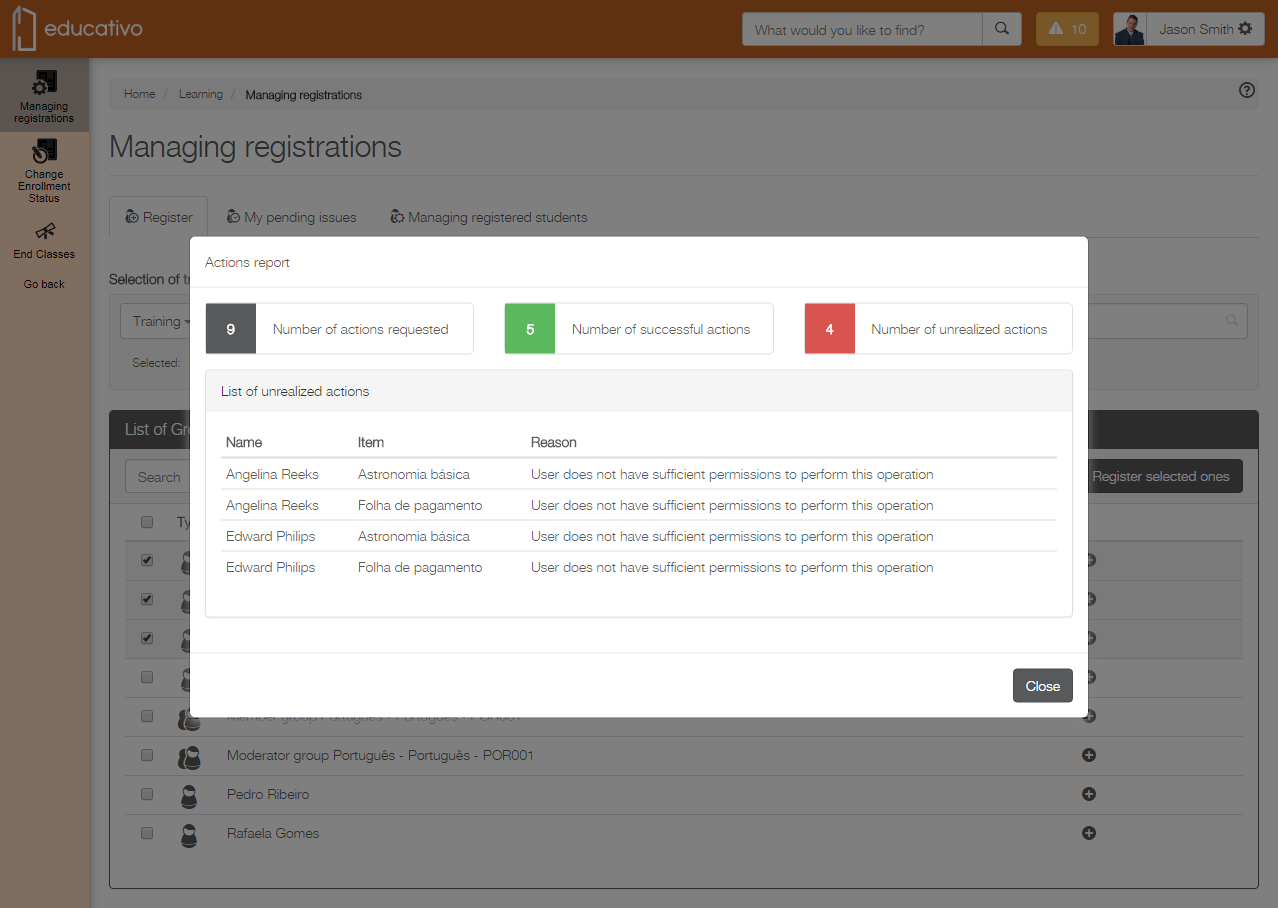
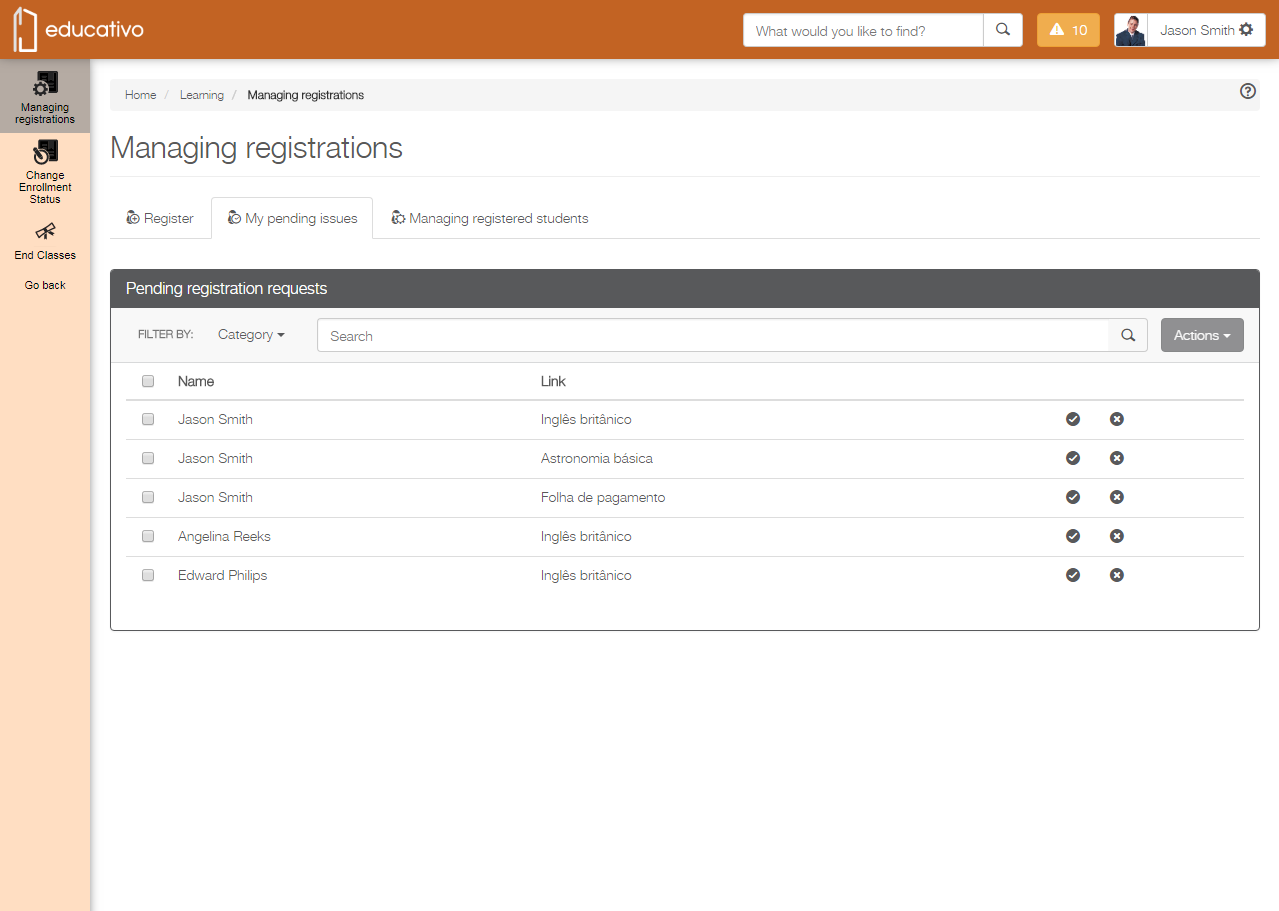
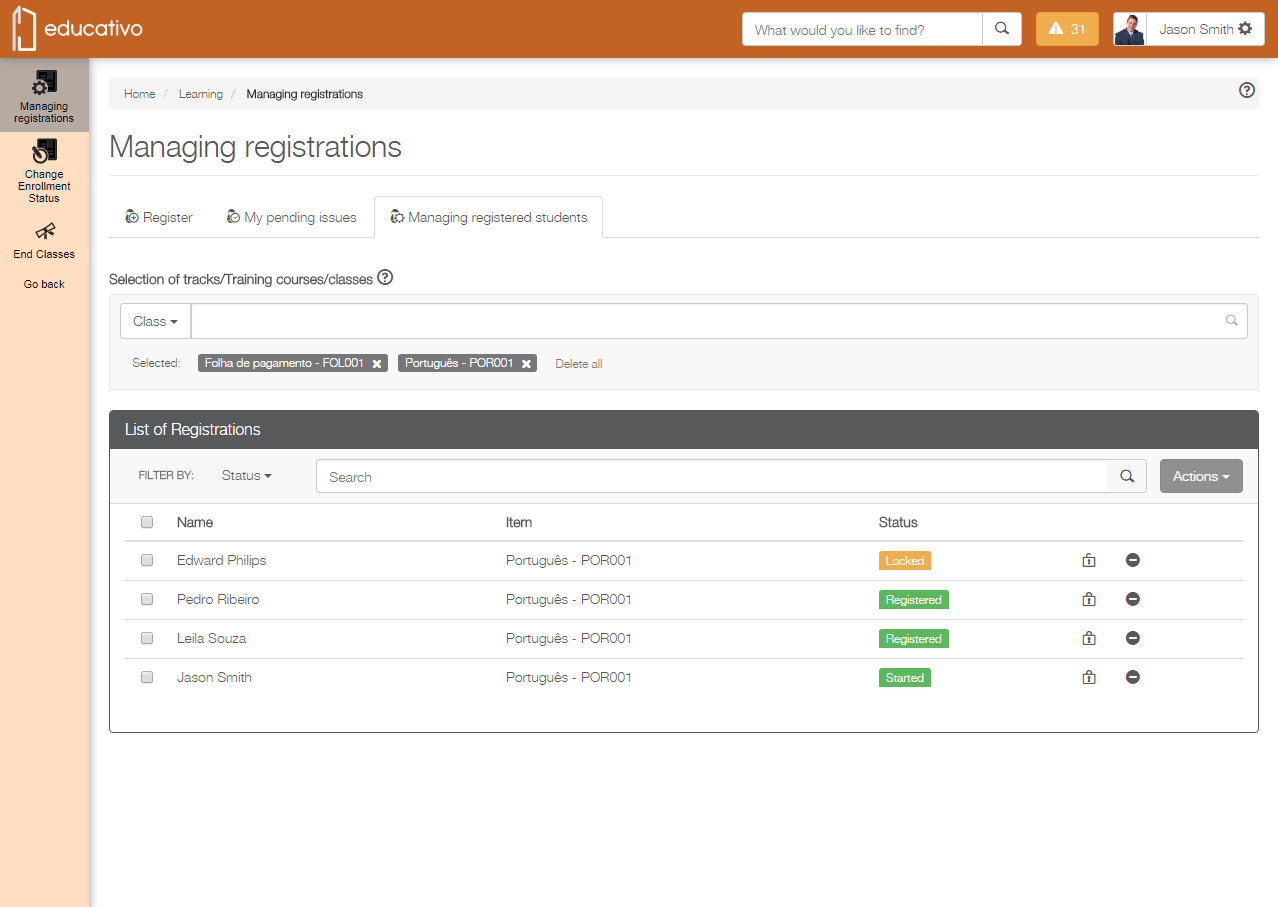
Managing registrations is easier than ever
Remember how many different features you had to access to manage registrations? Well, you no longer need to because that has changed and you can already begin to celebrate: the actions to be performed on registrations are all in one place! Now just a single click and you have everything you need at your disposal. It simplifies your day-to-day routine. Check it out!
Check out more details about the actions available for registrations – such as registering, unregistering, locking registrations, and approving registration requests, among others – in Platform ❙ Register, Platform ❙ My pending issues and Platform ❙ Managing registered students. Want to learn more about how to release access to these features? Go to Platform ❙ Learning and evaluation features. |
|
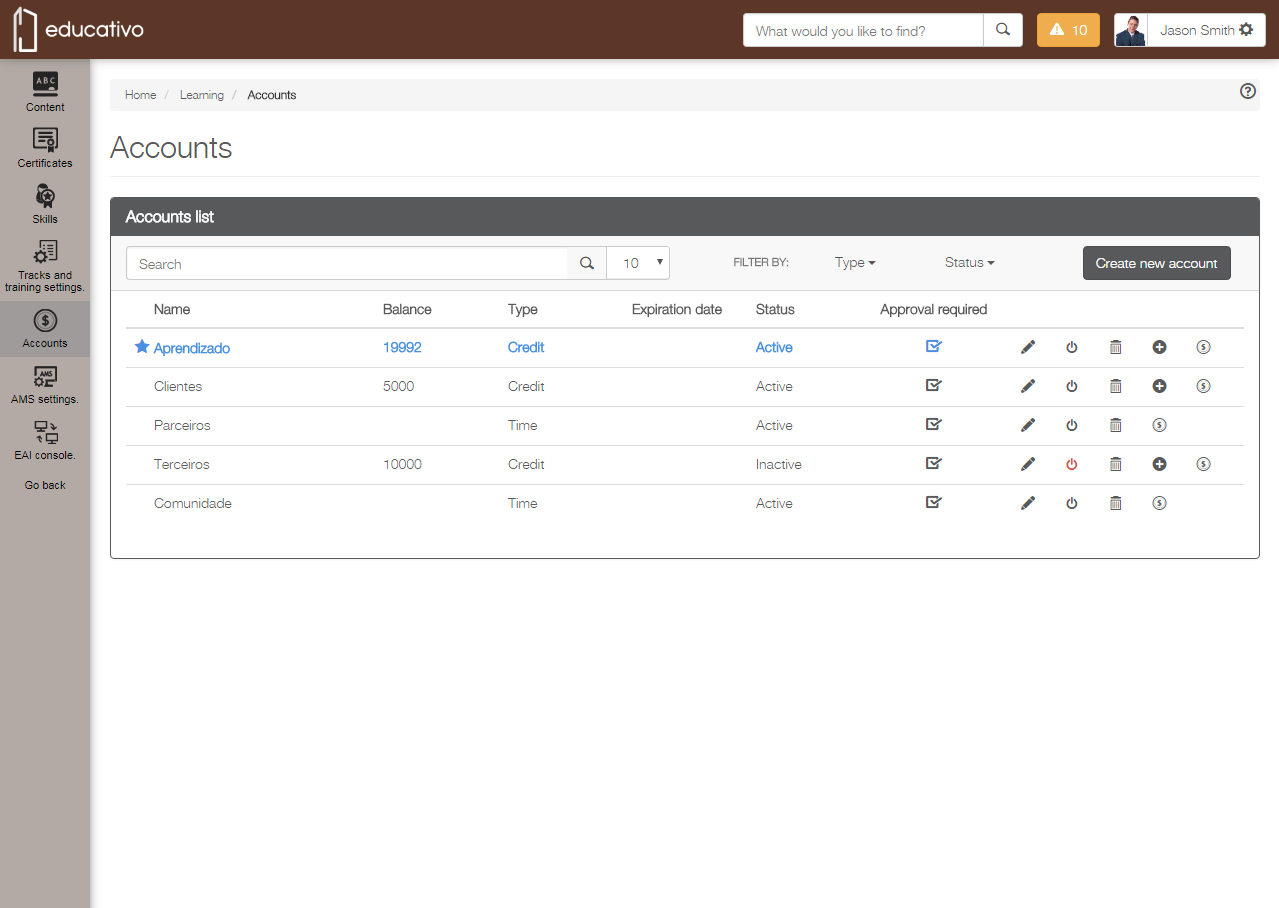
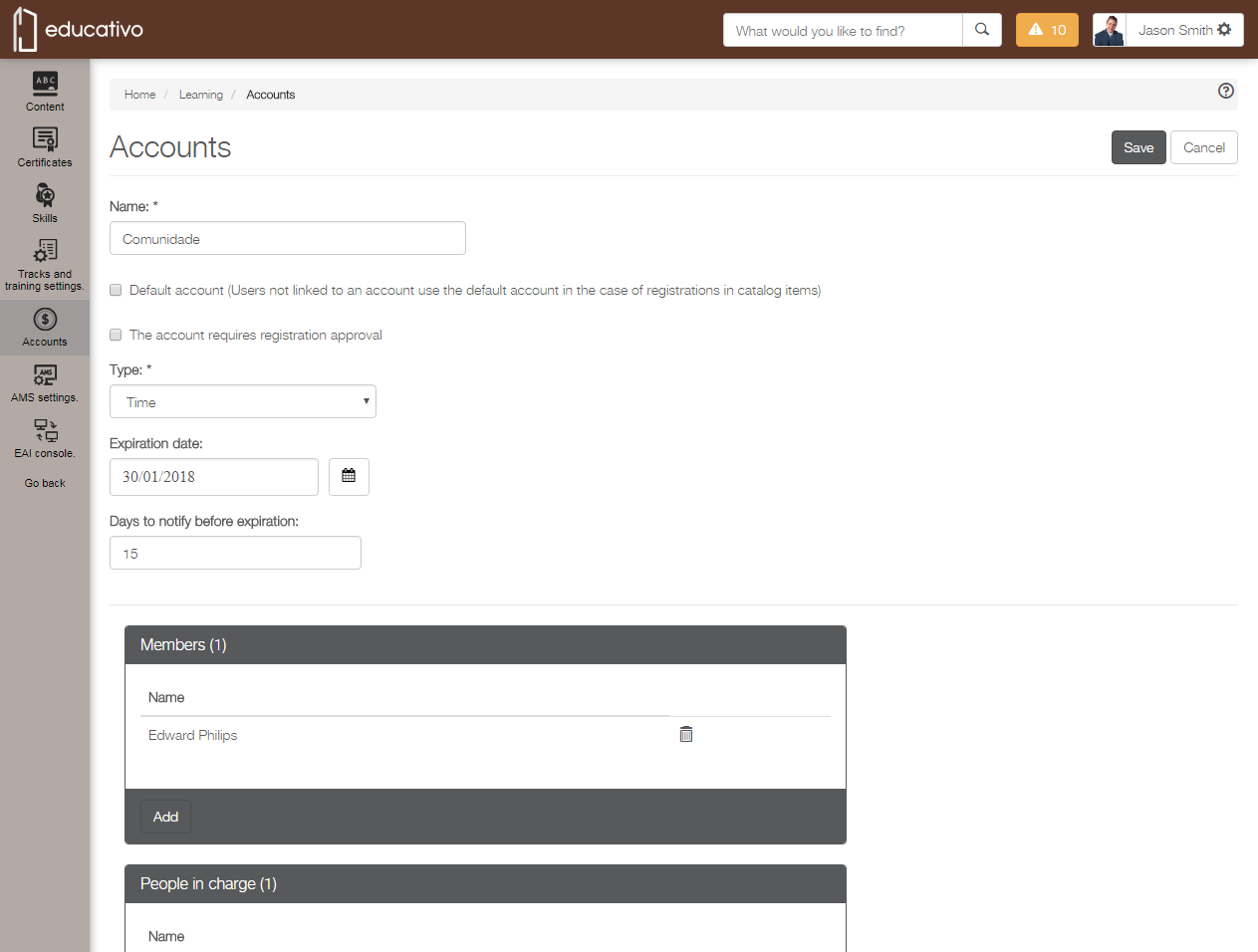
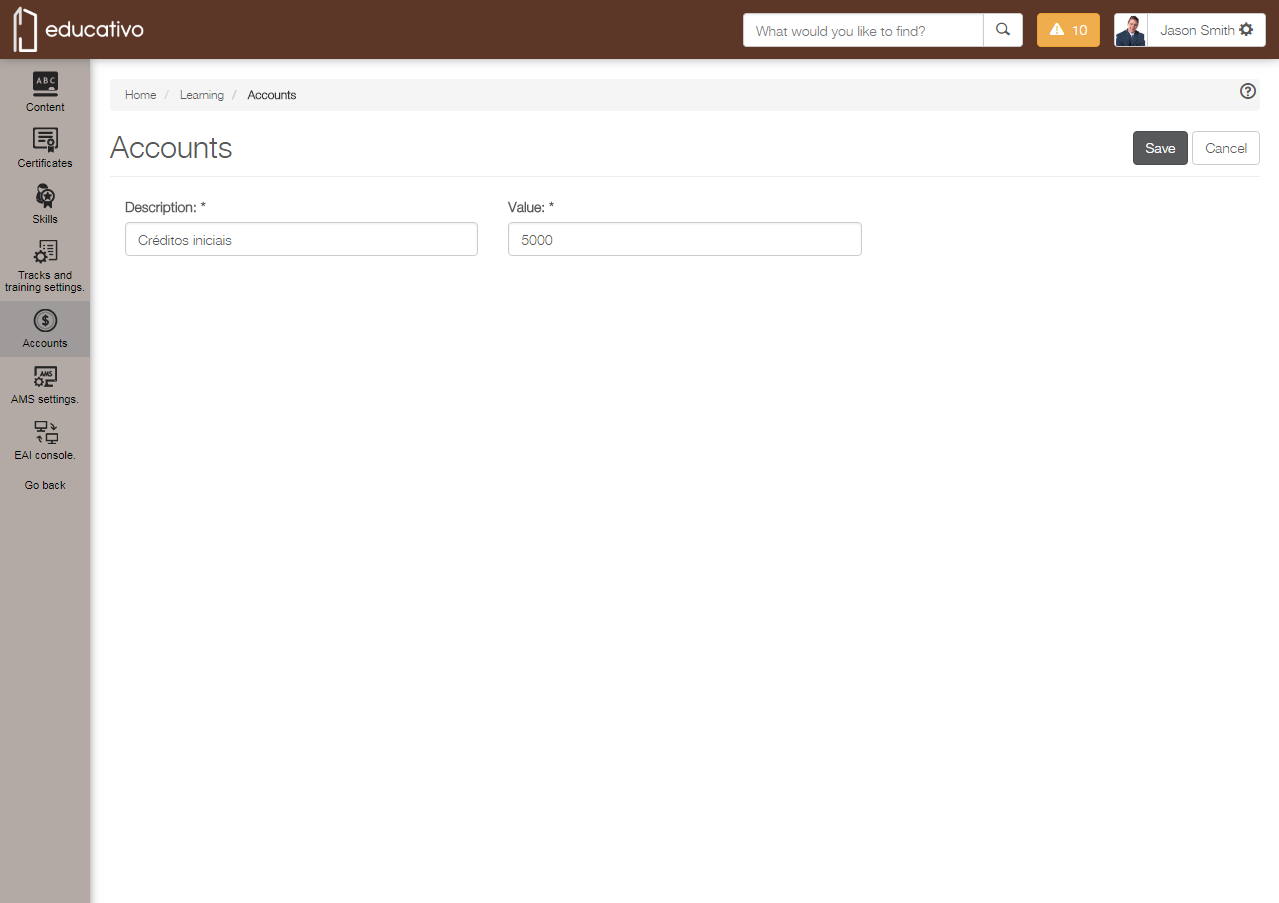
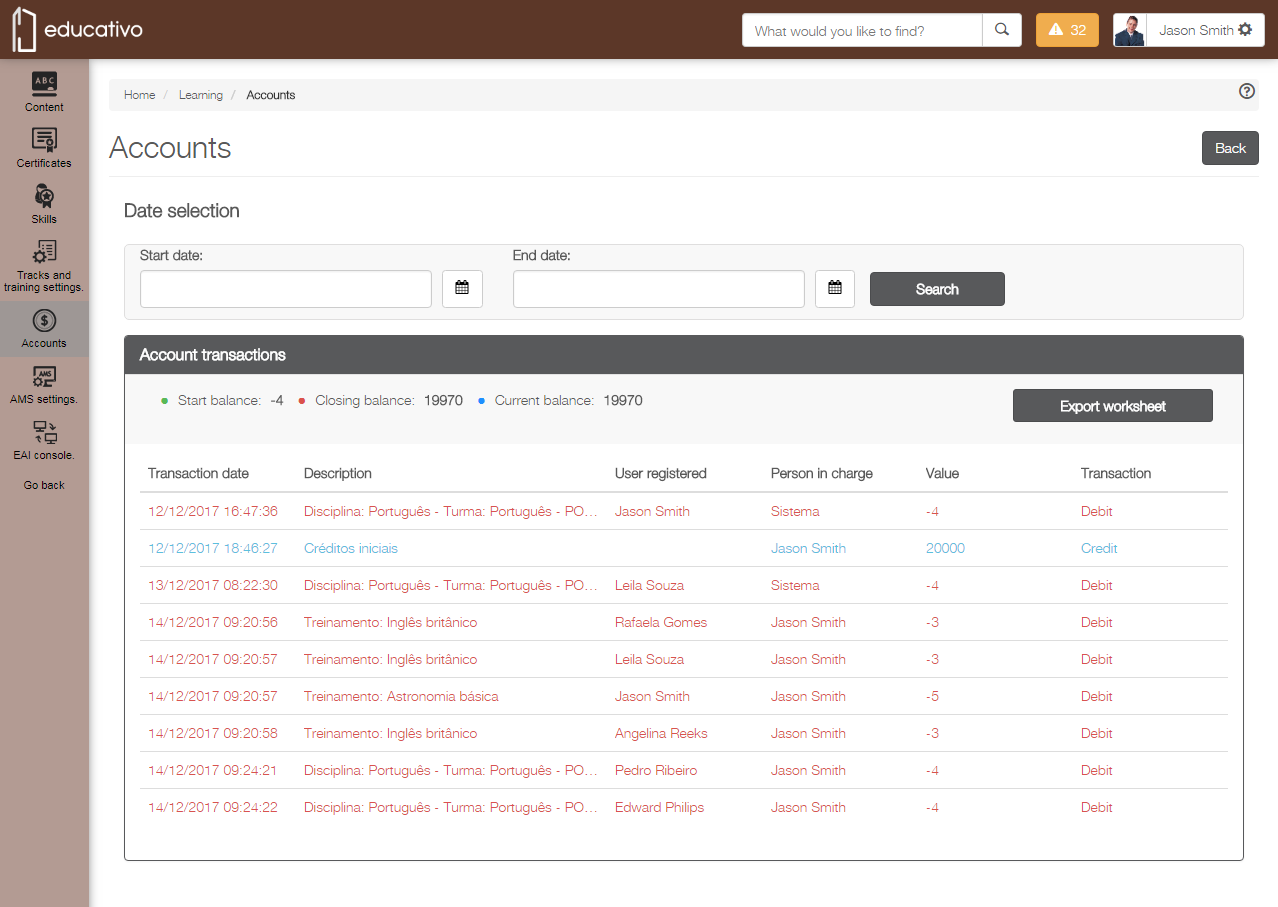
Account management is more beautiful and intuitive
If you deal with accounts to manage learning at your company, we have great news for you! We have redesigned this feature to make it more beautiful, intuitive, easy and usable, thus making it easier to manage accounts and your everyday tasks.
Want to know more details about how Type and Credit accounts work? Go to Platform ❙ Accounts and increase your knowledge. |
|
Evaluations: schedule, run and recognize
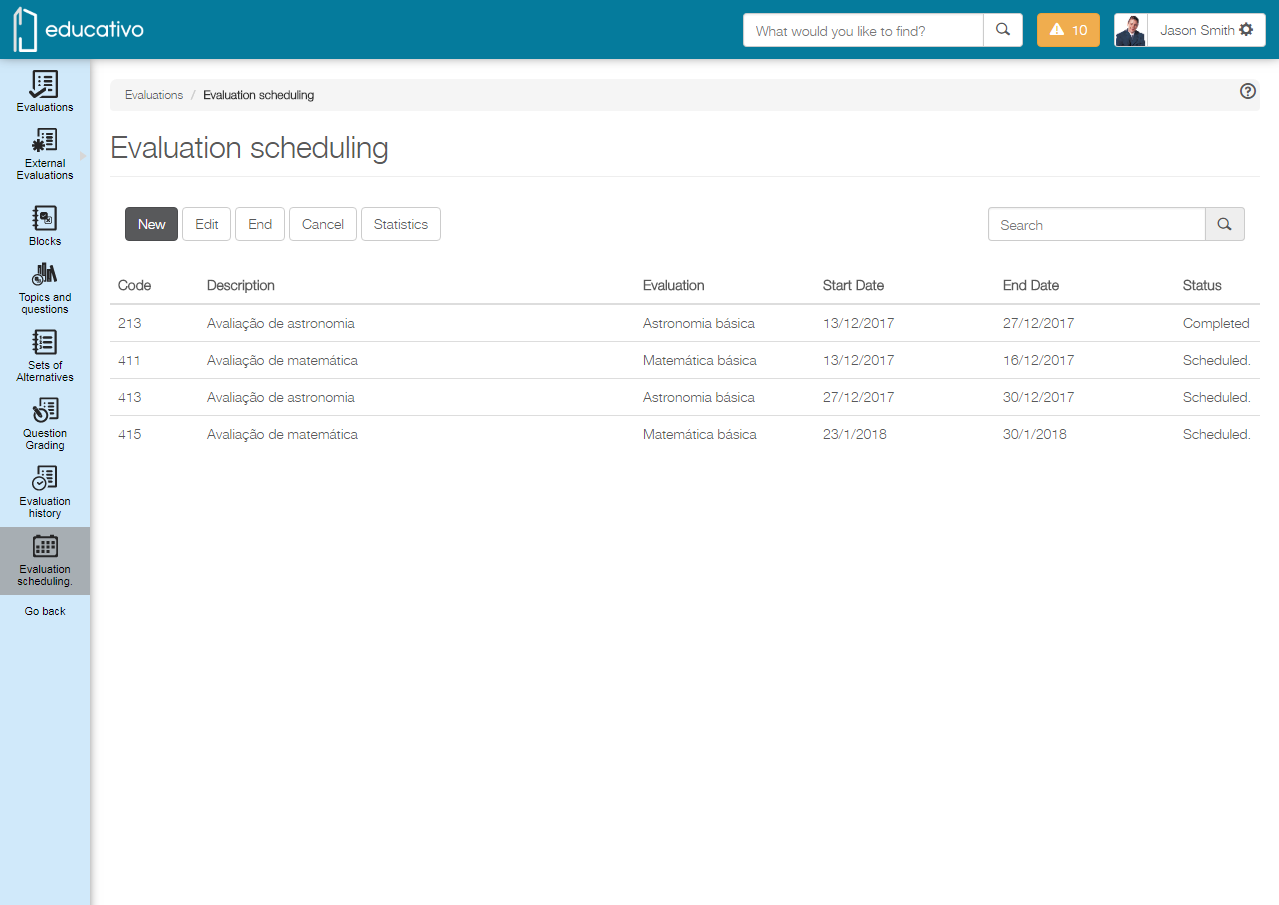
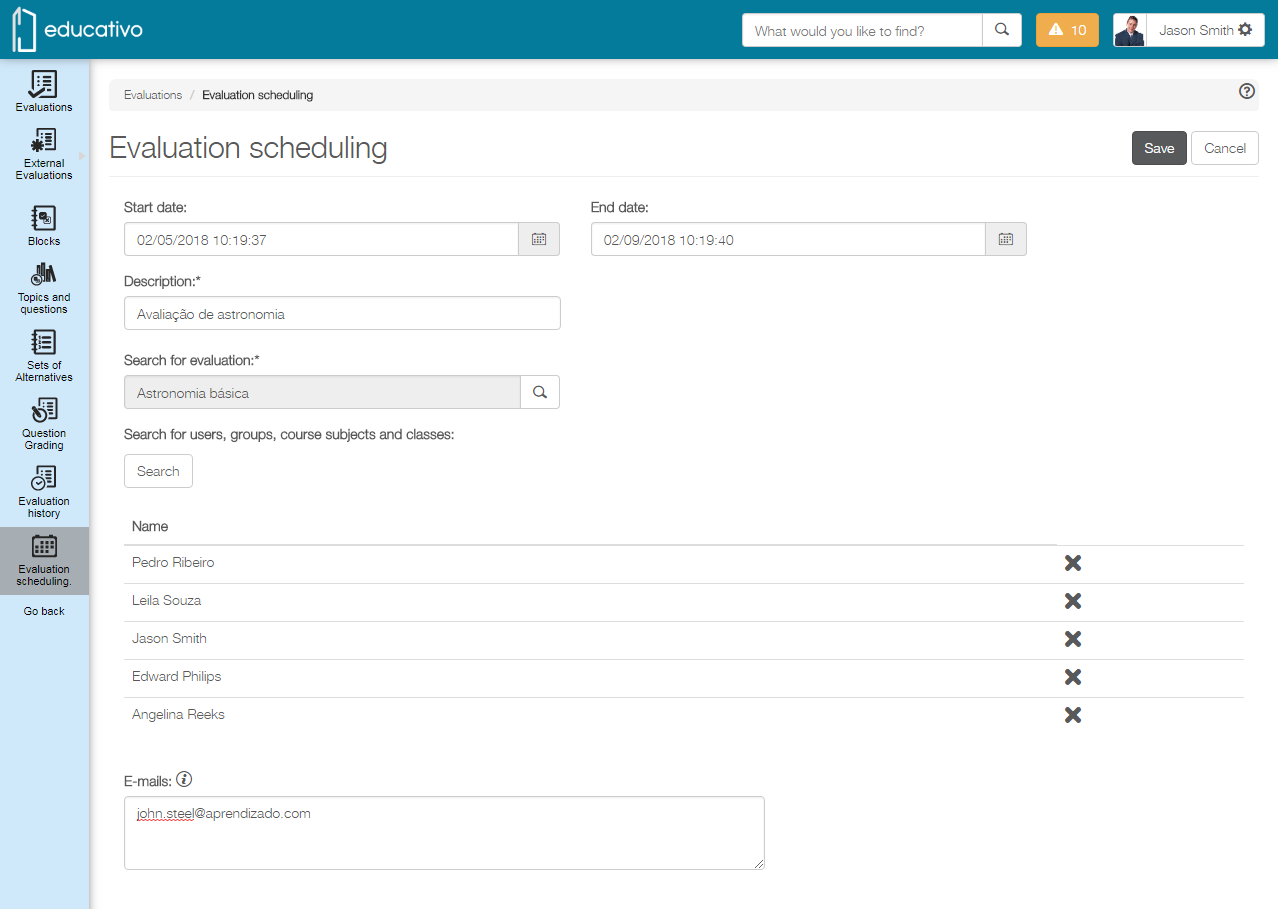
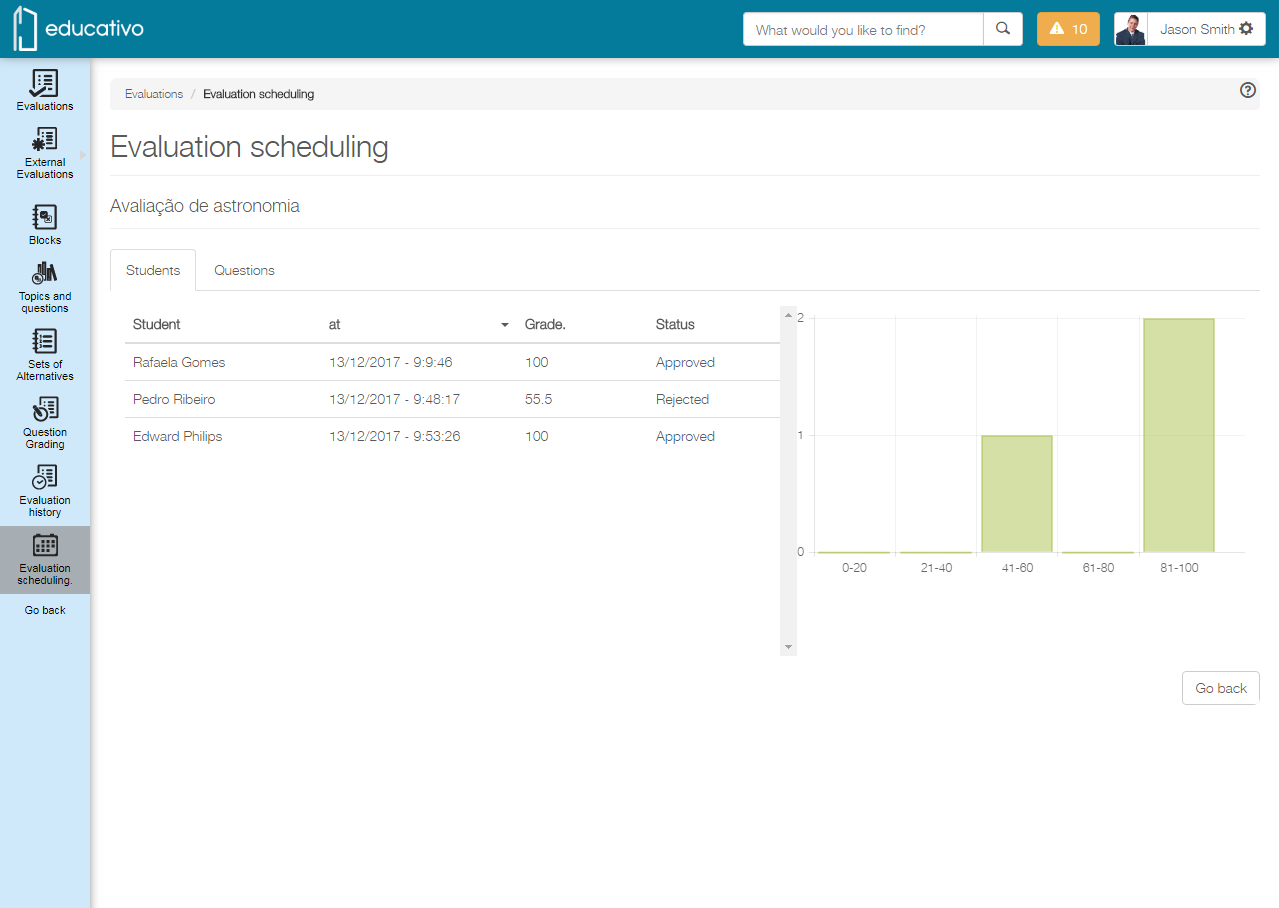
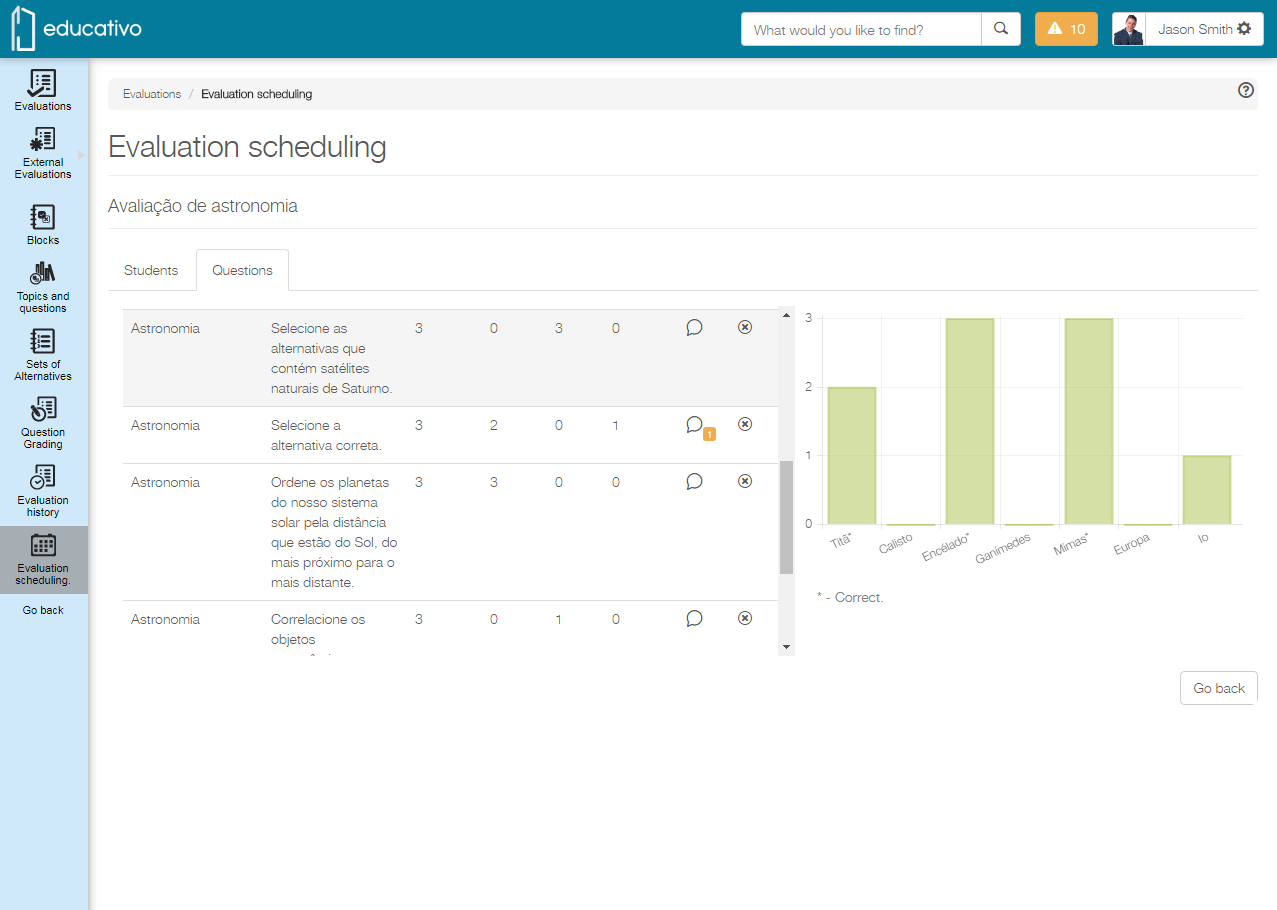
You can never have too much training, right? Thinking about it, we have redesigned the Platform ❙ Evaluation scheduling feature to make it easier to run them in your company. It is now more intuitive and easy to schedule evaluations to measure your participants’ knowledge of a given subject and give them the deserved recognition. Click the link to check it out!
|
Using communities in classes is now optional
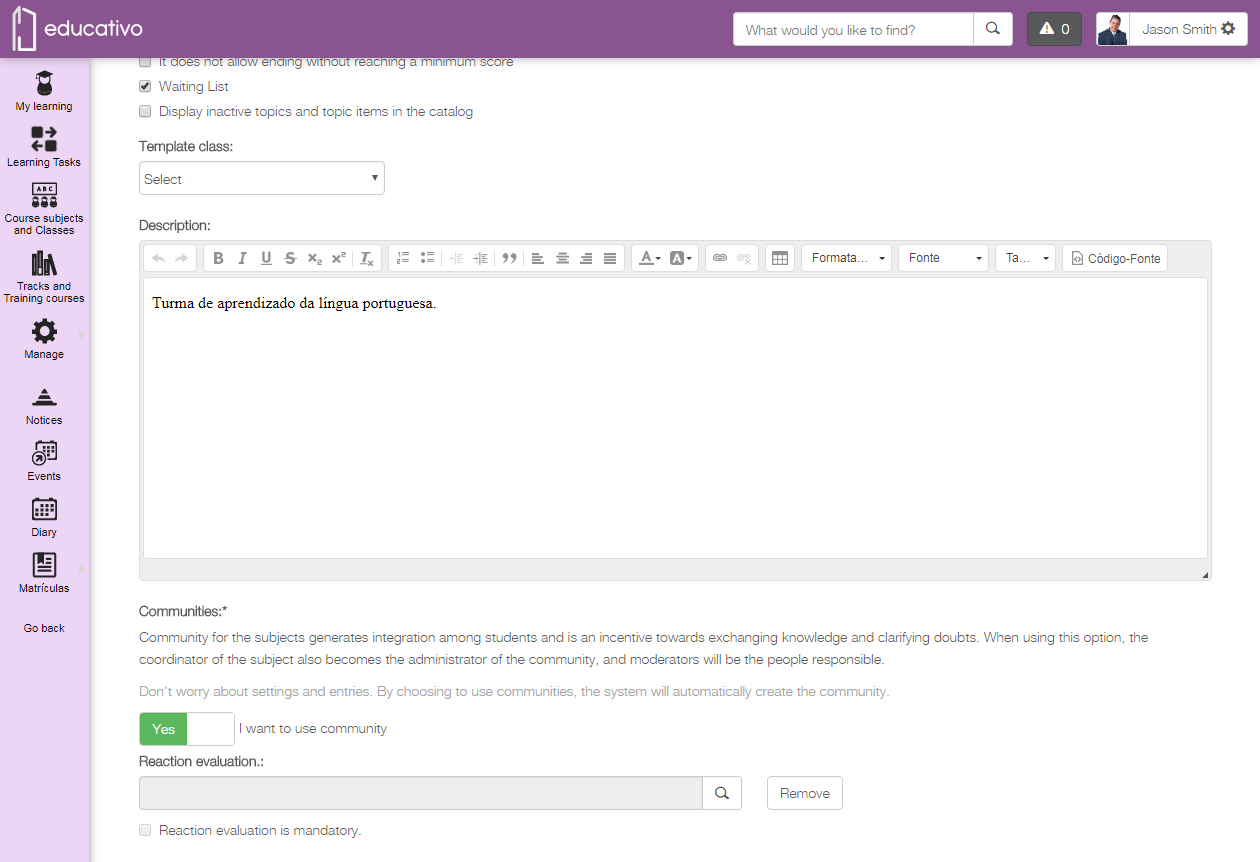
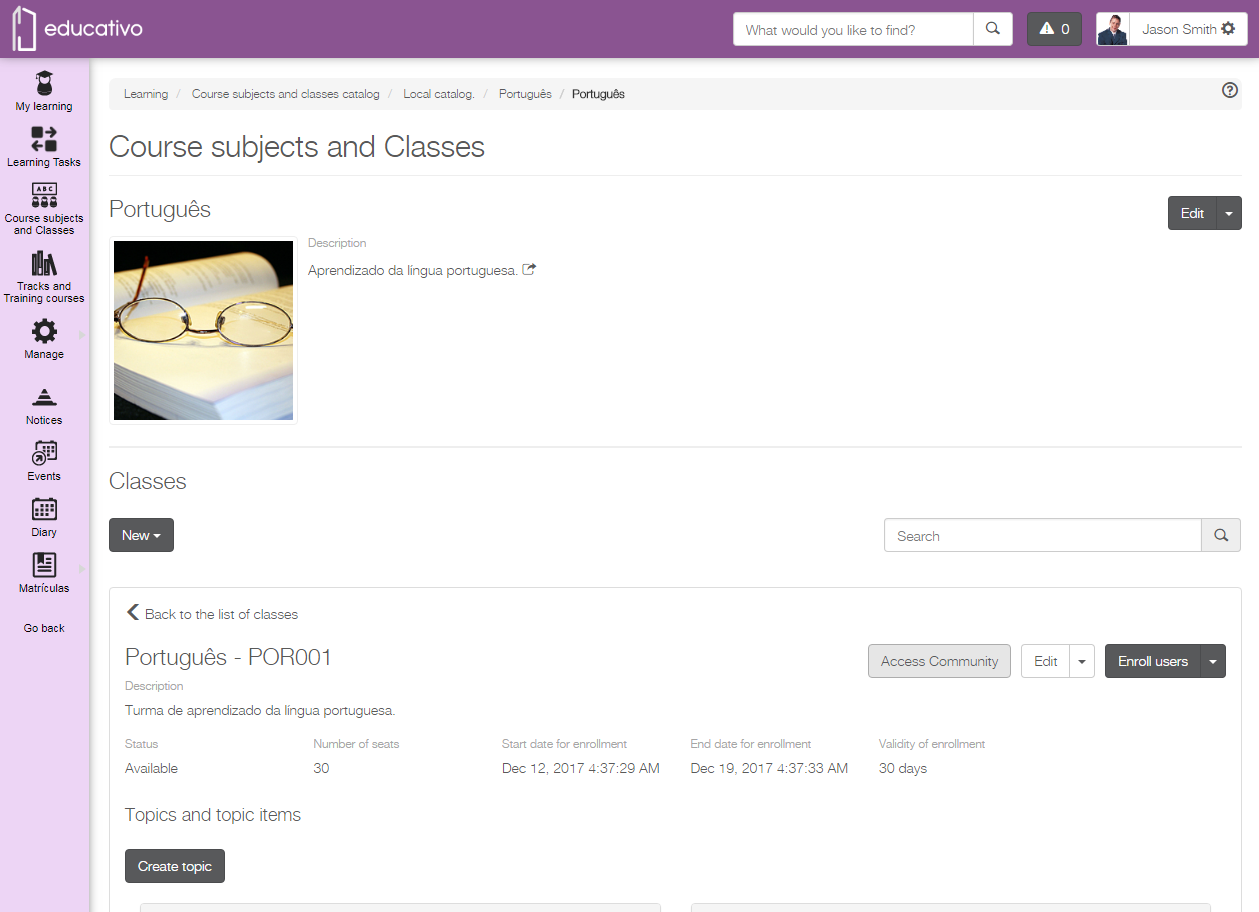
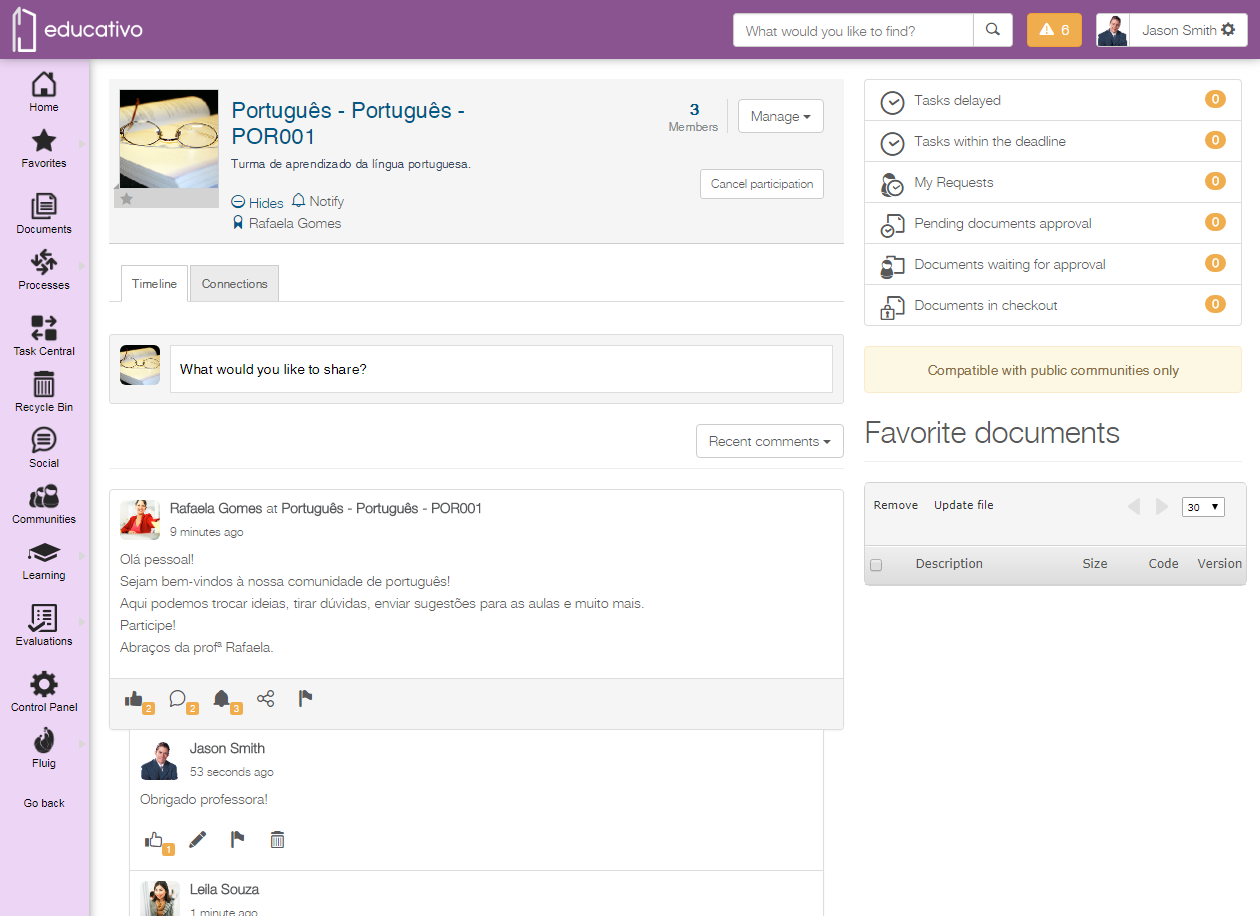
You know that feeling you have options and you can really choose what to use or not? Well, you will feel the same when using communities in classes! Now you can choose whether or not to create a community for the class, as you did before, when choosing subjects. Cool, huh?
All available classes will keep their community after the 1.6.3 update is applied in their environment. Now, if you wish, you can disable the community for those classes. |
From now on when you create a new class, by default, it will have no community. If you like communities in classes and want to continue using it, you need to enable its use whenever a new class is created. |
|
Classes: copy, save and you are done!
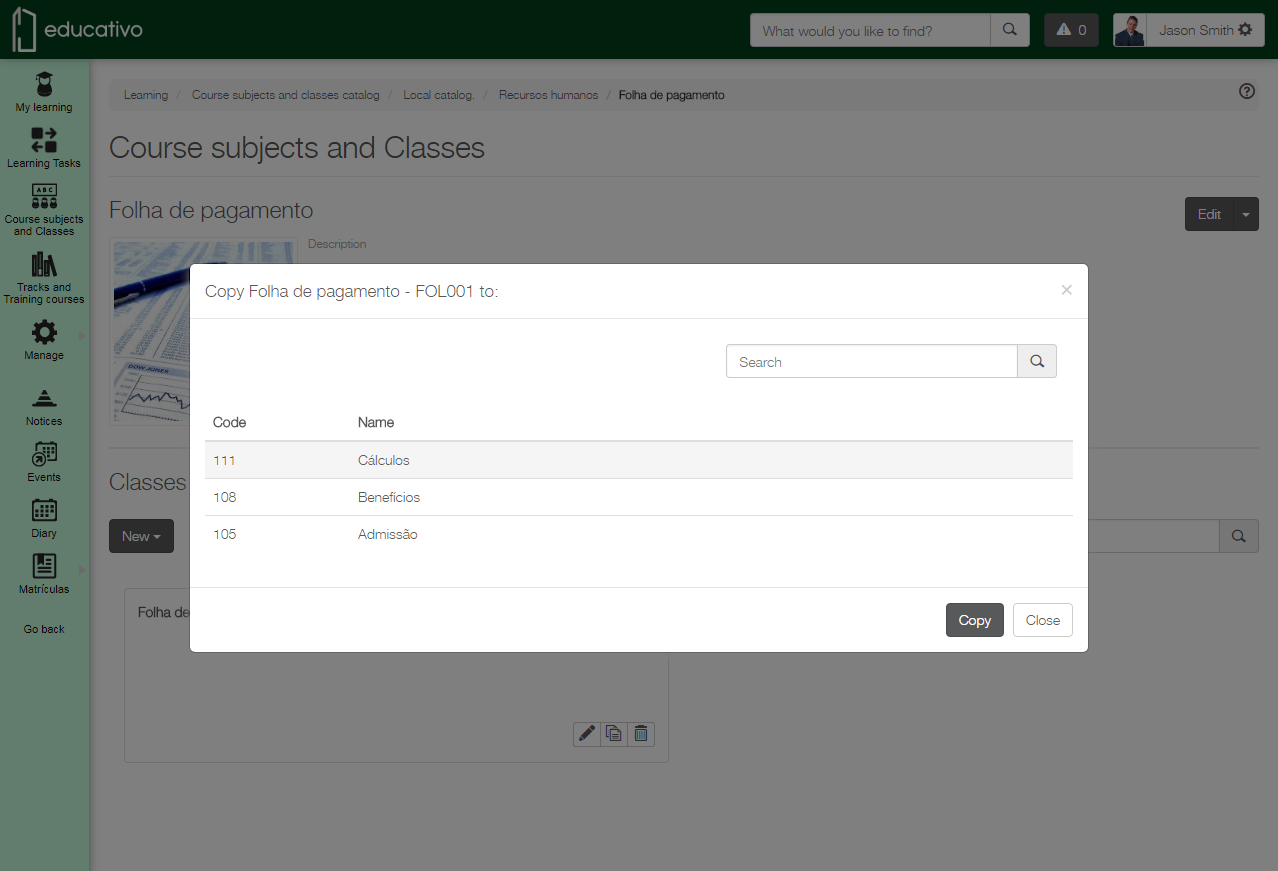
Often need to create classes that slightly differ from one another and the concept of a template class is not for you? Don’t worry, we can simplify things for you: just create a copy of an available class in the subject and only change the necessary information. And it gets even better: we have redesigned the class copy feature to make it simpler, easier and with fewer clicks.
New way to get the file of an exported training course
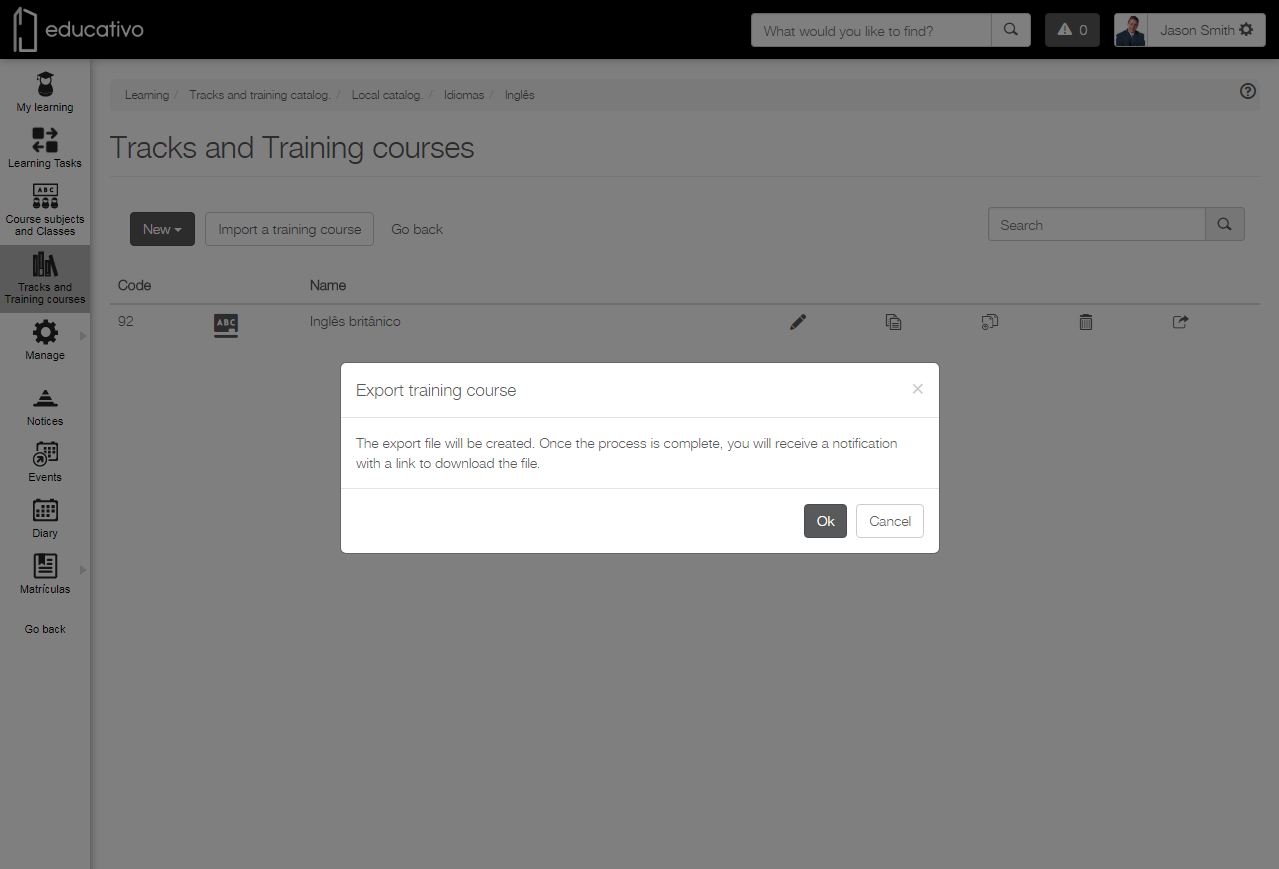
Now it is possible to get the generated file when exporting a training course from the URL in the received notification – in Notifications Center or by e-mail. Simply copy it and open it in the browser to download the file.
For more information on this procedure, go to Export training course. |
As of this update, the export file of a training course will no longer be saved in document browsing. Therefore, access to it will be via the received URL only. |
|
Connect 1.6.2.0 is more complete!
Want more efficiency when synchronizing your documents? We have improved Connect’s performance for you!
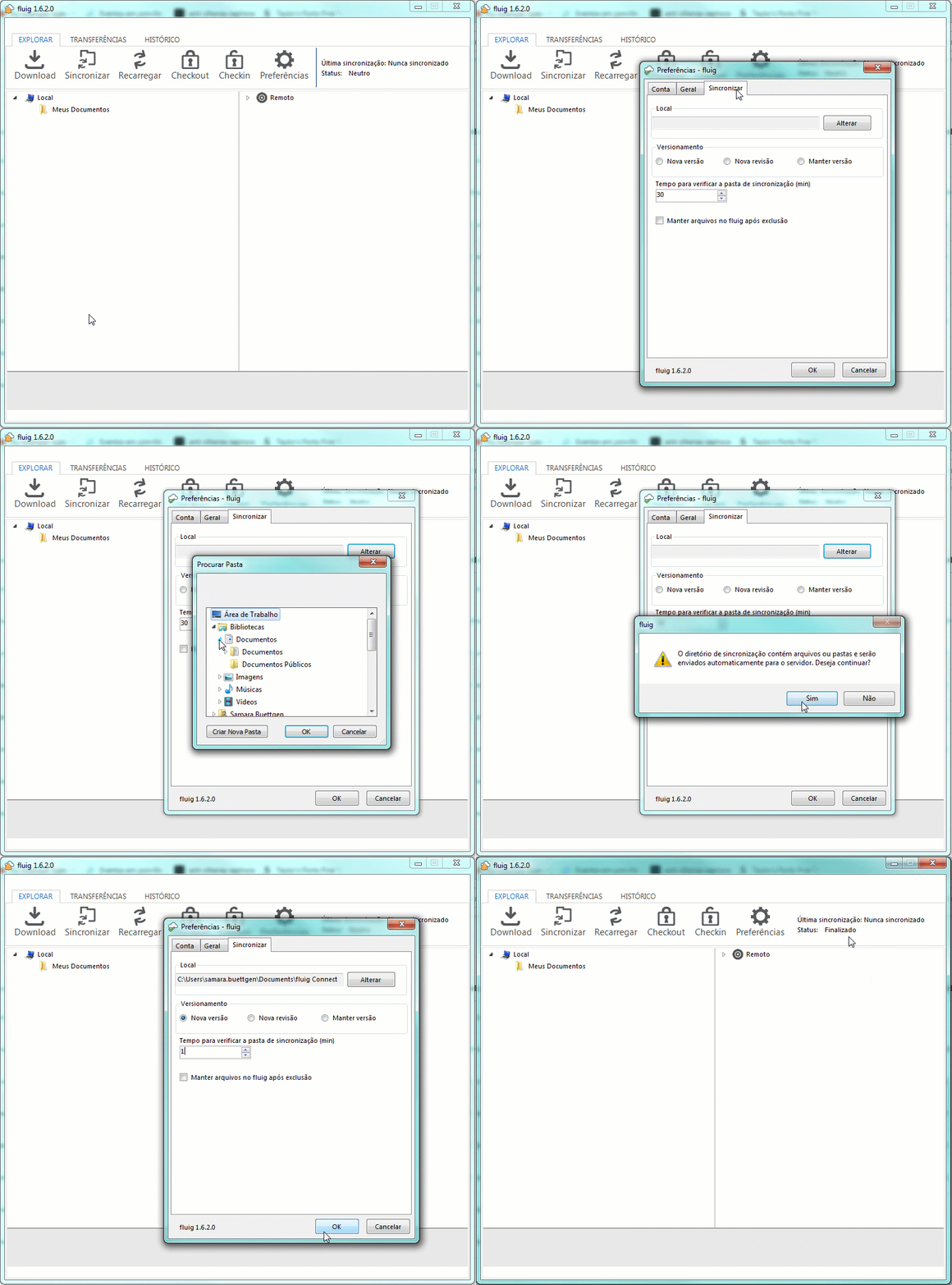
As of Connect’s 1.6.2 update, you can Automatically Synchronize your documents if you know the synchronization phase through Status, and a progress bar has also been added to show synchronization progress. So you like the news? Update fluig Connect today!
More control when deleting documents, from browsing or the bin!
As of fluig’s Snowflakes update, there are six new events for you to customize how to delete documents from the platform. Now, you can ensure that important documents or form records used in apps or processes are not accidentally deleted.
The before/after events are used for:
Stay tuned!
Go to Document events and check out all the available events.
ECM
Architecture
LMS
The following changes were made to avoid timeout inconsistencies when starting up the platform after updating it to 1.6.2:
- increased performance while creating platform groups within LMS and fixed an issue with the creation so that it considers groups that have more than 120 characters in the description field;
- improved verification of existing groups;
- fixed an issue to allow considering more than 1,000 groups and groups from relationship clouds, when the clouds are enabled.
WCM
Social
Your company uses Messaging for communication and collaboration between users? Stay tuned to this update! |
BPM